
September 18, 2026
Explore how a QSR kiosk works, which features to look for, and how it can help your restaurant reduce lines, errors, and counter pressure at peak times.
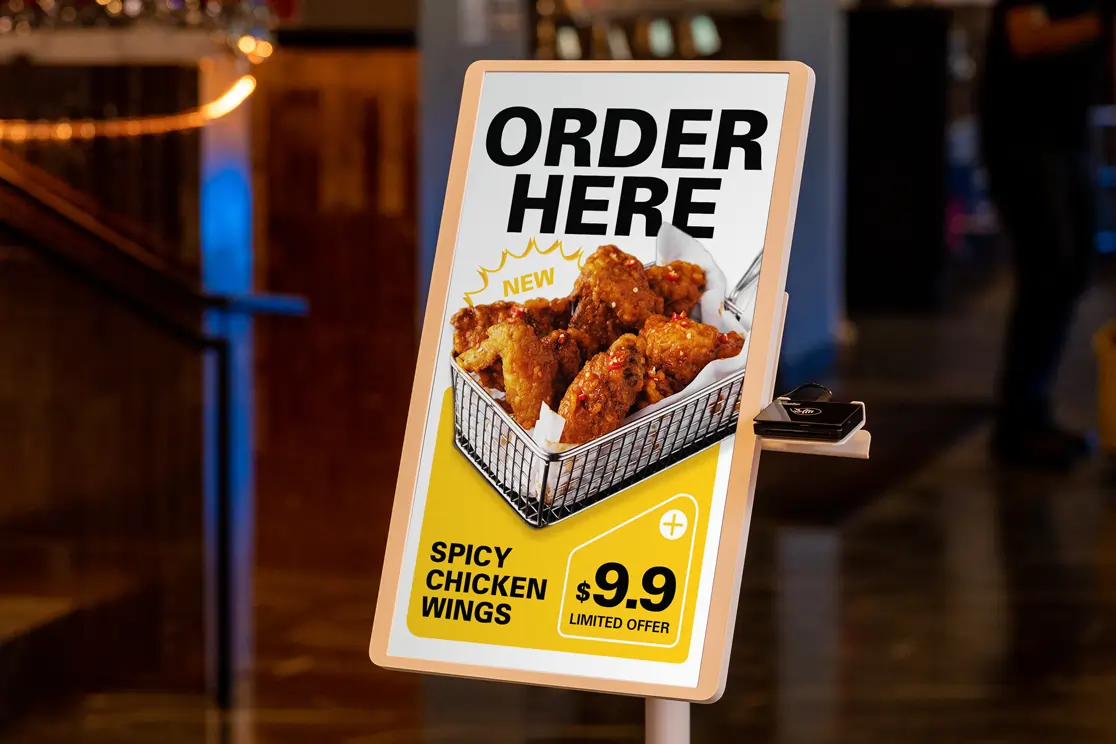
When counter lines grow and staff are stretched, every order needs to move quickly and accurately. A QSR kiosk can help your restaurant reduce wait times, cut order errors, and give guests a faster way to browse, customize, and pay. This guide explains how a QSR kiosk works, which features to look for, and how it can support smoother ordering from the screen to the kitchen.
Let’s start with the basics.
A QSR kiosk is a self-service ordering screen that lets guests place orders on their own. They can browse your digital menu, choose items, add modifiers, review their selections, and pay at the kiosk instead of waiting for a cashier.
For a quick service restaurant, this creates another ordering point during busy hours. Guests move through the menu at their own pace, while your team focuses on food preparation, pickup flow, and customer support.
A quick service restaurant kiosk works best when it connects with the systems you use every day. It can send orders to your restaurant POS system, route tickets to the kitchen display system, process payments, and sync menu updates from one central place. This helps keep pricing, item availability, modifiers, and order details aligned across the counter, kiosk, and kitchen.
A QSR restaurant kiosk gives customers a clear self-service path from menu browsing to payment. Instead of waiting at the counter, they can place an order directly on the screen and send it to your POS and kitchen system.
Here’s how the customer journey usually works.
With kiosk ordering for QSR, your team enters fewer orders by hand. Staff can spend more time preparing food, packing orders, managing pickups, and helping customers who need assistance.
A QSR kiosk gives guests another way to order while your team keeps service moving. Instead of sending every customer to the counter, kiosks help spread out demand, reduce order entry mistakes, and create a smoother flow from ordering to pickup.
A QSR kiosk lets customers place orders on their own, which helps reduce crowding at the counter. During lunch rushes, dinner peaks, or weekend surges, guests can browse the menu, customize items, and pay through the screen while your staff keeps the line and kitchen moving.
This helps you serve more people in less time. It also gives customers more control over the ordering process, especially when they want to review options, add extras, or take a moment before paying.
Order mistakes often happen when staff mishear an item, miss a modifier, or enter details too quickly. A QSR kiosk helps reduce those errors because customers select and review their own orders before sending them through.
They can check sizes, toppings, sauces, add-ons, and special instructions on the screen. Once they confirm the order, the details flow directly to the POS and kitchen system. This gives your team clearer tickets and helps reduce remakes, refunds, and delays at pickup.
A QSR kiosk can show upgrades, combos, add-ons, and limited-time offers at the right point in the ordering flow. Instead of relying on staff to suggest extras every time, the kiosk displays prompts consistently.
For example, customers can see options to add a drink, upgrade to a combo, choose premium toppings, or include a dessert before checkout. These small prompts can increase order value while keeping the experience simple and visual.
A kiosk supports your team by handling routine order entry and payment. Staff can then focus on food preparation, pickup coordination, cleaning, restocking, and helping guests who need assistance.
This can help during busy shifts or lean staffing periods. You still keep people involved where they add the most value, while the kiosk handles repetitive steps that can slow down the counter.
A QSR kiosk shows the same menu, pricing, promotions, and upsell prompts across every order. This helps create a more consistent experience from one shift to the next.
If you operate more than one location, kiosks can also help keep menu presentation and promotions aligned across stores. Guests see clear item options, accurate pricing, and the same guided ordering flow each time they visit.
A good quick service restaurant kiosk should help guests order faster, reduce order errors, and give your team better control over daily operations. Look for features that support ordering, payments, kitchen flow, promotions, loyalty, and service speed.
Your kiosk should connect directly with your POS system. Orders, payments, menu updates, taxes, discounts, and reports should stay in sync from one system.
When the kiosk and POS update in real time, your staff avoids duplicate entry and your kitchen receives orders faster.
Choose a kiosk that lets you quickly update item names, prices, photos, modifiers, and availability. If an item sells out, your team should be able to remove it from the kiosk right away.
Real-time menu updates help prevent unavailable orders and keep the ordering process accurate across the kiosk, POS, and kitchen.
Guests should move through the menu with ease. The screen should guide them through sizes, toppings, sauces, add-ons, combos, and special instructions.
A clean ordering flow helps guests review their choices before checkout, which can reduce mistakes before the order reaches the kitchen.
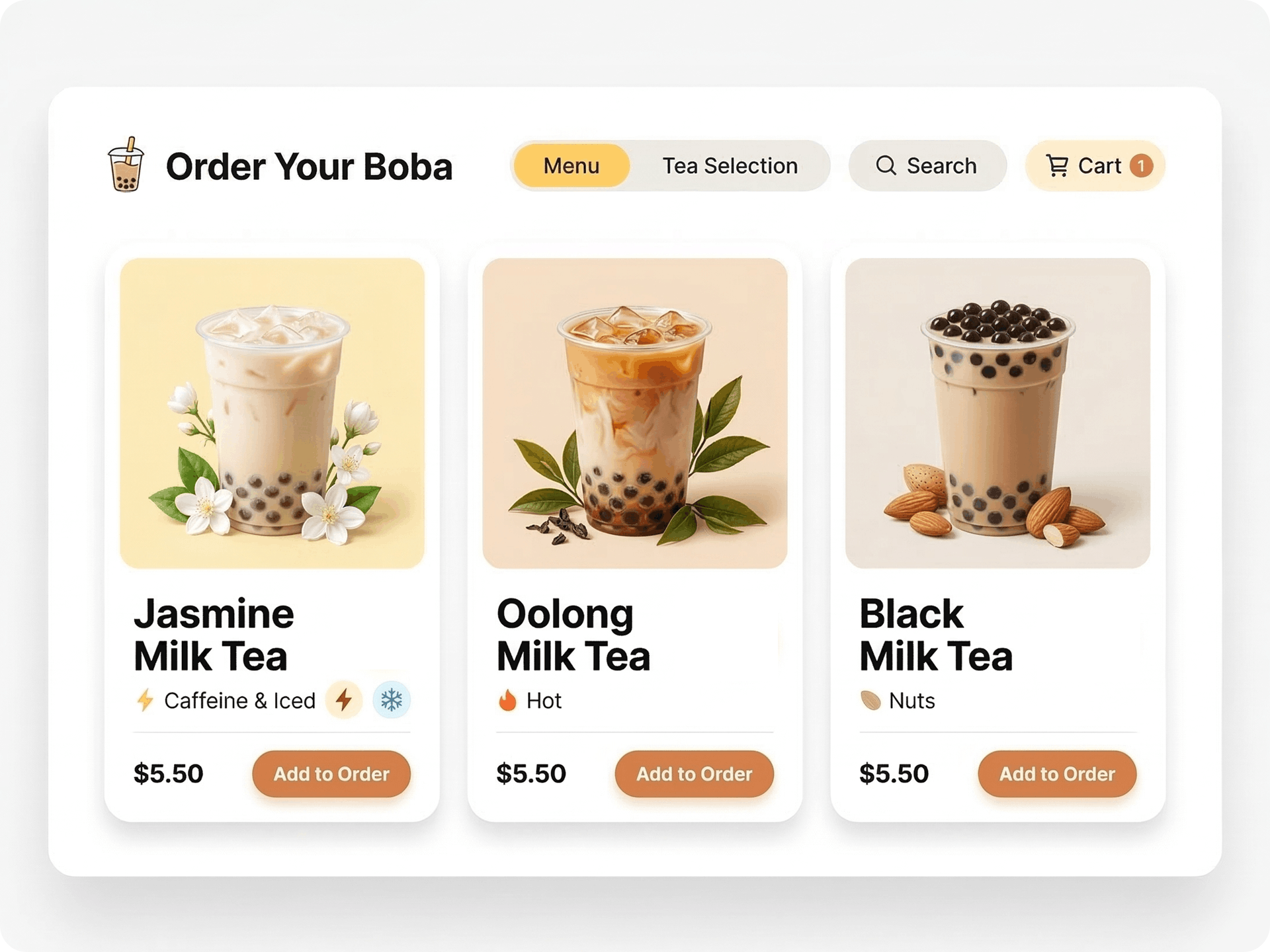
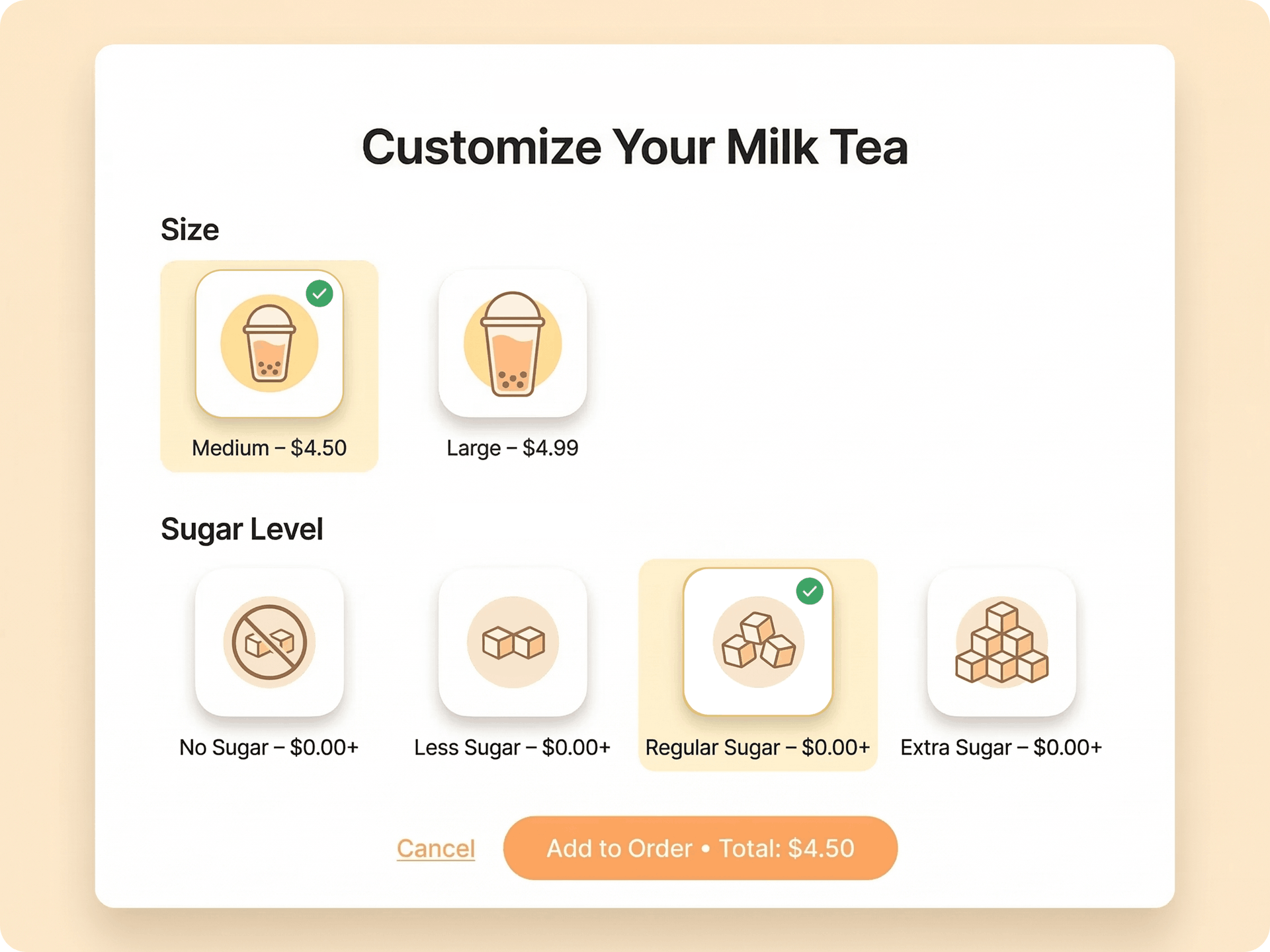
A strong kiosk should support detailed customization, especially for drinks, bowls, combo meals, and made-to-order items.
Look for options that let you add labels such as hot, iced, caffeine, nuts, spicy, or other menu tags. These details help guests choose items with more clarity and help your kitchen prepare orders correctly.
A QSR kiosk should accept common payment methods, including cards, contactless payments, and mobile wallets.
A smooth checkout helps guests finish orders faster and reduces pressure at the counter.
Kiosk orders should flow directly to the right kitchen printer, prep station, or Kitchen Display System. This helps your team prepare orders in the right sequence and view modifiers clearly.
If you use a pickup screen, completed orders should move there once staff mark them ready.
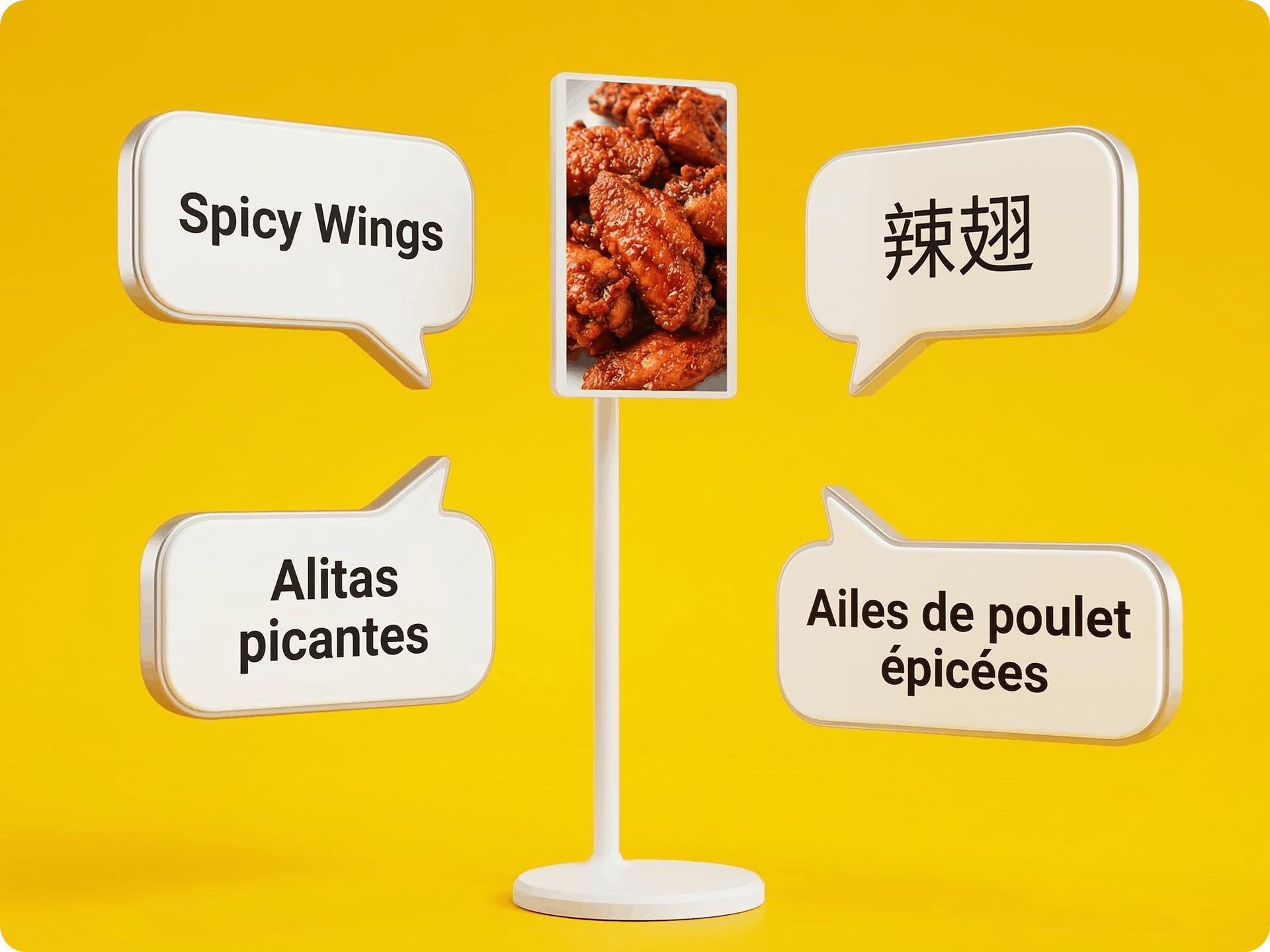
Multi-language menus can help more guests order comfortably. Look for kiosk language options that match your local customer base and the communities you serve.
This feature can reduce staff assistance during ordering and make self-service easier for more customers.
Your kiosk should reflect your restaurant’s brand. Look for options to add custom visuals to the welcome screen, screensaver, menu pages, and promotional banners.
This turns the kiosk into part of your in-store experience instead of a plain ordering screen.
Your kiosk should help promote combos, upgrades, sides, drinks, desserts, new items, lunch specials, and BOGO deals.
Clear prompts can encourage guests to add relevant items while they build their order, helping increase average order value in a natural way.
Built-in loyalty tools can help turn first-time guests into repeat customers. Look for features that support signups, points, rewards, coupons, promo codes, and member offers during checkout.
This works best when loyalty activity connects with your POS and customer data.
Your kiosk should handle daily traffic and rush periods. Choose hardware with a responsive touchscreen, stable stand, strong performance, and flexible placement options.
Countertop and floor-standing options can help you fit the kiosk into your layout, while a large display can make it easier for guests to notice and start ordering.
Good kiosk software should show how guests use the kiosk. Track order volume, popular items, add-on rates, peak ordering times, promotion performance, and average order value.
These insights can help you adjust menus, plan staffing, improve offers, and support growth.
A QSR kiosk may fit your restaurant if counter demand keeps rising and your team needs a better way to manage volume. It can also help when order accuracy, line speed, and staff workload start affecting service.
Consider a kiosk when you notice these signs.
A quick service kiosk can give guests more ordering control while keeping your counter available for customer support. A kiosk mode POS for quick service can also help if you want the customer-facing screen to stay focused on ordering while your main POS handles payments, reporting, and operations.

Counter ordering still has a strong place in quick service. Guests who want help, have special requests, or prefer speaking with staff can still order at the register. Your team can explain menu items, handle refunds, manage exceptions, and add the personal touch that a screen cannot fully replace.
A QSR restaurant kiosk adds another ordering lane. It can handle routine orders, simple customizations, add-ons, combo upgrades, and payments. Guests can browse at their own pace, review their choices, and send accurate orders to the kitchen.
The best setup uses both options together. Kiosks help reduce pressure at the counter during busy periods while keeping staff available for guest support, pickup flow, and hospitality. This gives customers more control and helps your team focus on service tasks that need human attention.
A QSR kiosk should not replace the customer experience. It should support it. When counter ordering and kiosk ordering work together, your restaurant can serve more guests, keep lines moving, and maintain a friendly service style.
Adding a QSR kiosk can feel like a big step, especially when your counter, kitchen, and staff follow a routine that works. Most concerns focus on guest adoption, staff roles, cost, and daily management.
Guests respond well when the screen feels clear and easy to follow. Place the kiosk where guests can see it, use simple menu categories, and ask staff to guide first-time users during launch.
A kiosk helps staff spend less time entering orders and more time preparing food, packing orders, managing pickup, and helping guests. It supports your team by moving routine order entry to the screen.
The right QSR kiosk software lets you update menu items, prices, photos, modifiers, and item availability from one system. When it connects with your POS, updates can sync across the kiosk, counter, and kitchen.
Yes, if the setup supports modifiers, combos, sizes, add-ons, and special instructions. A clear ordering flow helps guests build accurate orders and gives the kitchen the details it needs.
Review the full impact, not the hardware alone. A QSR kiosk can help increase order volume, improve accuracy, support upselling, and reduce pressure at the counter.
A good QSR kiosk should fit the way your restaurant serves guests today and support the growth you want next. Look beyond the screen. Review how the kiosk handles orders, payments, kitchen flow, menu updates, and reporting.
Choose a provider that understands quick service operations, menu changes, payment flow, kitchen routing, and store growth. The right partner should help you launch, train staff, and keep the system running smoothly.

A QSR kiosk can help your restaurant move orders faster, reduce counter pressure, and give guests a clearer way to browse, customize, and pay. When it connects with your POS, kitchen display system, menu, and payment tools, each order can move from the screen to the kitchen with better accuracy and less manual work.
MenuSifu helps you connect a quick service restaurant POS system with self-ordering kiosks, KDS routing, pickup displays, online ordering, menu updates, loyalty, and promotions in one system. It keeps your ordering flow organized during busy hours while helping your team serve guests with speed and consistency.
Book a Free Demo with MenuSifu today to see how a connected QSR kiosk setup can support your restaurant’s service goals.
These answers cover common points to review before choosing a kiosk setup. Use them as a quick guide when comparing features, costs, and integration options.
A QSR restaurant kiosk lets guests browse the menu, customize items, place orders, and pay through a self-service screen. It helps reduce counter lines, improve order accuracy, support upselling, and send orders directly to the POS and kitchen system.
A quick service restaurant kiosk connects to a POS system through an API, direct integration, or middleware. The kiosk syncs menu items, prices, taxes, and promotions from the POS, then sends each order and payment back in real time. The POS records the sale, routes items to the kitchen display system or printer, and updates reporting and inventory.
Kiosk ordering for QSR lets quick-service restaurant guests place orders and pay through a self-service touchscreen. Guests browse the menu, customize items, confirm totals, and send orders directly to the POS or kitchen system. This helps QSR brands speed up service, improve order accuracy, and encourage upsells during peak hours.
QSR kiosk software should include POS integration, secure payment processing, real-time menu updates, item modifiers, combo options, upsell prompts, loyalty tools, multi-language support, and kitchen system routing. It should also provide sales reporting so you can track kiosk performance, popular items, and order trends.
QSR kiosk pricing can vary widely based on hardware, screen size, payment terminals, POS integration, installation, software, and support. Some restaurant self-ordering kiosks fall in the low-thousands range, while more advanced, outdoor, or custom setups can cost significantly more. Software fees may also apply, often billed per device or as part of a larger POS package.
Many providers offer custom pricing, so the best approach is to request a quote based on your store layout, order volume, kiosk model, and service goals.
Visit our blog section for more insights and updates on restaurant POS systems, self-ordering kiosks, quick service operations, and digital ordering tools.
Related Articles:






