Restaurant Waitlist

Let Guests Join the Waitlist From Anywhere

Tame the busy waitlist, free up your staff, and keep guests happy. With MenuSifu's waitlist system, a little tech does the heavy lifting—so you can focus on service.
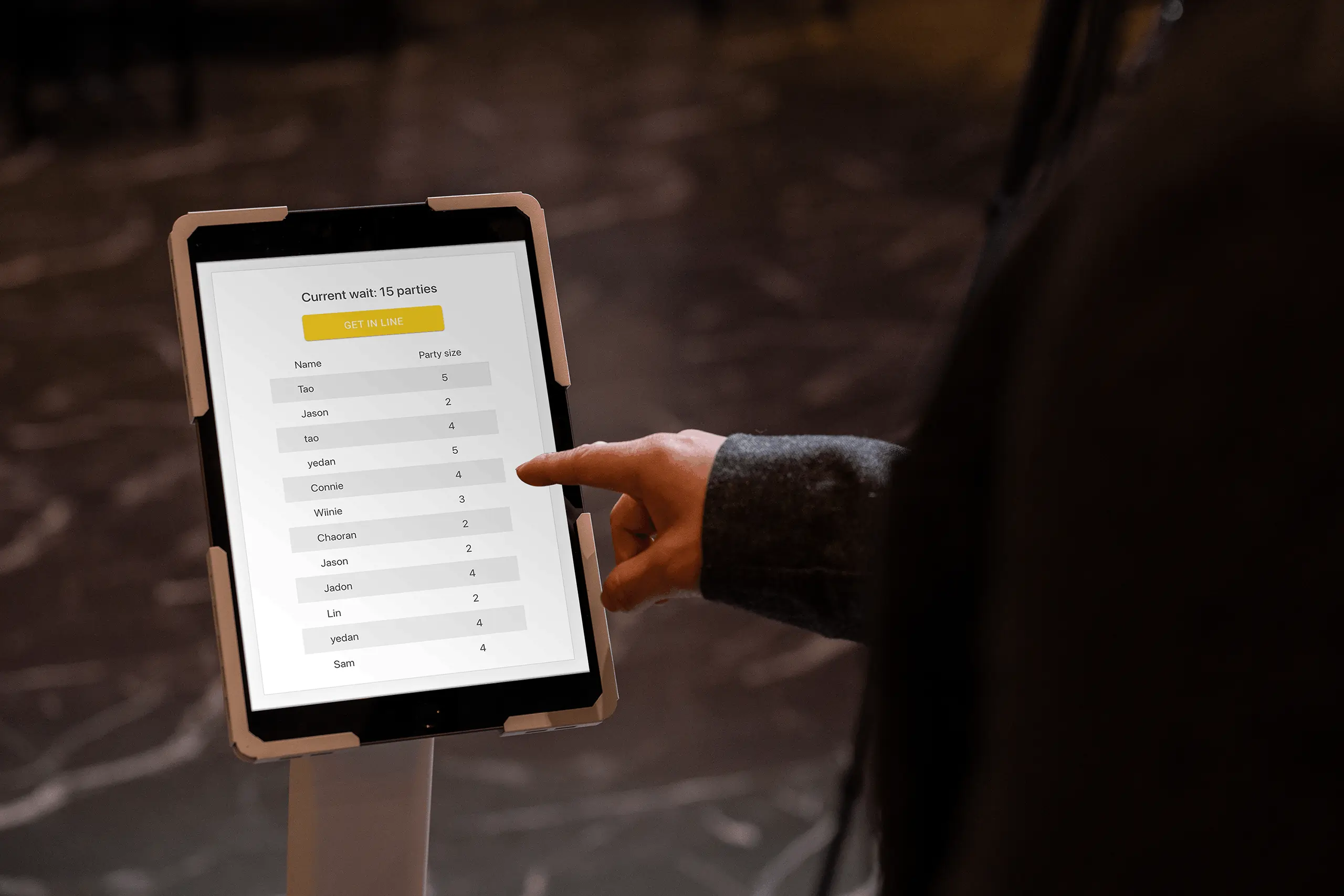
Restaurant waitlist interface on a tablet with a “Get in Line” button and a list of parties currently queued for dining.Restaurant waitlist interface on a tablet with a “Get in Line” button and a list of parties currently queued for dining.
Streamlined Waitlist Management
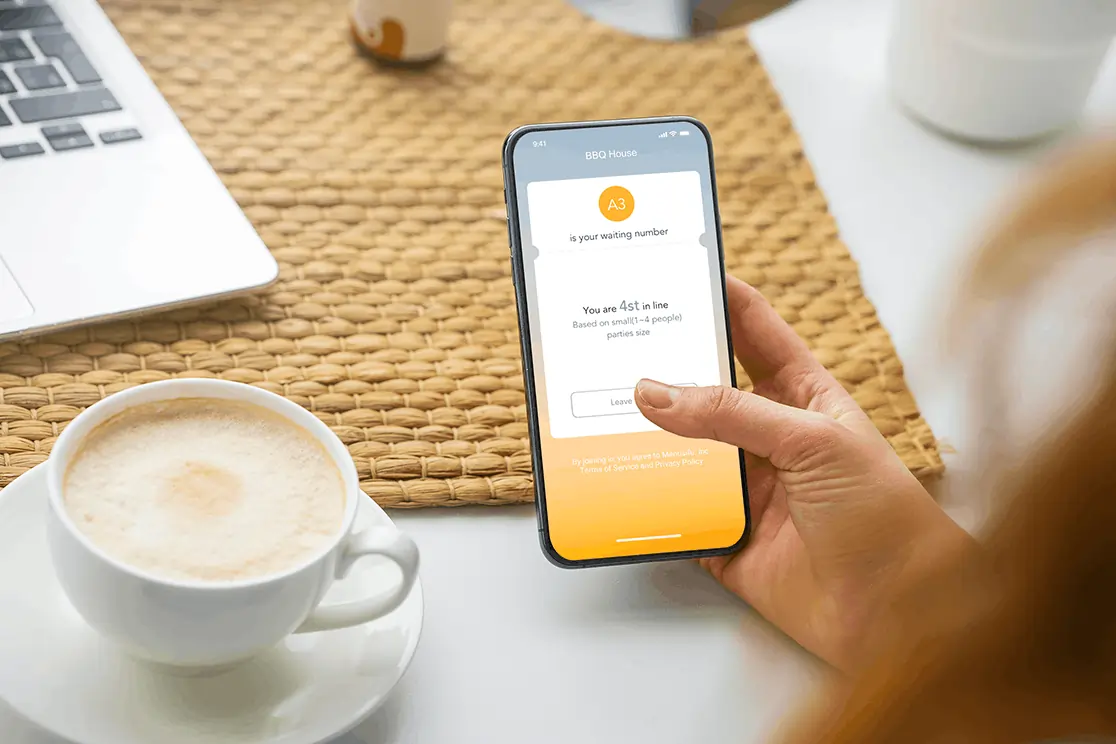
Guests Join from Anywhere
  • See wait times and join directly from Google Maps
  • Sign up at the door via iPad or scan a QR code
  • Get real-time updates by text with a live status link
Customer checks restaurant waitlist app on smartphone to track queue position while enjoying coffee at a cafe table.
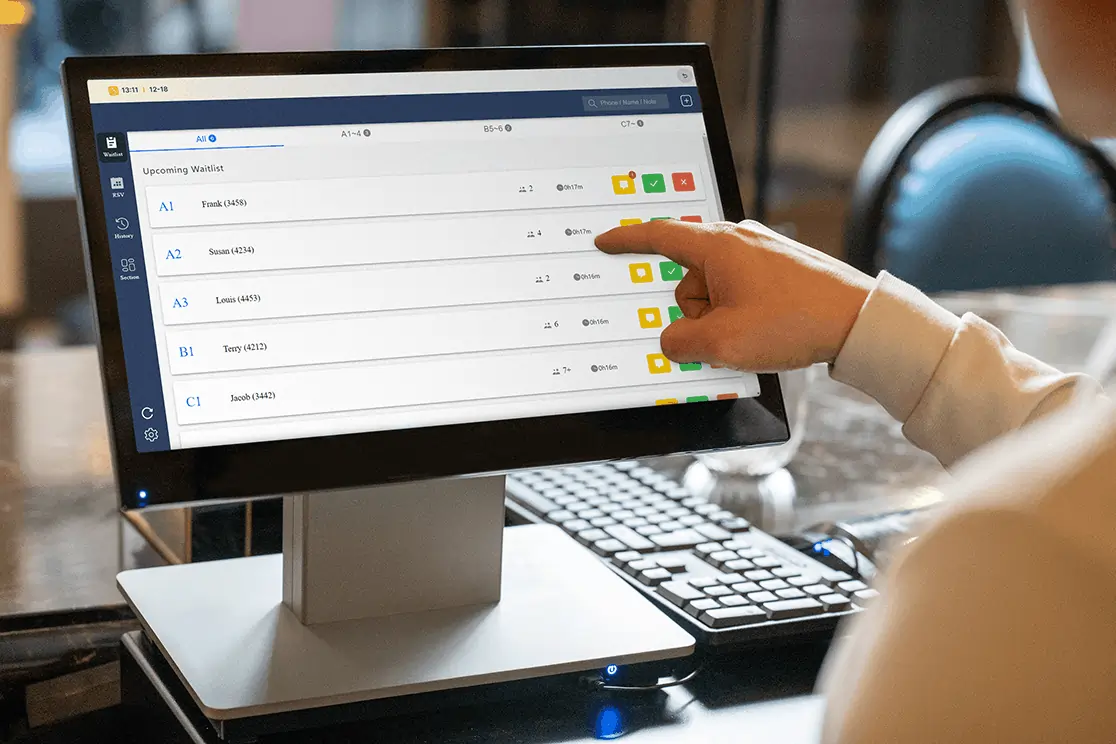
You Manage with Ease
  • View all guests in one simple dashboard
  • Send "5-min away" or "table ready" alerts
  • Pause or reopen the list anytime—syncs instantly with Google
Restaurant staff checks upcoming guest waitlist entries on POS screen, managing table assignments and guest queue efficiently.
Handle Any Crowd. Anytime.
  • Launch promotions easily with 10+ ready-made templates for openings, holidays, or new items.
  • Drive online visibility with professional marketing services and capture orders seamlessly.
  • Boost repeat sales with SMS marketing and smart member targeting for personalized coupons.
Handle Any Crowd. Anytime.
  • Launch promotions easily with 10+ ready-made templates for openings, holidays, or new items.
  • Drive online visibility with professional marketing services and capture orders seamlessly.
  • Boost repeat sales with SMS marketing and smart member targeting for personalized coupons.
Happier Guests, Calmer Staff

“MenuSifu’s waitlist lets guests join from Google Maps—no more chaos at the door. They arrive when their table is ready. Everything’s smooth and totally organized.”

Blazing King BBQ & Hotpot

“With a small space and constant lines, we used to need a host just to manage the wait. Now guests scan to join—freeing our team and keeping things moving.”

YooYee
Blazing King BBQ & Hotpot logo with flame crown on black background, featuring bold gold and red text.
YooYee restaurant logo with black brushstroke Chinese characters and red seal stamp on white background.
See how MenuSifu can power your restaurant

Our team is ready to tailor a solution that fits your goals and operations.

Any questions?
We got you.

More questions?

Contact us
Do I need extra hardware?
Plus Icon

Not necessarily. Use your existing POS MX to start. Add an iPad for in-person sign-ups, or just rely on QR codes—it’s your choice.

How do guests join the waitlist?
Plus Icon

They can join via Google Maps, scan a QR code at your door, or be added by staff over the phone.

How do we manage the list?
Plus Icon

Use your POS to see all guests, send alerts, assign tables, or remove parties—all in one place.

What’s the cost?
Plus Icon

Purchase waitlist separately or get it included in one of our popular bundles. Contact us for details.

More Question?

Contact us