
October 9, 2026
Find out how a QSR KDS connects your POS to kitchen screens, improves order accuracy, speeds prep, and keeps dine-in, drive-thru, and delivery orders organized.
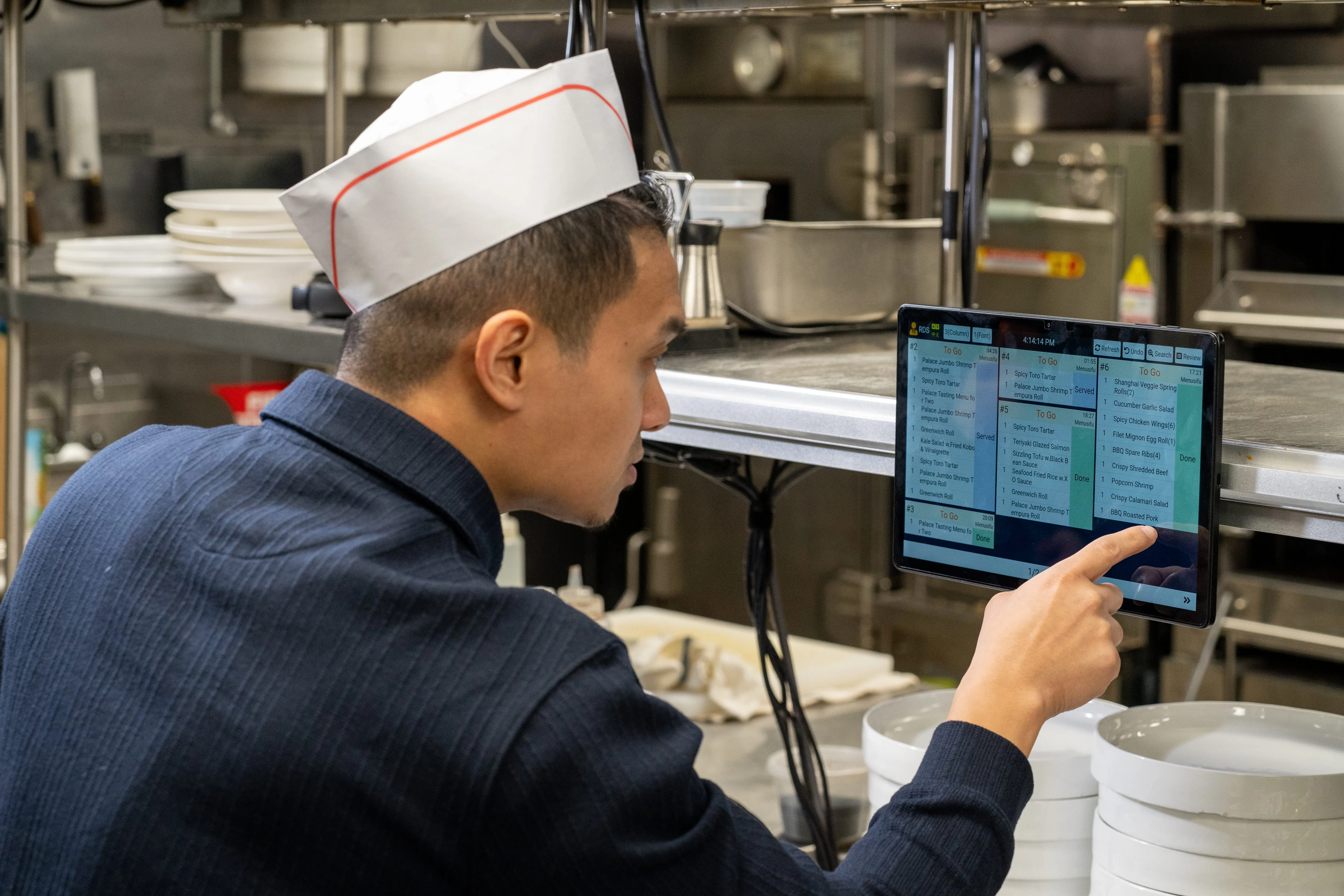
Peak hours can test every part of your quick-service operation. Orders come in from the counter, drive-thru, online channels, and delivery apps while your team works to keep service fast, accurate, and consistent. When paper tickets pile up, go missing, or become hard to track, the kitchen loses time and customers feel the delay.
That is why many quick-service restaurants are moving from paper tickets to digital kitchen displays.
A QSR KDS replaces printed tickets with digital order displays that send POS orders directly to the kitchen. In this guide, you’ll learn what a QSR KDS is, how it works, the benefits it can bring to your kitchen, which features to look for, and how to choose a system that supports cleaner, faster order flow.

A QSR KDS, or quick-service restaurant kitchen display system, is a digital screen system that shows orders in the kitchen as soon as they enter the restaurant POS system. Instead of printing paper tickets, the POS sends each order directly to the right kitchen screen.
This helps your team see what needs to be prepared, which items need changes, and which orders should move next. A QSR KDS can support dine-in, takeaway, drive-thru, online ordering, and delivery orders, so your kitchen can manage every order channel from one clear display.
With a connected QSR kitchen display system, your front-of-house and back-of-house teams stay aligned from order entry to order completion. That means fewer missed tickets, clearer communication, and a smoother service flow during busy hours.
A QSR KDS starts working as soon as an order enters your POS. That order may come from the counter, kiosk, drive-thru, online ordering page, mobile app, or delivery platform. Instead of printing a paper ticket, the POS sends the order directly to the right kitchen screen.
From there, the KDS organizes each order based on how your kitchen operates. Grill items can appear at the grill station, fryer items at the fryer station, drinks at the beverage station, and packing details at the expo or pickup area. This helps each team member focus on the items they need to prepare.
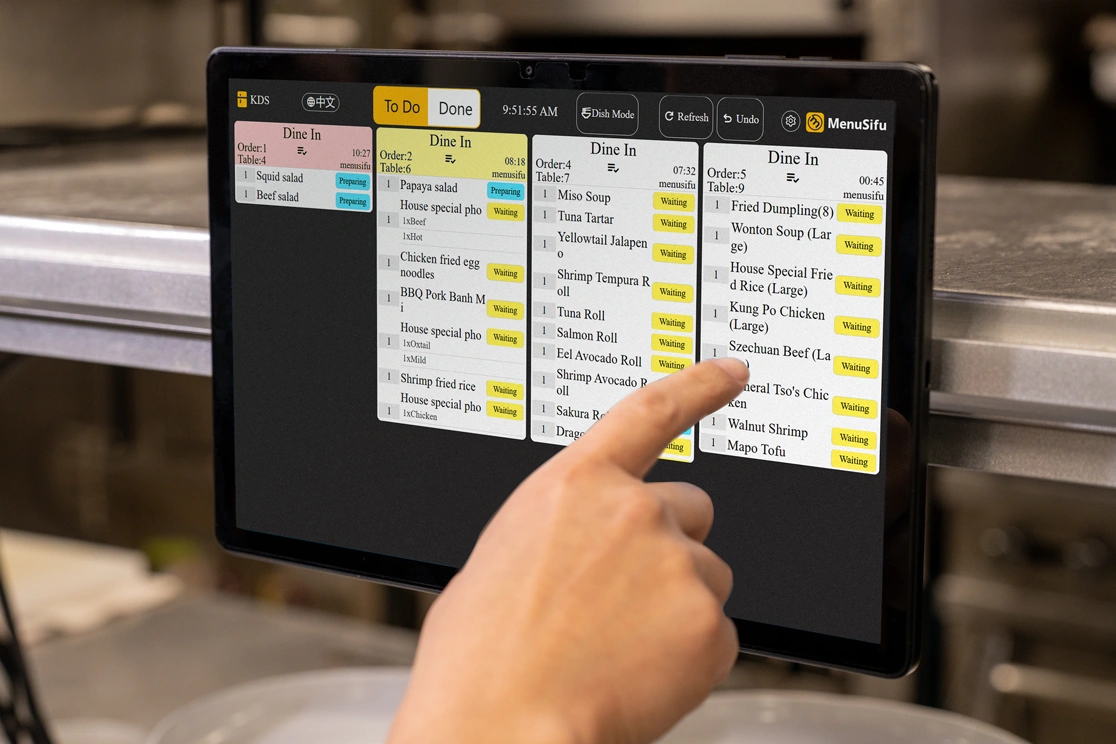
The system can also sort orders by priority, prep time, or order type. Dine-in, takeaway, delivery, and drive-thru orders can appear clearly, so your team can see what needs attention first. Timers show how long each order has been waiting, while color indicators help staff spot delays before they affect service.
As orders move through the kitchen, staff can update their status with a tap. They can bump completed items, recall finished orders, and track progress across stations. This keeps the front and back of house connected, reduces missed updates, and helps your team move orders from payment to pickup with better control.

A QSR kitchen display system helps your team move orders from the POS to the kitchen with more speed, clarity, and control. Instead of relying on paper tickets, staff can see each order on screen, track its status, and keep service moving during busy hours.
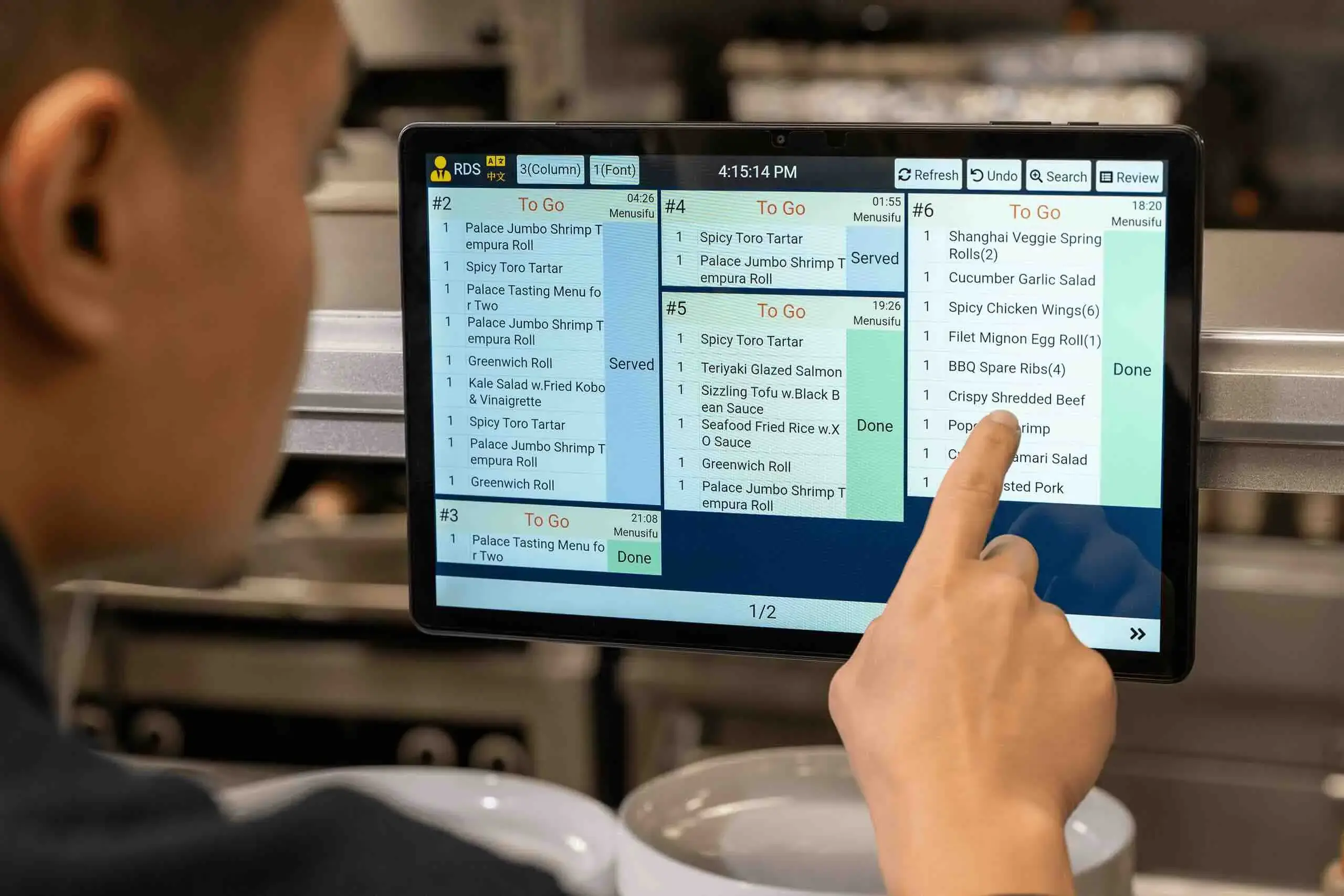
Digital tickets appear on the kitchen screen as soon as an order enters the POS. Your staff can start preparing items right away instead of waiting for a printed ticket or sorting through paper slips.
A QSR KDS also keeps orders organized in a clear queue. Timers show how long each order has been waiting, while visual alerts help staff focus on urgent items first. During lunch rushes, dinner peaks, or drive-thru surges, this helps reduce delays and keeps order flow easier to manage.
Clear order details help staff prepare the right items the first time. A QSR kitchen display system shows modifiers, add-ons, special instructions, and item changes directly on screen.
This helps reduce missed items, wrong modifiers, and lost tickets. Fewer mistakes can also mean fewer refunds, fewer remakes, and fewer customer complaints. When staff can read every detail clearly, they can complete orders with greater consistency.
A QSR kitchen display can send each item to the right prep station. Grill items go to the grill station, fryer items go to the fryer station, drinks go to the beverage station, and completed items can move to assembly or packing.
This keeps each team focused on the work assigned to them. Staff spend less time calling out orders, checking paper slips, or asking where an item should go next. The kitchen runs more smoothly with clearer communication from order entry through completion.
Many QSRs handle orders from the counter, kiosk, mobile app, website, delivery platforms, pickup, and drive-thru. When those channels stay separate, the kitchen can quickly lose track of what needs to be prepared first.
A KDS brings those orders into one connected system. Your team can see dine-in, takeaway, delivery, and drive-thru orders in one organized view. This helps staff prioritize work, avoid missed orders, and keep every channel moving.
Paper tickets can pile up, get lost, or become hard to read when exposed to grease, steam, or water. A QSR kitchen display system removes much of that clutter and gives staff a cleaner way to manage orders.
With digital screens, the kitchen gets a clearer queue, fewer manual steps, and better communication between the front and back of house. This supports a more professional back-of-house setup and helps your team stay focused during busy service periods.

The right KDS QSR solution should match how your kitchen receives, prepares, and completes orders. Before you compare vendors, look closely at the product capabilities that affect daily service, staff communication, and order control.
Your KDS should connect smoothly with your restaurant POS system. When a cashier enters an order, or when an online order arrives, the kitchen should receive it in real time.
This helps your team avoid manual entry, missed tickets, and delays between the counter and kitchen. A connected POS and KDS also keeps order details, modifiers, and changes visible to the right staff at the right time.
A strong QSR kitchen display system should send each item to the correct prep station. Grill items can go to the grill screen, fryer items can go to the fryer screen, and drinks can go to the beverage station.
This keeps each team member focused on the items they need to prepare. It also helps the kitchen move orders through each step with better coordination.
Some kitchens work best by viewing full orders. Others need to view individual items by prep station. A flexible KDS should support both order mode and item mode, so you can choose the layout that fits your workflow.
This becomes helpful when your menu includes items with different prep times. Staff can focus on their station tasks while managers still track full order progress.
Timers help staff see how long each order has been waiting. Color indicators make urgent orders easier to spot during peak hours.
Instead of scanning through a long queue manually, your team can quickly identify which orders need attention. This helps protect service speed and keeps the kitchen more organized when volume rises.
A bump function lets staff mark an item or order as complete. A recall function lets them bring back a completed ticket when they need to review it again.
These features keep the screen clean while giving the team access to past order details when needed. They also help reduce confusion when staff handle corrections, remakes, or customer follow-ups.
Your KDS should handle orders from every channel you use, including counter, kiosk, mobile app, website, delivery platform, pickup, and drive-thru.
When all orders flow into one connected system, your kitchen can manage volume with better visibility. Staff can see what needs prep, what needs packing, and what needs handoff next.
Changes happen often in quick-service operations. Customers may remove an item, add a modifier, cancel an order, or request a rush.
A reliable QSR KDS system should reflect updates in real time. This keeps front-of-house and back-of-house teams aligned and helps prevent staff from preparing items that changed or were canceled.
Many QSR kitchens need more than one screen. A good KDS should support multiple displays that work together or independently.
Each station can view assigned items, while progress stays synced across screens. This helps grill, fryer, beverage, assembly, and packing teams move in the same direction.
Kitchen screens should be easy to read during service. Look for a KDS that lets you adjust font size, rows, columns, and display settings.
Clear screen visibility helps staff read orders quickly, especially in kitchens with heat, noise, movement, and limited space.
A useful KDS should help separate dine-in, takeout, pickup, and delivery orders when needed. This keeps packing and handoff teams from mixing order types.
Clear order separation also helps staff prepare the right items for the right channel, which can reduce delays and handoff mistakes.
Kitchen printers can fail because of paper jams, heat, grease, or water. A dependable KDS should keep orders moving even when connectivity becomes unstable.
Offline support gives your kitchen a backup layer during service. It helps protect order flow when technical issues appear at the worst time.
If your team speaks different languages, multilingual support can improve communication. A KDS with language display options helps staff read instructions in the language they use best.
This can reduce order errors and help each team member work more comfortably during busy shifts.
A KDS should give you access to useful performance data. Look for reports on prep times, completed orders, delayed orders, and station bottlenecks.
These insights help you spot patterns. You can adjust staffing, prep flow, station assignments, or menu timing based on real kitchen data.
If rush hours leave your kitchen chasing tickets, your current setup may be slowing the team down. A QSR kitchen display system can help when order volume grows and paper tickets start creating delays.
You may need one if:
When these issues happen often, your kitchen needs better visibility. A KDS gives each station a clear digital queue, so staff can prepare orders in the right sequence and keep service moving.
Paper tickets can work when order volume stays low, but they can slow your kitchen down once counter, drive-thru, online, pickup, and delivery orders arrive at the same time. A QSR KDS gives your team a live view of every order, so staff can prepare, prioritize, and complete tickets with better control.
A QSR KDS system fits today’s quick-service operations better because it connects directly with the POS and keeps orders moving through the kitchen. Staff can see what to prepare, which orders need attention, and which items are ready to complete.
It also helps your team stay organized as order volume grows. Instead of sorting paper tickets by hand, the kitchen can route items to the right station, track prep times, and complete orders from a shared digital queue.
A paper ticket tells the kitchen what to make. A QSR kitchen display system helps the kitchen manage the full order flow.
Once you decide that a QSR KDS fits your operation better than paper tickets, focus on how well the system matches your kitchen setup. Map how orders move from the POS to prep stations, assembly, packing, and pickup. Then choose a system that supports that flow with little disruption to daily service.
Review the setup process as well. Check how many screens you need, where each display should go, and how easily staff can read and use the system during rush periods. A good KDS should feel easy to use from the first shift.
Provider support also plays a key role. Look for reliable onboarding, staff training, and ongoing assistance, especially if you handle multiple order channels or plan to add more locations.
Finally, think about long-term value. The right QSR kitchen display system should support your current order volume and grow with added stations, screens, channels, and locations.
A QSR KDS gives your kitchen a cleaner way to manage orders, reduce paper ticket issues, and keep every station aligned during busy service. With clearer screens, real-time updates, order timers, and station-based routing, your team can move from order entry to handoff with better speed and accuracy.
MenuSifu helps restaurants connect front-of-house and back-of-house operations through a quick service restaurant POS system and a kitchen display system built for real kitchen workflows. MenuSifu KDS supports order and item display modes, color-based wait time alerts, multi-screen station syncing, dine-in and takeout separation, offline order flow, and multilingual display options for English, Chinese, and Spanish.
Book a Free Demo with MenuSifu today to see how a connected POS and KDS can help your kitchen run with fewer tickets, clearer communication, and smoother order flow.
A QSR KDS can raise a few practical concerns before you choose a system, especially around cost, setup, and daily use. The answers below cover the key points that can help you decide how a kitchen display system fits your operation.
KDS in QSR means a kitchen display system used in quick-service restaurants. It sends orders from the POS to digital kitchen screens, so staff can view order details, prioritize tickets, track prep time, and complete orders more accurately.
KDS means kitchen display system. In fast-food operations, a KDS sends orders from the POS to kitchen screens so staff can view items, modifiers, order times, and prep status in real time. It helps teams prepare orders faster, reduce ticket errors, and manage dine-in, takeout, drive-thru, and delivery orders in one system.
A KDS is not required for every quick-service restaurant, but it becomes highly useful when you handle high order volume, multiple order channels, or frequent rush periods. It helps your kitchen receive orders faster, reduce missed items, track prep times, and keep staff aligned. Smaller restaurants may start with paper tickets, but a QSR KDS becomes more valuable as orders increase and operations grow.
Yes. A KDS can be worth the investment when your restaurant handles high order volume, multiple order channels, or frequent rush periods. It helps your team prepare orders faster, reduce mistakes, track kitchen progress, and cut down on paper ticket issues. Over time, these improvements can support better service, fewer remakes, and smoother daily operations.
A KDS often ranges from around $20 to $40 per screen or device each month for software, based on public pricing from several restaurant technology vendors. Hardware, POS integration, setup, support, and the number of kitchen stations can affect the total cost. Some providers also bundle KDS pricing with a restaurant POS package, so it is best to request a quote based on your order volume, service channels, and kitchen setup.
For more POS tips, kitchen operations guides, and restaurant technology insights, visit our blog section.
Related Articles:
DISCLAIMER: Pricing information is based on publicly available data at the time of writing and may vary by provider, package, hardware, integrations, setup needs, and support options. For the most accurate pricing, contact the provider directly.







