
September 18, 2026
See how a kitchen display system works, what features to look for, and how it helps restaurants improve kitchen speed, order accuracy, and team communication.
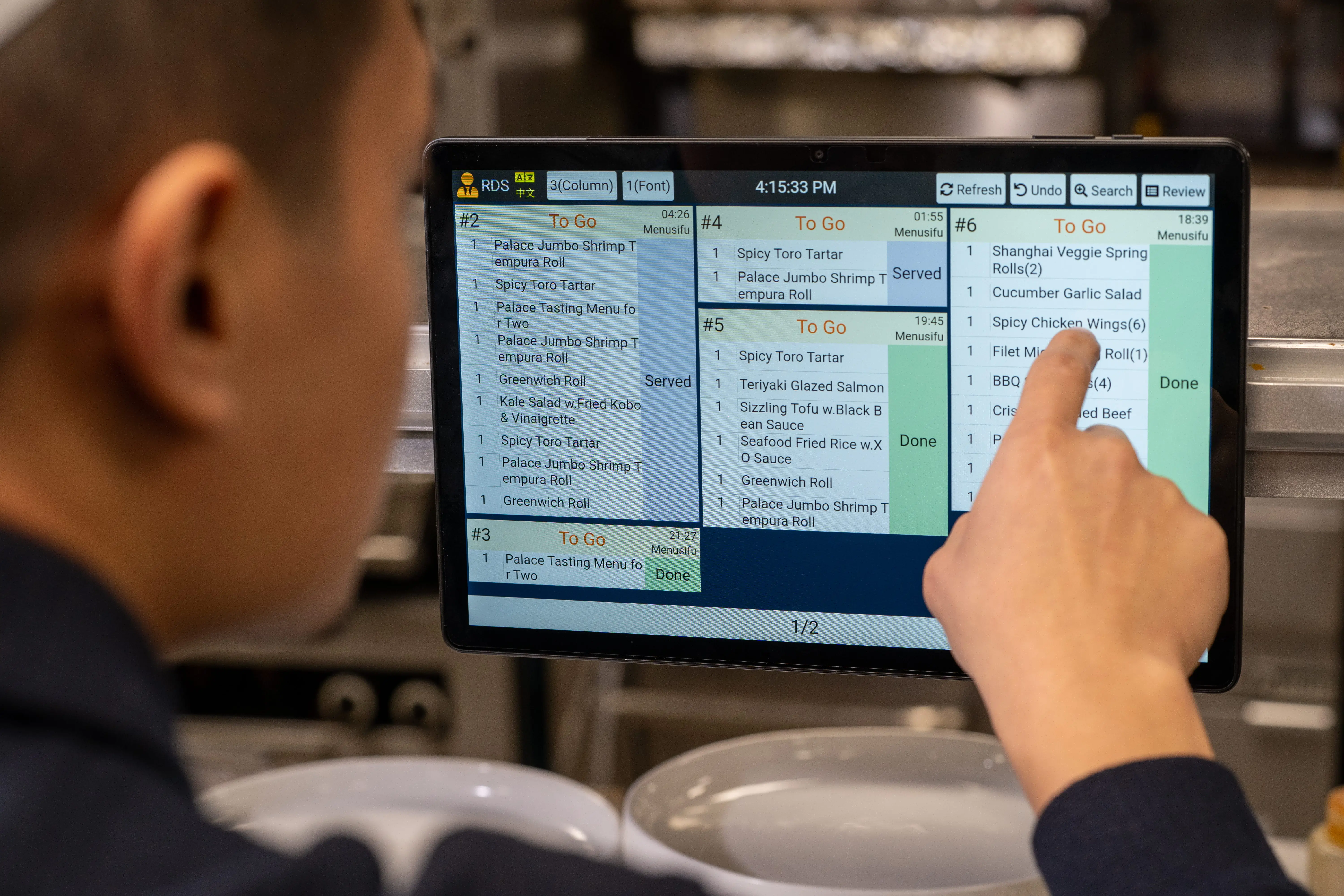
Your kitchen moves best when every order reaches the right station, every change stays visible, and your service team knows what is ready. If paper tickets, missed modifiers, or constant status checks keep slowing service, your team may need a better way to manage kitchen communication and order flow. A kitchen display system, or KDS, can give your team a clearer way to manage orders from POS to prep to pickup. Could one screen help your front and back-of-house work better together?
To see how it fits into daily service, start with the basics.

A kitchen display system is a digital order management screen used in the kitchen. It receives orders from your POS system, online ordering platform, kiosk, QR ordering channel, or delivery integration, then displays each order for kitchen staff to prepare.
Instead of printing every order on paper, a KDS shows tickets on a screen. Staff can view items, modifiers, table numbers, order channels, prep times, and status updates from one clear display. This helps the kitchen stay organized while front-of-house staff gain better visibility into order progress.
A kitchen display system connects your POS, kitchen, and service team in one clear order flow. Instead of printing tickets or relying on verbal updates, the KDS sends order details to the right screen so each team knows what to prepare, what changed, and what is ready.
Here is how the workflow usually works.
The order may start with a server, cashier, kiosk, online ordering page, QR code, or delivery app.
The restaurant POS system captures the items, modifiers, table number, order type, and any special instructions.
The system routes each item to the proper kitchen screen. For example, grill items can go to the grill station, drinks to the beverage station, and desserts to the dessert station.
Cooks can mark items or full orders as in progress, ready, or completed. Any changes from the POS can appear on the screen so the kitchen sees updates quickly.
Servers, cashiers, or expediters can see which orders are still being prepared and which are ready to serve, pack, or hand off.
This setup helps your team move from order entry to kitchen prep to service with fewer missed updates. It also gives managers a clearer view of order flow during busy shifts.

The right KDS helps your kitchen move orders from entry to prep with fewer delays and clearer communication. Look for features that keep every station organized, every update visible, and every ticket easy to act on.
When staff enter an order through the POS, or when a guest places an online order, the ticket appears on the kitchen screen right away. Your team can start prep sooner because the order no longer depends on a printed slip or verbal handoff.
Real-time display also helps during busy service. New tickets, order edits, and cancellations stay visible in one place, so kitchen staff can focus on preparing food accurately.
A KDS can send each item to the right prep area. Grill items can go to the grill station, fried items to the fryer, salads to cold prep, drinks to the beverage station, and desserts to the pastry or dessert area.
This keeps each station focused on its own tasks. It also helps prevent one screen from becoming crowded with items that belong to another part of the kitchen.
Kitchen staff can update each ticket as it moves through prep. Common statuses include new, in progress, ready, and completed.
These updates help your front-of-house team see where each order stands. Servers and cashiers spend less time checking with the kitchen and more time helping guests.
A KDS tracks how long each ticket has been open. Many systems use timers or color changes to show which orders need attention first.
This helps your team spot delayed orders quickly. During peak hours, timing tools make it easier to prioritize urgent tickets, manage prep flow, and keep service moving.
A strong KDS makes modifiers, allergies, substitutions, and special instructions easy to see. This helps kitchen staff catch important details before they prepare the order.
Clear on-screen notes can reduce missed add-ons, wrong toppings, incorrect sides, and allergy-related mistakes. That accuracy protects both the guest experience and your team’s workflow.
A KDS works best when it connects directly with your restaurant POS system. Once staff enter an order, the POS sends it to the right kitchen screen with the correct items, modifiers, table details, and order type.
POS integration also helps your front and back-of-house stay aligned. Order changes, cancellations, rush alerts, and completed items can update across the system, so your team works from the same information.
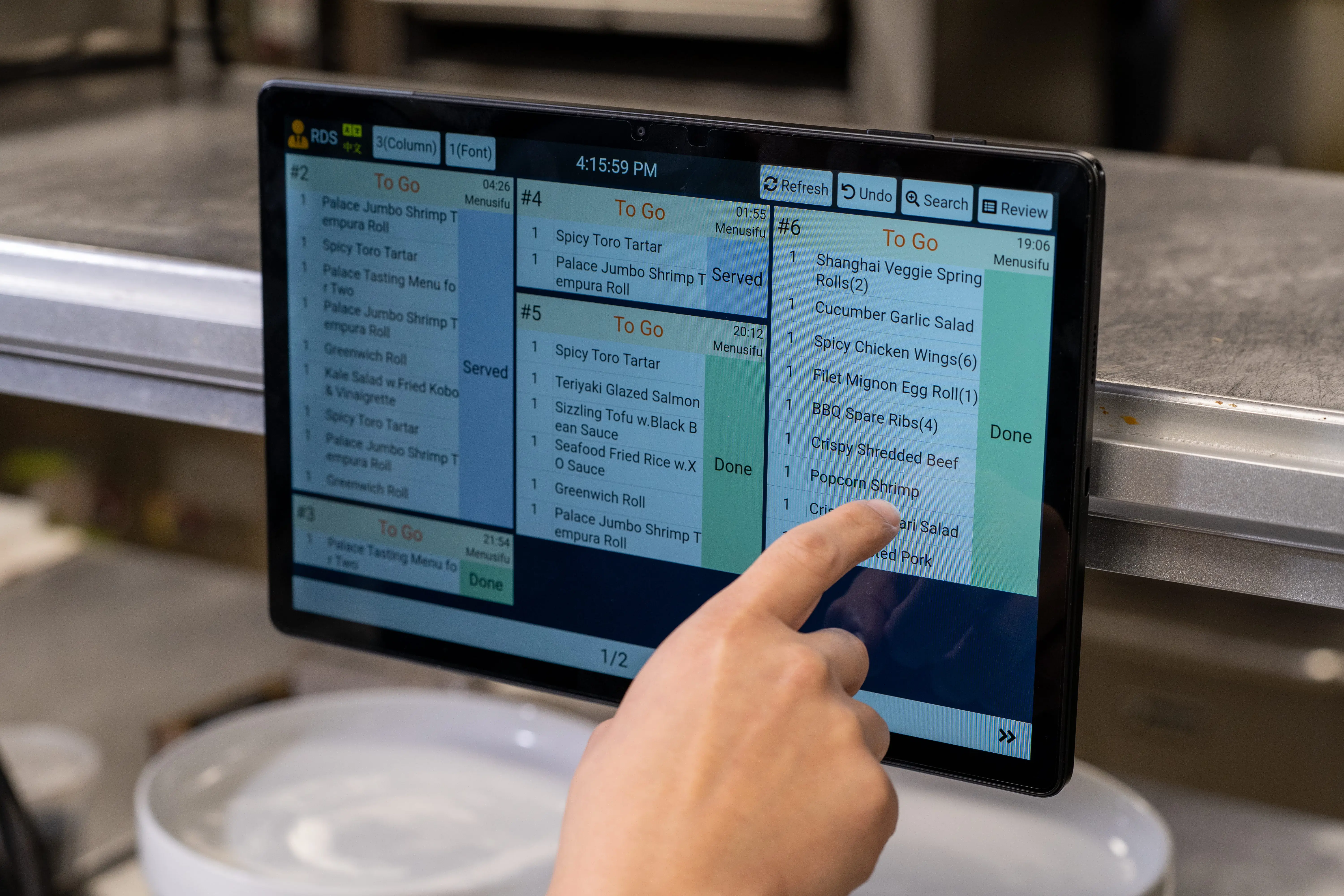
A kitchen display system helps your team move orders from the POS to the kitchen with more speed, clarity, and control. Instead of relying on paper tickets and verbal updates, your staff can track each order from one digital workflow.
A KDS sends orders directly to the right kitchen screen, so your team can start prep sooner. Digital order flow also helps staff prioritize tickets, manage timing, and keep service moving during busy shifts.
Clear digital tickets help reduce confusion in the kitchen. Your staff can see modifiers, special requests, item changes, and cancellations on screen, which lowers the risk of missed details or lost paper tickets.
A KDS keeps servers, managers, and kitchen staff aligned on order progress. When the kitchen marks an item as in progress or ready, the service team can respond faster and avoid repeated check-ins.
Faster prep and more accurate orders lead to shorter wait times and fewer remakes. Guests receive the right food sooner, which helps create a smoother dining, takeout, or delivery experience.
During peak hours, a KDS helps your team manage incoming orders in a clear sequence. Staff can view priorities, track open tickets, and keep prep stations focused without relying on stacks of paper tickets.
Some KDS solutions provide data on ticket times, order volume, and kitchen performance. These insights help you spot delays, adjust staffing, improve prep flow, and make better operational decisions.
Kitchen printers create physical tickets. A KDS shows orders on a digital screen and lets your team update order progress in real time.
Both tools help send orders to the kitchen, but they support different workflows. A printer gives your team a paper record. A KDS gives your team a live view of each order, its status, and any changes made after the order enters the POS.
If your kitchen handles a low order volume, a printer may be enough. If your team manages dine-in, takeout, delivery, modifiers, and multiple prep stations, a KDS gives you more control over order flow.
A kitchen printer can still work for basic order routing. A KDS gives your team clearer communication, cleaner ticket handling, and better visibility from order entry to fulfillment.
A KDS works well for restaurants that handle high order volume, detailed menus, or orders from several channels. If your team manages dine-in, takeout, delivery, online orders, or multiple prep stations, a kitchen display system can help keep tickets organized and order progress easy to track.
Restaurant types that often benefit include
A KDS gives your team a clear view of what needs prep, what is in progress, and what is ready. That visibility helps reduce missed tickets, speed up handoffs, and keep service organized during peak hours.

If your kitchen feels harder to manage as order volume grows, a kitchen display system may help bring more control to daily service. Here are common signs that your current order flow needs a stronger setup.
Paper tickets can fall behind the counter, get buried under other tickets, or move to the wrong station. When this happens, guests wait longer and staff spend extra time tracking what happened. A KDS keeps every order visible on screen, so the kitchen can follow the queue more clearly.
Printed tickets can work for simple operations, but they can become harder to manage when orders pile up. Grease, water, heat, and heavy handling can also damage paper tickets. A digital display gives your team a cleaner way to view, update, and complete orders.
Busy shifts can expose weak spots in your workflow. Servers may need updates, cooks may miss changes, and managers may step in to clarify order status. A KDS helps your front and back of house stay aligned because order progress updates in real time.
Multiple order channels can create confusion when they all reach the kitchen in different ways. A POS-integrated KDS can organize dine-in, takeout, online, and delivery orders in one connected flow. This helps your kitchen prioritize work and keep each channel moving.
If managers need to walk to the kitchen every time they want an update, the system is holding them back. A KDS gives them a clearer view of what is new, in progress, delayed, and ready. This helps them support the team before small delays affect service.
Missed modifiers, incorrect items, and delayed updates can lead to unhappy guests. A kitchen display system shows order details clearly, including notes, changes, and special requests. This helps your team prepare orders more accurately and serve guests with fewer mistakes.
When these issues keep showing up, a KDS can help your restaurant move from reactive service to a more organized kitchen workflow.
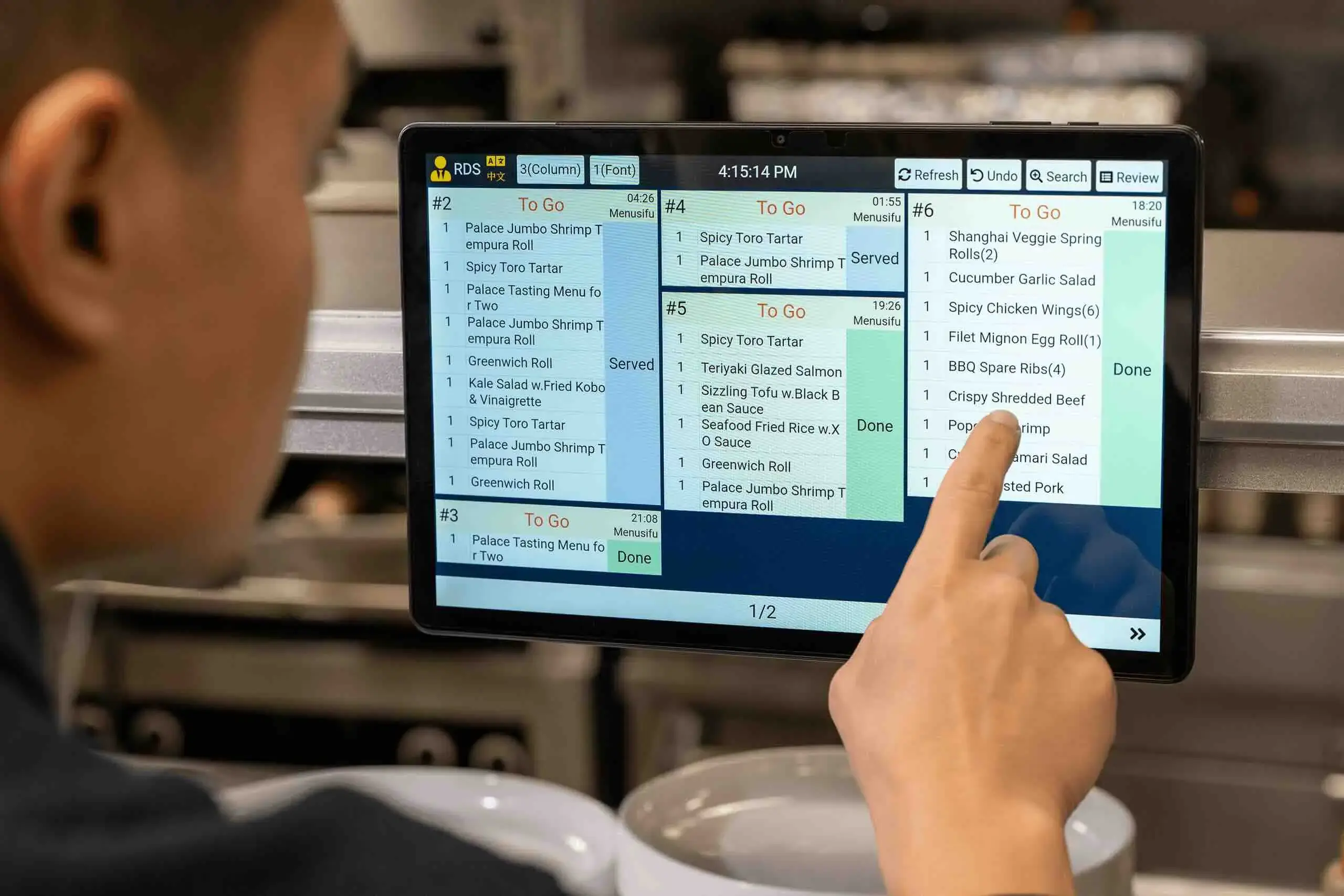
Choosing a kitchen display system gets easier when you focus on how your team actually works during service. The right KDS should fit your kitchen flow, connect smoothly with your POS, and help staff move orders from prep to pickup with fewer delays.
Your KDS should connect directly with your restaurant POS system. This helps orders move from the counter, table, kiosk, QR code, online ordering channel, or delivery platform to the right kitchen screen.
Look for a system that can send order changes, voids, modifiers, and special requests to the kitchen in real time. This keeps both service and kitchen teams aligned.
Every kitchen has its own rhythm. Some teams prepare orders by full ticket, while others work by item or station.
Choose a KDS that lets you route items to the right prep areas, such as grill, fryer, salad, drinks, dessert, expo, or takeout. This helps each station focus on the items assigned to them.
A KDS should make order details easy to see during a busy shift. Check if the system lets you adjust font size, columns, rows, ticket colors, and item views.
Clear visibility helps staff spot order times, modifiers, and priority items faster.
Your team should see when an order is new, in progress, ready, canceled, or changed. Real-time updates reduce back-and-forth between the dining room and kitchen.
This also helps servers know when to serve, pack, or follow up on an order.
A strong KDS helps staff spot urgent tickets quickly. Color-coded timing alerts can show which orders need attention first.
This gives chefs and managers a clear view of prep flow during peak periods.
Internet issues should not stop your kitchen. Ask how the KDS handles temporary connection problems and how orders sync once the system reconnects.
This helps protect service flow during unexpected outages.
Your KDS should work for the people using it every day. Multi-language support can help teams communicate more clearly across roles and stations.
Simple controls, readable screens, and easy order actions can also help staff adopt the system faster.
A good KDS can show prep times, delayed orders, station activity, and order volume. These insights help you improve staffing, menu prep, and kitchen layout.
Use this data to spot slow points and make better operational decisions.
Your KDS should support more screens, stations, order channels, and locations as your business grows. This helps you avoid replacing your setup too soon.
Pick a system that gives you room to expand while keeping daily operations easy to manage.
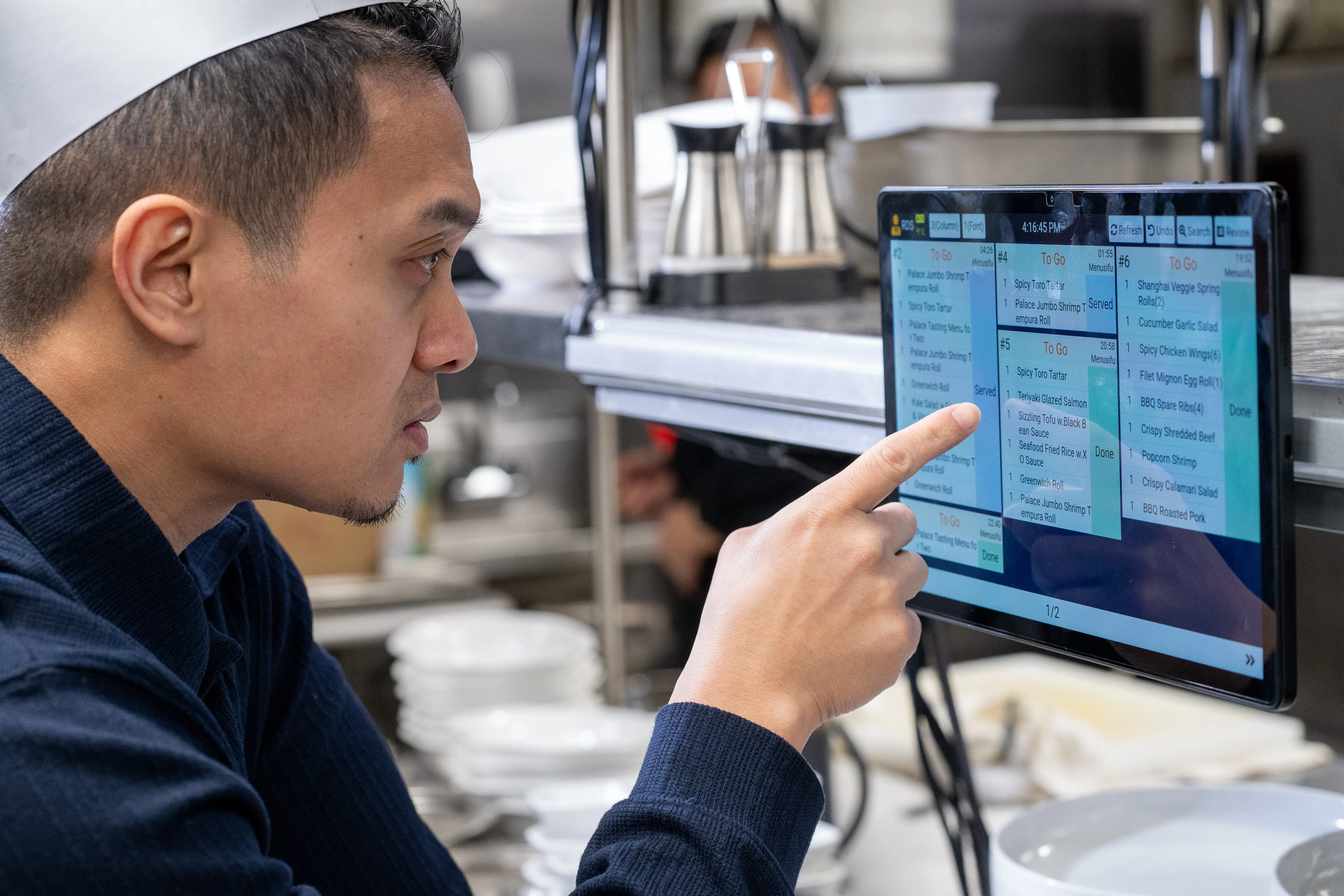
A KDS works best when it connects directly with your POS system. When your team enters an order at checkout, the system sends it to the right kitchen screen with no manual re-entry. That means fewer missed details, fewer delays, and a clearer path from order placement to prep.
A connected POS and KDS setup helps your team
This setup gives your team a cleaner way to manage service. The kitchen sees what needs prep, servers know what is ready, and managers can spot issues before they affect the guest experience.
A kitchen display system gives your team a cleaner way to manage orders from POS entry to prep, pickup, and service. Instead of relying on paper tickets, your kitchen can see order details, modifiers, timing, changes, and station assignments from connected screens.
MenuSifu’s Kitchen Display System helps you build a ticket-free kitchen that stays organized during daily service. Orders keep moving even during connection issues, while your team can use order or item views, group similar dishes, track wait times with color cues, sync progress across stations, and support multilingual kitchen communication with English, Chinese, and Spanish display options.
Your front-of-house team can track dish progress, send rush alerts, and see updates from the kitchen. Your back-of-house team can view assigned items, see changes in real time, and use barcode scanning to mark dishes as served with better accuracy.
Book a Free Demo with MenuSifu today to see how a POS-integrated KDS can help your restaurant improve order flow, accuracy, and team communication.
Here are quick answers to common KDS topics, from screen setup to POS and inventory integration. Use them to compare options and choose a system that fits your kitchen workflow.
KDS stands for Kitchen Display System. Restaurants use a KDS to send orders from the POS to digital kitchen screens, helping kitchen staff view, prepare, and update orders more clearly.
Yes. A KDS can replace a kitchen printer by displaying orders on digital screens instead of paper tickets. It also lets staff track order status, view changes in real time, reduce lost tickets, and keep the kitchen more organized during service. Some restaurants may still use both during a transition or for specific prep areas.
A restaurant usually needs one KDS screen per main prep station, such as grill, fry, salad, expo, and bar. Small kitchens may need one or two screens, while high volume restaurants often need three to five or more. Base the setup on your stations, order volume, menu flow, and service channels.
Choose a kitchen display system that connects with your POS and inventory tools, so sold items can update stock counts as orders move through the kitchen. Look for real-time ingredient tracking, low-stock alerts, menu item mapping, and clear reporting on item usage. Pick a system that fits your kitchen workflow, supports your order channels, and gives managers accurate data for purchasing and prep planning.
Look for reliable kitchen display systems from restaurant POS providers that offer direct POS integration, real-time order updates, station routing, offline support, and responsive customer service. Choose a provider that understands restaurant workflows and can support your kitchen setup, order channels, and growth plans.
For more practical guides and restaurant technology updates, check out our blog section.
Related Articles:







