
July 8, 2026
Learn what is QSR experience and how it affects order speed, accuracy, customer satisfaction, repeat visits, and revenue for quick service restaurants.
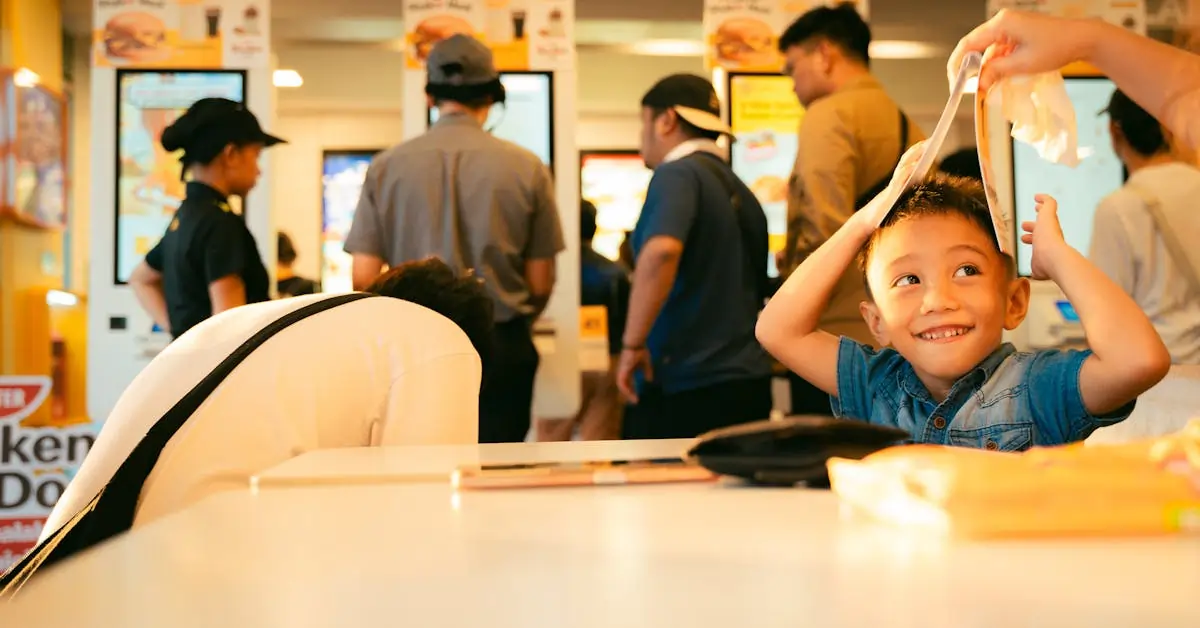
Slow lines, wrong orders, missed pickups, and delayed payments can hurt sales and push customers toward another brand. What happens when those issues show up during your busiest hours?
Each delay or mistake affects more than one order. It can slow down your team, reduce customer satisfaction, lower repeat visits, and limit revenue across your locations.
QSR experience plays a direct role in your restaurant’s growth. It shapes how quickly customers order, how accurately your team fulfills each ticket, and how easily guests move from first purchase to return visit. In this guide, you’ll learn what QSR experience means, which parts affect it most, and how the right POS system can help you improve it.

QSR experience, or quick service restaurant experience, is the full journey a customer has with your restaurant, from the moment they decide to order to the moment they receive their food and decide to come back.
It covers what customers see, such as the menu, ordering process, payment options, pickup flow, and delivery experience. It also covers what your team manages behind the counter, such as order routing, kitchen coordination, staff efficiency, inventory updates, and location-level consistency.
A strong QSR experience helps your restaurant move orders quickly, reduce mistakes, keep guests satisfied, and encourage repeat visits. Every step should feel clear, quick, and reliable for both customers and staff.
It includes:
When these parts work together, your restaurant can serve more customers, protect order quality, and create a smoother path from first order to repeat purchase.
A strong QSR experience feels quick, accurate, and easy from the customer’s first tap or order request to the final pickup. To create that flow, your restaurant needs the right mix of speed, clear communication, and consistent execution.
Customers expect to place orders quickly, especially during peak hours. If the line moves slowly, they may leave before buying or choose another restaurant next time.
Efficient POS systems, self-ordering kiosks, online ordering, and mobile ordering help your team take more orders with less manual work. These tools also give customers more ways to order, which can reduce long queues and keep your counter team focused.
Order mistakes can hurt customer trust. A missing item, an incorrect modifier, or a delayed remake can lead to complaints, poor reviews, and fewer return visits.
Your POS should send clear order details to the kitchen, including modifiers, combos, notes, and special requests. When your team receives accurate tickets, they can prepare orders faster and reduce waste from remakes.
Payment should feel quick and convenient. Customers expect options such as contactless cards, mobile wallets, split payments, and digital receipts.
Integrated payment processing helps your team close transactions faster and reduce checkout errors. It also keeps sales data connected to each order, which makes reporting cleaner and easier to review.
Your counter team, kitchen team, and pickup area need to stay aligned. When communication breaks down, orders get delayed, prepared out of sequence, or handed to the wrong customer.
A connected POS and Kitchen Display System can route orders to the right prep stations, show order status, and help staff mark items complete. Pickup screens can also let customers know when their food is ready, which keeps the handoff more organized.
Customers expect the same quality from every branch under your brand. That means consistent menus, pricing, promotions, order flow, and staff execution.
For franchise operations, centralized POS control can help you update menus, manage item availability, launch promotions, and track location performance from one place. This helps each branch follow the same standards while giving you clearer visibility into sales and operations.
Speed, accuracy, and convenience shape how customers feel about your brand. When customers can order quickly, pay easily, and receive the right items on time, they leave with a better impression of your restaurant.
Small issues can quickly change that impression. A short delay, a confusing ordering flow, a wrong item, or a payment problem can make the full QSR experience feel less reliable. Customers may still complete the purchase, but they may think twice before returning.
Consistency also plays a big role. If customers get a smooth experience at one location, they expect the same experience at every location under your brand. Clear workflows, trained staff, and connected POS technology help create that consistency.
When customers feel that your restaurant is quick, accurate, and easy to order from, satisfaction increases. That satisfaction can lead to better reviews, more repeat visits, stronger loyalty, and higher customer value over time.
A better QSR experience can directly support higher sales. When customers can order quickly, pay easily, and receive accurate food, your restaurant can move more orders through the line and give people more reasons to return.
Here’s how it can improve revenue:
Shorter wait times help your team serve more customers during lunch rushes, dinner peaks, and promo periods. More completed orders can mean more sales from the same location.
Clear menu displays, combo prompts, and add-on suggestions can guide customers toward larger orders. A well-timed upgrade, side, drink, or dessert offer can lift each transaction.
POS prompts, kiosks, and digital menus can show relevant add-ons during checkout. This helps your team promote items consistently instead of relying on staff to mention every offer.
A smooth QSR experience makes customers more likely to join rewards programs, redeem offers, and come back for future purchases. Loyalty data can also help you send more relevant coupons.
Customers return when your restaurant feels quick, accurate, and easy to use. Repeat visits build steady revenue and reduce the pressure to win every sale from a new customer.
When orders flow clearly from POS to kitchen, your team spends less time fixing errors and more time preparing orders. That helps each shift handle more volume with better control.
During peak hours, speed has a direct effect on sales. If your team can process orders faster while maintaining high accuracy, your restaurant can serve more customers, reduce lost sales from long lines, and create a better path to repeat business.
Even small gaps in your daily workflow can affect speed, accuracy, and the likelihood of repeat visits. If customers wait too long, receive the wrong order, or face a slow checkout, they may choose another restaurant next time.
Here are common issues that can weaken the QSR experience:
Rush periods can expose weak ordering workflows. When lines move slowly, customers may leave before ordering or feel less satisfied with their visit.
Handwritten tickets or repeated manual entry can slow down your team. It also increases the chance of missed modifiers, wrong items, and delayed preparation.
Wrong orders lead to remakes, refunds, wasted ingredients, and unhappy customers. Over time, repeated mistakes can damage trust in your brand.
If your team has to enter delivery app orders into the POS by hand, delays and errors can build up quickly. It also makes it harder to track total order volume in one place.
A long payment step can hold up the line even after the order is ready. Limited payment options can also frustrate customers who expect tap-to-pay, mobile wallets, or other digital methods.
When the front counter and kitchen teams lack clear order updates, preparation slows down. Staff may miss priority orders, duplicate work, or call out items at the wrong time.
One location may move orders quickly while another struggles with delays, menu updates, or staff workflows. This inconsistency can weaken the overall brand experience.
If you cannot track order history, preferences, loyalty activity, or peak buying patterns, you lose valuable insight. That makes it harder to create targeted offers, improve operations, and encourage repeat visits.
These challenges often connect to one larger issue: your systems may not be working together. When ordering, payment, kitchen workflows, delivery channels, and customer data stay separate, your team spends more time fixing problems and less time serving customers well.

A modern POS system helps your restaurant move orders faster, reduce mistakes, and track what happens across every location. It connects the front counter, kitchen, payments, online orders, kiosks, inventory, and customer data in one place, so your team can work with better speed and accuracy.
Here’s how the right POS technology can improve the QSR experience:
Your team can take orders quickly through an easy-to-use POS screen. With clear menu buttons, modifiers, combos, and upsell prompts, staff can enter orders with fewer taps and fewer errors.
Built-in payment processing helps customers pay faster through cards, mobile wallets, gift cards, and contactless options. A smoother checkout flow keeps lines moving during peak hours.
Orders can go directly from the POS to the kitchen screen. Kitchen staff can view items, modifiers, order status, and pickup timing clearly, which helps reduce missed tickets and delays.
Orders from your website, app, and delivery channels can flow into the POS automatically. This helps your team manage dine-in, takeaway, and delivery orders from one system.
Kiosks let customers place orders on their own, customize items, and pay at the screen. This can reduce counter pressure and increase order volume during busy hours.
You can update prices, item availability, modifiers, and promotions across connected channels from one place. This helps keep your menu accurate across the counter, kiosks, online ordering, and delivery platforms.
A connected POS can track customer visits, purchase history, rewards, and targeted offers. This helps you bring customers back with coupons, points, SMS campaigns, and member deals.
Sales, order volume, best-selling items, staff activity, and location performance become easier to monitor. With better data, you can plan staffing, promotions, inventory, and menu changes with more control.
If you operate more than one store, your POS can help standardize menus, pricing, promotions, reports, and customer programs across every branch.
MenuSifu’s quick service restaurant POS system helps you create a faster, more accurate, and more consistent QSR experience. It connects key parts of your operation, from ordering and payments to kitchen updates and customer engagement, so your team can handle busy periods with better control.
Customers get shorter waits, clearer order updates, and fewer mistakes. Your business gets stronger repeat visits, better visibility across locations, and more opportunities to grow revenue.

Small issues can quickly affect speed, accuracy, repeat visits, and revenue. If your team feels stretched during busy periods or customers keep running into the same problems, your QSR experience may need a closer look.
Here are signs to watch for:
Long lines at the counter, kiosk, drive-thru, or pickup area can push customers away. If wait times rise during peak hours, your ordering and kitchen flow may need better support.
Your team should not have to jump between order taking, payment handling, delivery app checks, and kitchen updates all at once. When staff look overwhelmed, your system may lack the speed and coordination they need.
Frequent order mistakes lead to refunds, remakes, wasted ingredients, and unhappy customers. This often happens when staff manually enter orders across separate tools.
If checkout takes too long, customers feel the delay right away. Slow terminals, limited payment options, or disconnected payment tools can hurt the overall QSR experience.
Delivery and online orders should flow into your POS clearly. If your team has to re-enter orders from tablets or juggle multiple platforms, delays and mistakes can increase.
More complaints about wait times, incorrect orders, missing items, or pickup confusion can signal deeper operational gaps. These issues often point to weak order tracking or poor communication between the counter and kitchen.
You need clear sales data to track peak hours, best-selling items, staff performance, and location trends. If reports feel scattered or hard to read, you may miss chances to improve revenue.
One location may move orders quickly while another struggles with long waits or order errors. Inconsistent performance often means your menus, promotions, workflows, or reporting tools are not fully aligned.
When these signs appear often, the issue may go beyond staff training. Your restaurant may need better technology to connect ordering, payments, kitchen updates, delivery channels, reporting, and location management in one system.
A better QSR experience starts with fewer steps for guests and clearer workflows for your team. Focus on the parts that affect speed, accuracy, repeat visits, and revenue.
1. Simplify the ordering process
Make ordering easy across the counter, kiosks, online ordering, mobile ordering, and delivery apps. Keep menus clear, group items logically, and use simple modifiers so guests can place orders quickly.
2. Use POS data to identify peak hours
Your POS should show your busiest times, top-selling items, average ticket size, and order volume by channel. Use this data to plan staffing, prep schedules, and promotions more effectively.
3. Train staff on efficient workflows
Give your team clear steps for taking orders, handling payments, managing refunds, updating order status, and communicating with the kitchen. Short, repeatable workflows help new staff learn faster and reduce errors during busy periods.
4. Offer multiple payment options
Let guests pay with cards, mobile wallets, gift cards, QR payments, and contactless options. Faster checkout helps move the line and gives customers the convenience they expect.
5. Connect front-of-house and kitchen operations
Send orders directly from the POS to the kitchen display system. This helps the kitchen track items, prioritize tickets, mark orders complete, and keep pickup timing more organized.
6. Keep menus easy to update
Update prices, item availability, modifiers, and promotions from one place. This helps every channel show accurate information, including kiosks, online ordering, delivery apps, and in-store menus.
7. Track customer preferences and loyalty data
Use loyalty tools to see purchase history, favorite items, visit frequency, and coupon activity. With that data, you can send more relevant offers and encourage guests to return.
8. Standardize processes across franchise locations
Keep menu rules, pricing, promotions, reporting, and workflows consistent across stores. This helps each location deliver a reliable QSR experience while giving you a clearer view of performance.
When your ordering, payment, kitchen, menu, and loyalty tools work together, your team can move faster, reduce mistakes, and create a smoother experience that keeps customers coming back.

A strong QSR experience helps your restaurant move orders faster, reduce mistakes, improve customer satisfaction, and bring guests back more often. When ordering, payments, kitchen updates, pickup, delivery, and loyalty tools work together, your team can handle higher volume with better control.
MenuSifu’s quick service restaurant POS system helps connect those key parts of your operation. It can bring kiosk, online, delivery, and phone orders into one POS flow, send orders to Kitchen Display Systems, keep menu and inventory updates synced, and support repeat visits through targeted promotions and member offers.
If you want to create a smoother QSR experience across your locations, Book a Free Demo with MenuSifu today.
Use these quick FAQs to clarify common terms around the QSR experience. Each answer can help you refine how your restaurant handles ordering, payment, pickup, delivery, and repeat visits.
QSR experience means the full customer journey in a quick service restaurant, from ordering and payment to food preparation, pickup, delivery, and repeat visits. It reflects how quickly, accurately, and conveniently your restaurant serves customers.
QSR stands for quick service restaurant. It refers to a restaurant format that focuses on fast ordering, quick food preparation, convenient payment, and efficient pickup or takeaway.
A quick service restaurant experience includes every step a customer takes when ordering from a QSR, from viewing the menu and placing an order to paying, receiving food, using delivery or takeaway, and deciding to return. It also includes behind-the-counter operations such as order accuracy, kitchen coordination, staff efficiency, and loyalty tracking.
QSR and fast food are closely related, but they are not exactly the same. Fast food usually describes the restaurant type, while QSR refers to the business model and operations behind quick ordering, payment, food prep, pickup, delivery, and customer experience.
Examples of QSR include McDonald’s, Burger King, Wendy’s, Taco Bell, KFC, Subway, Chick-fil-A, Dunkin’, Pizza Hut, and Domino’s. These brands serve familiar menus through counter ordering, drive-thru lanes, mobile pickup, and delivery.
For more tips on restaurant technology, POS systems, digital ordering, and customer engagement, visit our blog section for more insights and updates.
Related Articles:







