September 18, 2026
Learn which features to prioritize in a POS for Asian restaurants, from menu modifiers and multilingual ordering to kitchen routing, payments, and reporting.
Detailed modifiers, multiple order channels, busy kitchen stations, and split payments can quickly strain a basic checkout system. To keep service organized, you need technology that connects each stage of the order process. A POS for Asian restaurants brings ordering, payments, menu updates, and kitchen communication into one system, helping your team work with greater accuracy and control. This guide covers the features to prioritize when choosing a system that fits your service style and daily operations.
An Asian restaurant POS is a point-of-sale and restaurant management system designed to handle orders, payments, menus, kitchen communication, and business reporting in one platform.
It supports service workflows found across many Asian restaurant concepts. Sushi restaurants may need orders sent to separate sushi, fry, and grill stations. Noodle shops may require layered options for broth, protein, spice level, and toppings. Hot pot and Korean barbecue restaurants may use table timers, repeated ordering rounds, and all-you-can-eat controls. Asian quick-service restaurants may prioritize counter ordering, kiosks, takeout, and delivery integration.
An effective POS system for Asian restaurants gives you the flexibility to configure menus, order flows, and kitchen routing based on how your restaurant operates.
An Asian restaurant POS can be configured around different service formats, menu structures, and ordering methods. The following concepts often require distinct POS workflows.
Full-service restaurants need reliable control over tables, courses, shared dishes, and payments. An Asian POS can help your team assign servers, monitor table status, organize seat numbers, and send appetizers, entrées, drinks, and later courses to the kitchen at the appropriate time.
Flexible check tools allow staff to divide payments by guest, item, percentage, or custom amount. Role-based permissions also give managers control over discounts, voids, refunds, and other check adjustments.
Quick-service and fast-casual concepts depend on fast order entry, accurate payments, and efficient takeout operations. Your POS should make it easy for cashiers to find menu items, apply modifiers, accept payments, and route orders to the correct preparation stations.
Takeout features can organize customer names, order numbers, pickup times, and payment status. Integrations with digital menus, self-service kiosks, and online ordering also help maintain consistent pricing and item availability across every sales channel.
Sushi, hot pot, and Korean barbecue restaurants often manage repeated ordering rounds, table-specific requests, and complex dining rules. An Asian POS can track meal duration, menu tiers, item limits, premium selections, and table activity for all-you-can-eat service.
Staff can record ingredient substitutions, cooking preferences, portion changes, and preparation notes. The system can then route each item to the sushi counter, grill, fry station, kitchen, or beverage area based on its preparation needs.
Bubble tea, dessert, and specialty shops require detailed customization while keeping service efficient. Your POS can guide staff and customers through size selections, sweetness levels, ice preferences, milk choices, flavors, toppings, and paid add-ons.
Automatic price adjustments help reduce checkout errors, while pickup tools keep orders organized. Loyalty features can also encourage repeat visits through points, digital stamps, birthday rewards, and targeted promotions.
A POS system for Asian restaurants should support detailed menus, multiple ordering channels, kitchen coordination, payment processing, and business reporting. When comparing platforms, focus on the capabilities that fit your service model, menu structure, and daily workflow.
Your menu may include several choices within one dish or drink. The POS should guide staff through each selection in a clear order and apply price changes automatically.
Look for support for:
A noodle order may include broth, protein, spice level, and extra toppings. A sushi order may require substitutions or combo upgrades. Hot pot menus may group ingredients by category or dining tier, while bubble tea orders may include size, sweetness, ice, milk, and toppings.
Clear modifier screens help staff enter detailed orders accurately and send complete instructions to the kitchen.
Multilingual tools can support smoother communication among staff and guests who use different languages. Depending on the platform, language options may appear on employee interfaces, digital menus, receipts, kitchen tickets, and customer-facing displays.
Bilingual item names and preparation notes can help kitchen teams read orders quickly. Photo-based digital menus can also help guests review dishes and place orders with greater ease.
Check which languages the provider supports and confirm where those translations appear across the system.
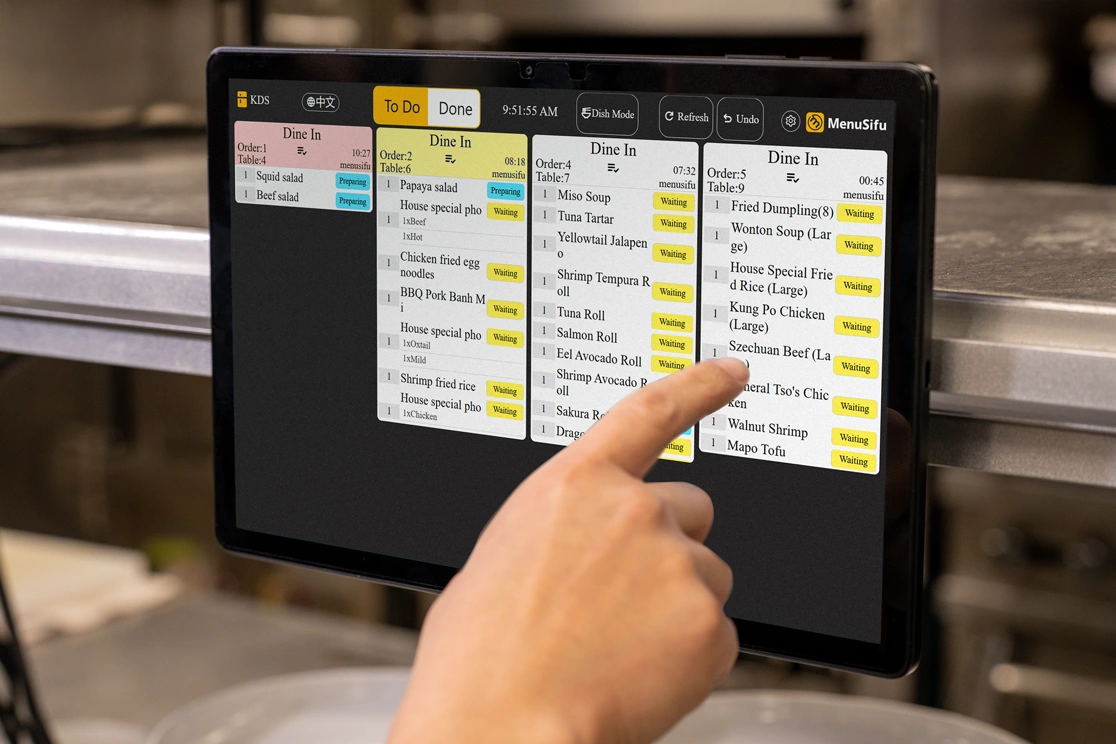
An Asian food point of sale system should send each menu item to the correct preparation area. The system can route sushi orders to the sushi counter, stir-fried dishes to the wok station, grilled meats to the grill, cocktails to the bar, and other drinks to the beverage station.
Kitchen displays can organize tickets by order time, table, course, and preparation status. This gives each station a clear view of its tasks and helps managers track delayed items.
Some dishes require work from several stations. Clear routing helps each team complete its part and pass the dish along in the proper sequence.
Your restaurant may receive orders from tables, the front counter, your website, and third-party delivery apps during the same shift. A connected POS places these orders in one workflow and labels each order by source.
Staff can review pickup times, table numbers, payment status, customer details, and preparation progress from the same system. Direct integrations can also send online and delivery orders to the kitchen automatically, reducing repeated entry.
Central menu controls help you keep item names, pricing, availability, and modifiers consistent across every ordering channel.
Online and QR ordering gives guests another way to browse the menu and place orders. Diners can scan a code at the table, add another round, or pay from their phones. Takeout customers can order through a branded website, while counter-service locations can use kiosks for self-service.
You should be able to update prices, photos, descriptions, and item availability from one dashboard. Each digital order should enter the POS and kitchen queue automatically.
These tools can ease front-of-house demand during busy periods and give guests greater control over the ordering process.
Payment tools should support credit cards, debit cards, contactless payments, mobile wallets, cash, and gift cards. Table-service concepts may also need itemized check splitting, shared payments, tips, refunds, and tableside checkout.
A connected payment setup records each transaction in the POS, which keeps sales reports and payment totals aligned. It can also help managers review voids, refunds, discounts, and open checks.
Compare processing rates, deposit timing, security features, hardware requirements, and refund procedures before selecting a provider.
Inventory tools can help you monitor high-use ingredients and compare stock movement with menu sales. This is especially useful for seafood, meat, produce, dairy, tea, toppings, and imported ingredients with changing costs or limited shelf life.
Recipe-level tracking can show how portion sizes, substitutions, and add-ons affect ingredient use. Low-stock alerts can also help you reorder key items before they run out.
Accurate inventory data gives you a clearer view of purchasing needs, food costs, and waste patterns.
Your POS reports should help you see what sells, when sales occur, and how each order channel performs. Useful reports may cover sales totals, menu performance, labor, discounts, refunds, payment types, and dine-in versus off-premise revenue.
If you manage several locations, multi-location controls can let you compare store performance, update menus, manage user permissions, and review results from one account.
Centralized reporting helps you spot trends across locations while still giving you access to the details of each restaurant.
An Asian food point of sale connects order entry, kitchen production, payment, and reporting through one coordinated workflow.
When staff enter a dine-in, takeout, online, or delivery order, the system records the order source and sends each item to the appropriate preparation station. Front-of-house employees can then check order progress, respond to guest requests, and confirm pickup or table details from the same platform.
Modifiers, preparation notes, payment status, and customer information remain attached to the order as it moves through service. This helps reduce missed instructions, repeated data entry, and confusion between dining room and off-premise orders.
After each shift, managers can review sales, labor, refunds, voids, order timing, and menu performance. Multi-location tools also make it easier to compare restaurant results, control user access, and manage updates through one account.
By connecting each stage of service, the system gives your team clearer visibility from order placement through final reporting.
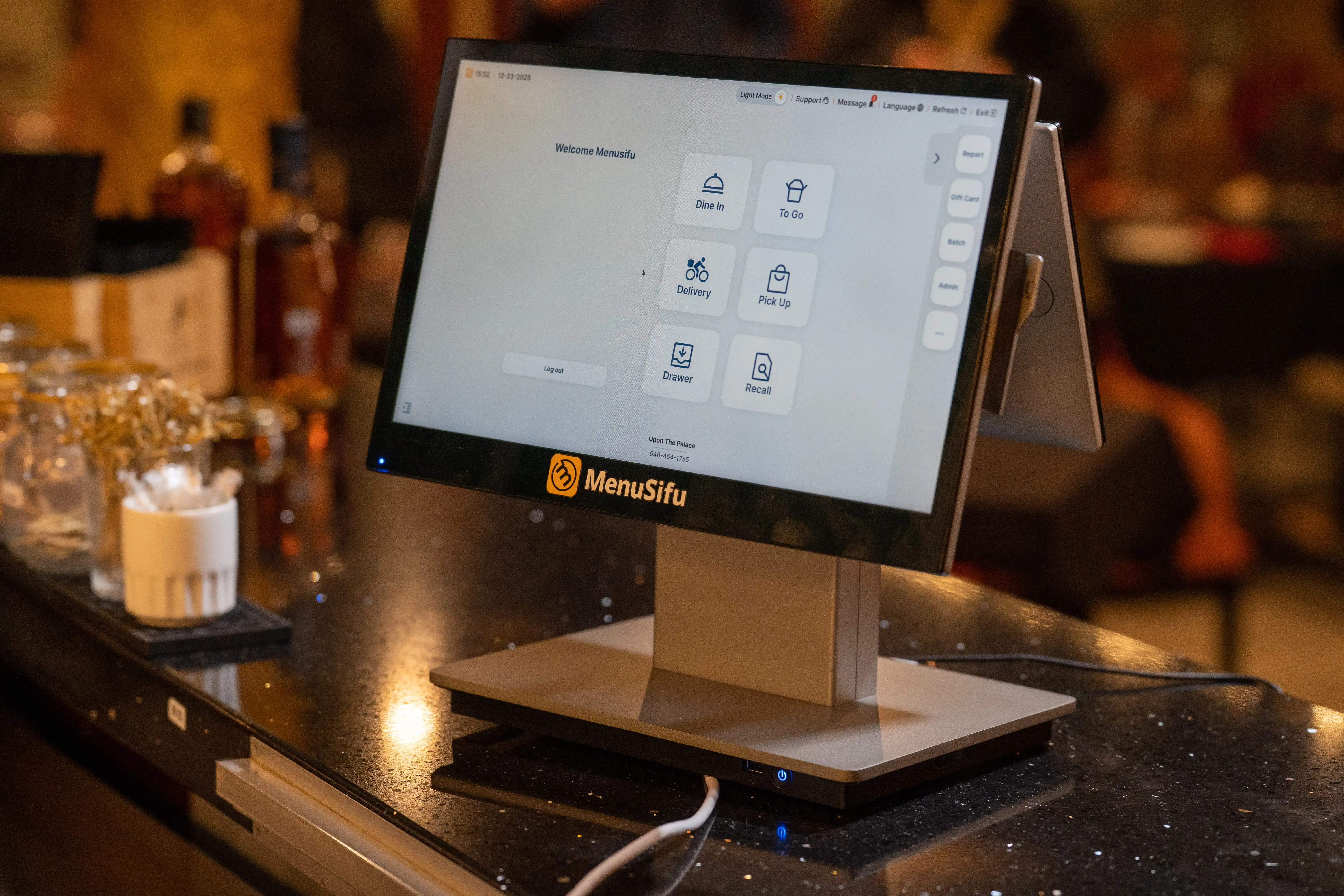
Choosing the right POS for Asian restaurants requires comparing each platform with your service style, menu structure, equipment needs, staff workflow, and budget. A product demonstration should show how the system handles real service tasks, from order entry and kitchen routing to payment processing and reporting.
Start with how guests place orders and receive service. Confirm that the platform supports counter service, table service, buffet operations, all-you-can-eat dining, takeout, delivery, or a mix of these formats. During the demo, follow a typical order from start to finish to see how the system handles tables, additional ordering rounds, kitchen updates, and checkout.
Use actual menu items when testing the system. Build orders with spice levels, protein choices, portion sizes, combo substitutions, ingredient requests, add-ons, and automatic price changes. Check how the platform displays multiple languages and confirm that every modifier appears clearly on receipts and kitchen tickets.
List the equipment each location needs, including terminals, handheld devices, kitchen display systems, printers, cash drawers, kiosks, and payment devices. Then confirm that the POS connects with online ordering, accounting software, loyalty platforms, reservation tools, and delivery services. Review how data and orders move between each system to prevent duplicate entry or missing information.
A clear interface can shorten onboarding and help employees enter orders accurately during busy periods. Let servers, cashiers, and managers test key tasks such as applying modifiers, splitting checks, transferring tables, issuing refunds, and reviewing order status. Also review the provider’s installation process, training resources, and role-based support.
Review support hours, response channels, installation services, software updates, and data access. Support coverage should match your operating hours, especially during evenings, weekends, and holidays. If you plan to add terminals or locations, confirm that the platform can manage shared menus, user permissions, remote reporting, and location-level settings.
Compare the complete cost rather than the advertised subscription price. Include software fees, hardware, payment processing, installation, integrations, support, online ordering, equipment replacement, and contract charges. Review renewal terms, cancellation fees, data export policies, and processor requirements before making a final decision.
Use these questions during each POS demonstration to compare providers based on the capabilities, costs, and support your restaurant requires:
Compare each provider’s responses against your menu, service model, kitchen workflow, expansion plans, and budget before selecting a system.
A basic POS can process orders and payments, but it may not provide enough flexibility for your menu and service model. Your restaurant may offer layered modifiers, shared dishes, spice levels, ingredient substitutions, combo options, or prices that vary by size and serving period. When the system cannot organize these choices clearly, staff may need handwritten notes or manual workarounds.
Kitchen workflows also differ by concept. A sushi restaurant may route items to sushi, fry, and grill stations, while a hot pot or Korean barbecue restaurant may manage repeated ordering rounds, table timers, and all-you-can-eat limits. Noodle shops, pho restaurants, and bubble tea stores may need detailed customization and bilingual kitchen tickets.
Choose a POS based on your menu, service style, language needs, and preparation process. The right fit helps staff enter orders accurately, send clear instructions to each station, and coordinate dine-in, takeout, and delivery service.
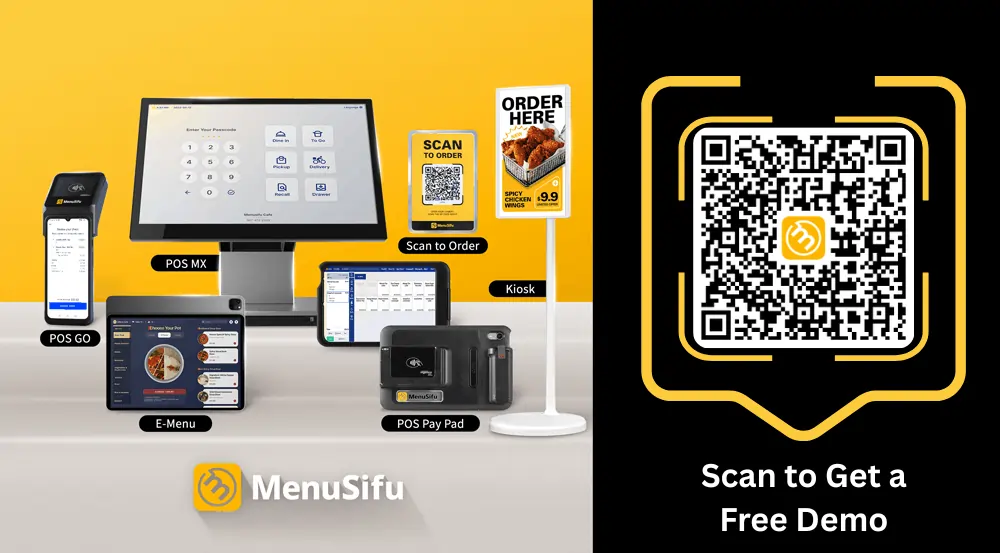
The right POS for Asian restaurants should support how your team manages menus, orders, kitchen stations, payments, and sales channels. MenuSifu offers adaptable POS solutions for full-service and quick-service restaurants across Chinese, Japanese, Korean, Thai, Vietnamese, Asian fusion, and other Asian cuisines. The platform also supports bubble tea shops, fast-food concepts, hot pot, barbecue, cafes, bakeries, and all-you-can-eat restaurants.
From layered menu modifiers and multilingual ordering to tableside service, delivery integrations, kitchen routing, loyalty tools, and multi-location reporting, MenuSifu can help you configure a system around your menu, service style, and daily workflow.
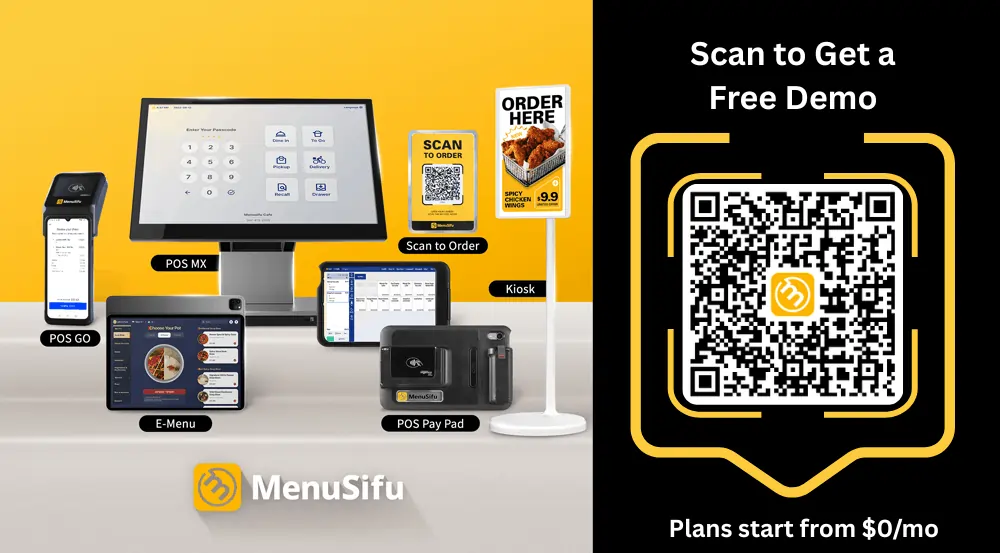
Book a free demo with MenuSifu today to explore a POS solution that supports your current operations and future plans.
The following questions address key points to consider when comparing a POS system for Asian restaurants, including features, integrations, language support, and pricing.
The best POS for Asian restaurants depends on your menu, service format, kitchen setup, sales channels, number of locations, and budget. Look for a platform that supports detailed modifiers, multilingual ordering, kitchen station routing, online orders, delivery integrations, tableside service, and multi-location management based on how your restaurant operates. MenuSifu offers these capabilities through a flexible platform that supports Chinese, Japanese, Korean, Thai, Vietnamese, hot pot, barbecue, bubble tea, and other Asian restaurant concepts.
Some Asian restaurant POS platforms support multiple languages across staff interfaces, customer screens, QR menus, receipts, and kitchen tickets. Available languages and display options vary by provider, so confirm that the system supports the needs of your team and guests.
Some Asian POS platforms integrate with DoorDash, Uber Eats, Grubhub, and other delivery services. These integrations can send orders directly to the POS and kitchen, reducing manual entry and order errors. Confirm supported platforms, integration fees, and menu-sync capabilities with each provider.
An Asian food point of sale system may cost $0 to $300 or more per month for software. Hardware can range from a few hundred dollars to several thousand dollars, depending on the terminals, handheld devices, printers, kitchen displays, and payment equipment selected.
MenuSifu’s Pay-As-You-Grow plan starts at $0 per month for eligible new restaurants. Final pricing depends on the selected features, hardware, payment-processing requirements, integrations, number of devices, and number of restaurant locations.
Pricing and eligibility are subject to change. Contact MenuSifu for a current quote and complete plan details.
Visit the MenuSifu blog for more restaurant technology insights, operating tips, and product updates.
Related Articles: