September 18, 2026
Learn what QSR digital menu boards are, which features to look for, and how POS-connected screens help restaurants manage menus, promos, and pickup flow easily.
Prices change, items sell out, promos expire, and customers still need to order quickly. QSR digital menu boards help keep menus accurate, highlight key items, and guide customers from ordering to pickup through clear, connected screens.
This blog covers what digital menu boards are, how they support daily restaurant operations, which features to look for, and how POS-connected screens help your team manage menus with less manual work.
Could your current menu setup help customers decide faster and help your staff update content more easily?
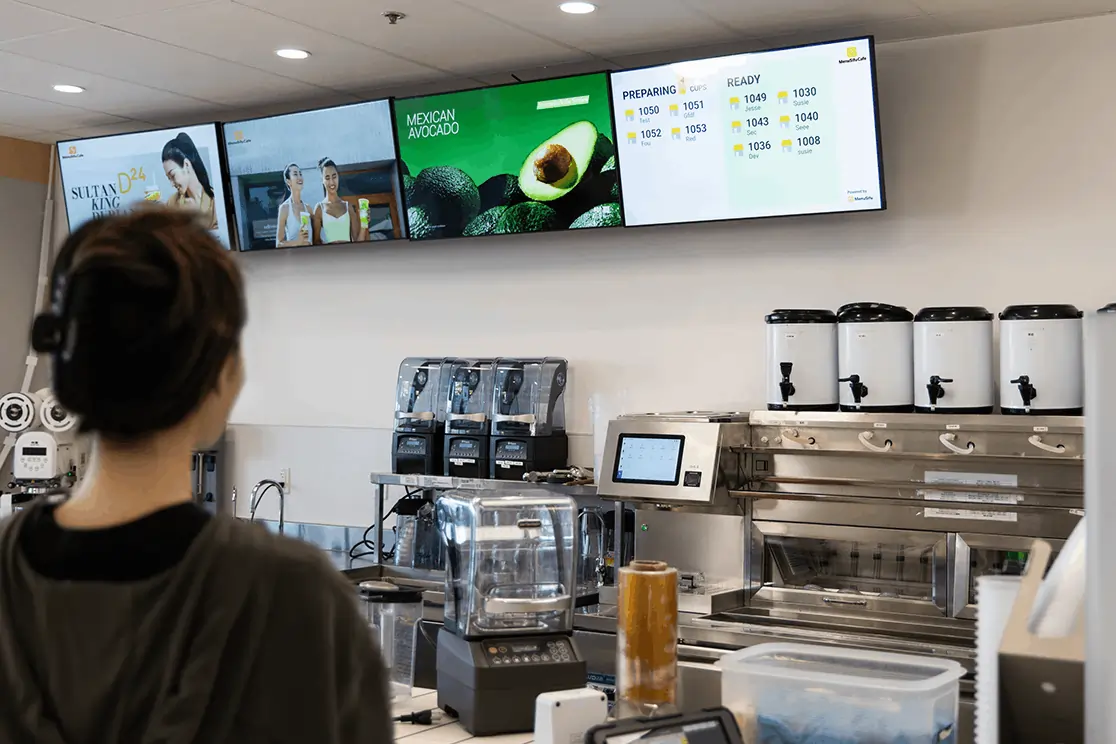
QSR digital menu boards are electronic display screens that show menu items, prices, modifiers, combos, promotions, and order information in quick-service restaurants. They replace static printed signs with digital content that your team can update through a dashboard or a connected restaurant POS system.
You can use them in key areas of your store, including:
Compared with printed boards, digital boards give your team more control. Printed boards require new materials whenever you change a price, photo, or promotion. Digital boards let you refresh content faster, keep menus accurate, and create a cleaner ordering experience across your restaurant.
QSR digital menu boards help your team keep menus clear, up to date, and easy to manage. Instead of relying on printed signs, you can update menu content, promote key items, and guide customers from ordering to pickup with fewer manual updates.
Menu changes happen often. Prices shift, items sell out, seasonal offers end, and new products launch. With digital menu boards, your team can update items, pricing, and availability from one dashboard.
This helps customers see accurate information before they order, while your staff avoids repeated explanations at the counter.
A clear digital menu helps customers scan options faster. Organized categories, readable pricing, and strong visuals can make the ordering process easier during peak hours.
When customers see combos, add-ons, and featured items clearly, they can choose with less hesitation.
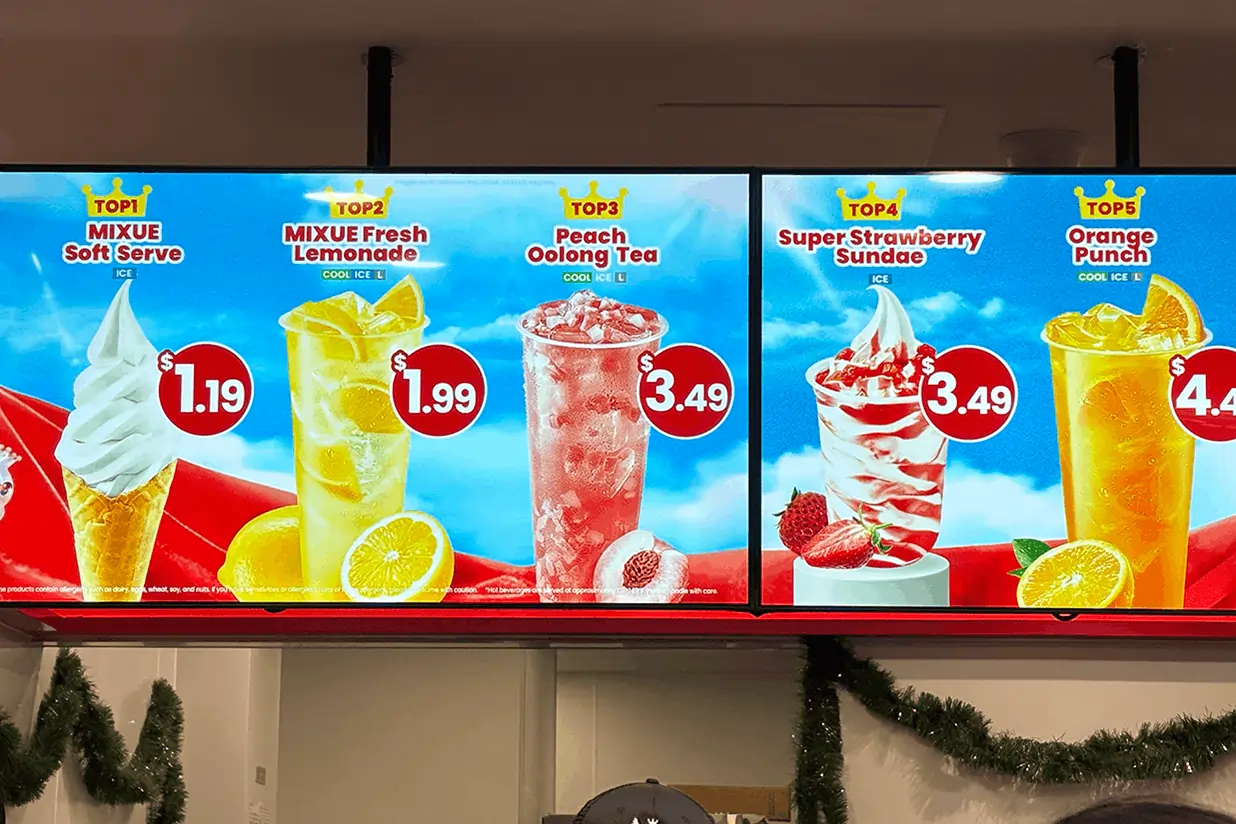
QSR menu boards give you prime space to highlight what you want to sell most. You can feature combo meals, drinks, desserts, limited-time offers, and premium add-ons where customers can see them right away.
This gives your promotions more visibility than printed signs tucked near the register.
If you manage more than one store, digital boards help keep branding, pricing, and promotions aligned. You can update one location or several locations from a central system.
This helps each store present the same menu experience while still allowing location-based updates when needed.
Printed menu changes take time. Staff may need to replace signs, cover old prices, or answer the same menu concerns throughout the day.
With a quick service restaurant menu board connected to your POS, menu changes can sync faster across screens. Your team spends less time fixing menu displays and more time serving customers.
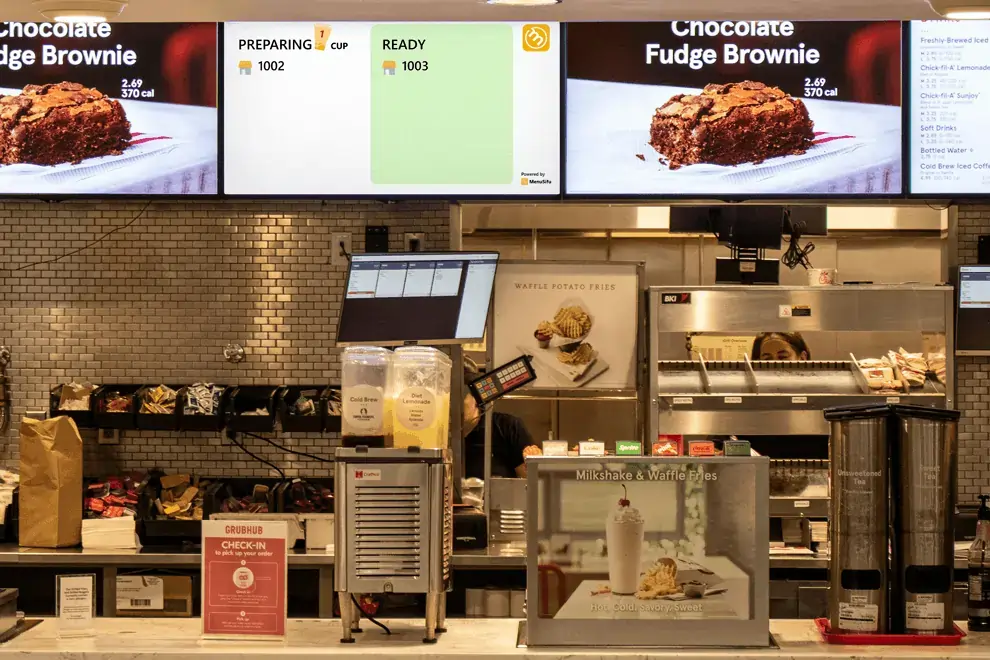
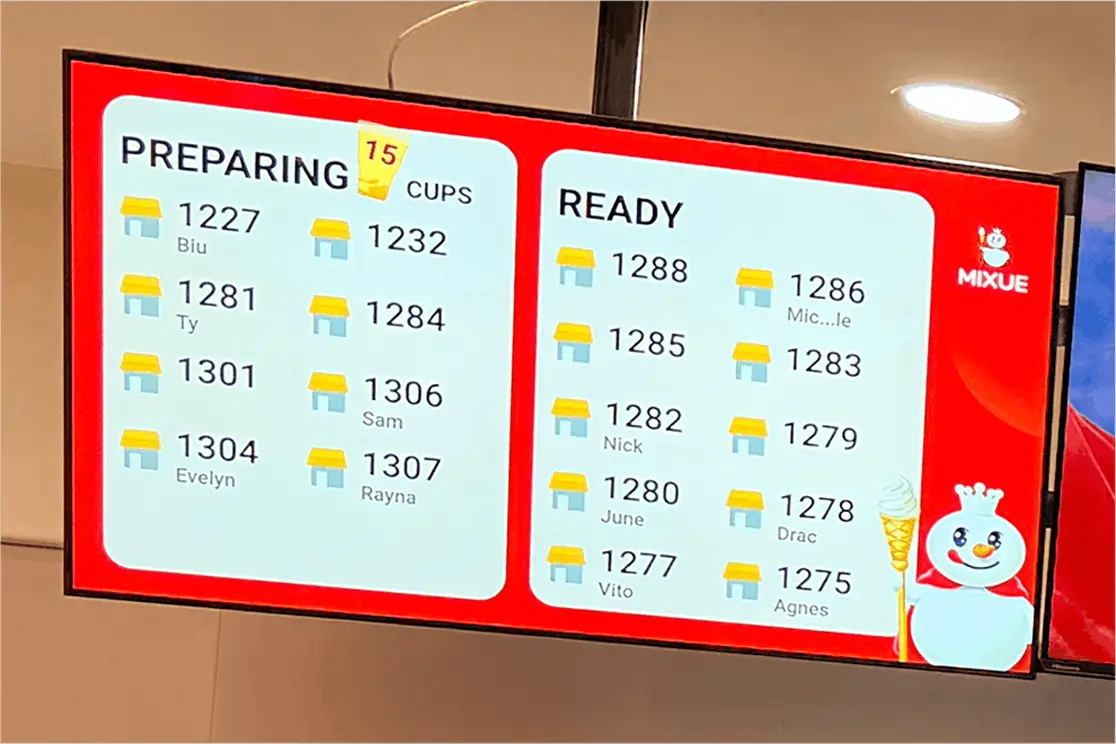
Digital boards can also show order status. Customers can see which orders are being prepared and which are ready.
This reduces crowding near the counter and helps staff hand off orders with less back-and-forth.
Bright, well-designed digital screens make your restaurant look more polished. Menu screens, promo screens, and pickup displays can work together to create a cleaner in-store flow.
For quick-service restaurants, that visual clarity supports faster ordering, better communication, and a more organized customer experience.
Once you see how digital menu boards can support daily operations, the next step is choosing the features that help your team get better results.
The right QSR menu boards should help your team update menus faster, keep information accurate, and guide customers from ordering to pickup with less back-and-forth. Look for features that connect the screen to daily operations, not features that only make the display look better.
Start with POS integration. Your menu board should connect with the restaurant POS system, so your team can update menu items, prices, taxes, modifiers, and sold-out products from one place.
This helps keep the screen accurate during service. If a drink runs out, a manager can mark it unavailable and remove it from the display. If pricing changes, the menu board can reflect the update right away. That connection reduces manual edits and helps staff avoid explaining outdated menu information to customers.
If you manage more than one location, look for centralized menu control. A single dashboard should let your team update one store, selected locations, or every branch.
This helps keep pricing, branding, and promotions consistent. It also supports daypart menus, so breakfast, lunch, dinner, and late-night items can appear at the right time. Your team can plan menus in advance instead of changing screens manually throughout the day.
Your menu board should match your brand and stay easy to read. Look for flexible templates, product images, videos, branded colors, and clean category layouts.
Customers need to scan the menu quickly from a distance. Clear fonts, strong spacing, and organized sections help them choose faster. Visual content can also highlight combos, new items, drinks, desserts, and limited-time offers.
Promotions work better when your team can plan them ahead of time. Look for a system that lets you schedule campaigns, seasonal specials, and limited-time offers by date, time, or location.
For example, your breakfast promo can run in the morning, lunch combos can appear at noon, and dessert offers can show later in the day. This keeps the screen relevant to the current service period and helps promote the right items at the right time.
QSR digital menu boards can also support the pickup area. Order status screens can show order numbers, preparation status, and ready-for-pickup updates.
This helps customers know where their order stands and reduces crowding at the counter. Staff can focus on preparing and handing off orders instead of calling out names or repeating updates.
Restaurant screens run for long hours, so hardware quality matters to daily performance. Look for screens with strong brightness, durable build quality, anti-glare display surfaces, and stable operation during peak hours.
Placement also plays a role. Counter screens, pickup displays, window-facing promo screens, and drive-thru boards may need different brightness levels and screen sizes. Choose hardware built for high-traffic restaurant environments, not standard home TV use.
POS-connected digital menu boards help keep your menus accurate across every customer touchpoint. When you update an item, price, combo, or modifier in the POS, that change can appear on menu screens, self-ordering kiosks, online ordering channels, and pickup displays.
This helps your team avoid mismatched prices, outdated promotions, and menu items that are no longer available. If an item sells out, you can update its availability from the POS and keep customers from ordering something your kitchen cannot prepare.
This connection also saves time. Instead of updating each screen or channel separately, your team can manage menu changes from one system. That means faster menu updates, fewer pricing errors, better item availability control, and more consistent information across the restaurant.
Compared with standalone display systems, POS-connected QSR digital menu boards give your operation a stronger foundation. Your screens stay aligned with your sales, kitchen, and ordering workflows, so customers see accurate menu information from the counter to pickup.
A quick service restaurant menu board can support more than the main counter. Use it across different touchpoints to guide customers, promote key items, and keep orders moving clearly.
The right QSR digital menu board solution should fit your menu, service flow, staff workflow, and growth plans. Use these checks before you commit.
Look at how customers order, how often prices change, how many screens you need, and who will manage updates. One counter screen may work for a single location, while a growing brand may need menu, promo, and pickup displays across several stores.
Choose a system that syncs with your POS. This lets your team update prices, menu items, modifiers, and sold-out products in one place, then push changes to customer-facing screens.
Your team should be able to update layouts, images, videos, and promotions from a simple dashboard. Look for scheduling tools so breakfast, lunch, dinner, and limited-time offers switch at the right time.
QSR menu boards need clean layouts, large text, strong contrast, and clear item grouping. Customers should read key details quickly from the counter, pickup area, or drive-thru lane.
Use menu screens to show categories and prices, promo screens to highlight featured items, and order status screens to guide pickup. Each screen should support a clear purpose.
Pick a solution that can support new locations, more screens, new menu categories, and extra ordering channels. A system that grows with your restaurant helps you avoid replacing tools too soon.
Restaurant displays run for long hours, so screen quality, brightness, durability, remote controls, and technical support all count. Reliable hardware helps your team stay focused on service.
QSR digital menu boards work best when they connect with the systems that run daily service. When your menu screens, order status screens, promo screens, and POS all share the same data, your team can update items faster, keep prices accurate, promote key offers, and guide customers from ordering to pickup with less manual work.
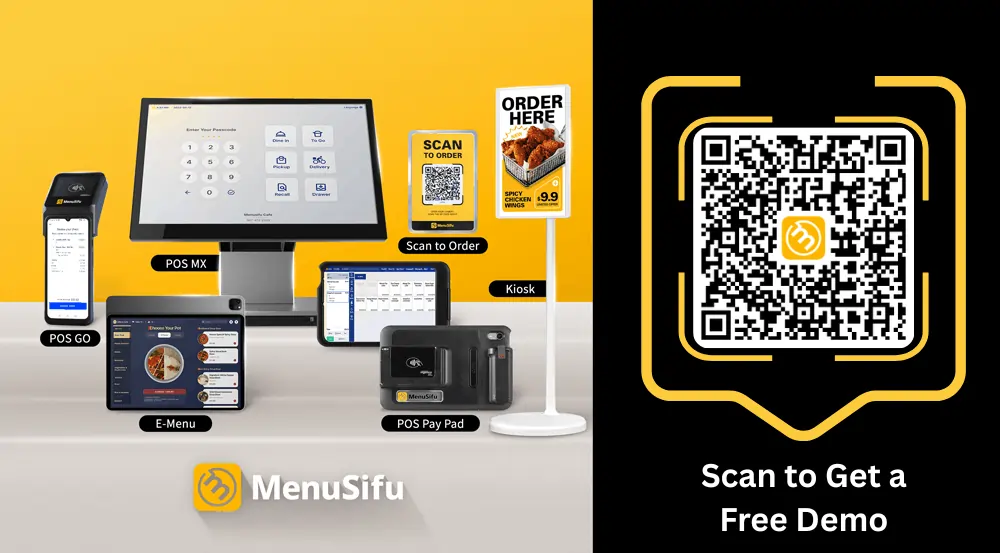
MenuSifu brings these pieces together through its quick service restaurant POS system and Showtop Smart Display Screen. The POS helps manage orders from self-ordering kiosks, online channels, delivery apps, and the counter, while KDS and pickup displays support smoother kitchen coordination. Showtop extends that experience with Menu Screen, Order Status Screen, and Promo Screen options that sync with your operations and keep customer-facing content clear.
If you want QSR digital menu boards that connect with POS, service flow, and in-store marketing, book a free demo with MenuSifu today.
Here are quick answers to common search topics around digital menu boards and connected QSR operations.
Digital menu boards are electronic screens that display menu items, prices, images, promotions, and order information in a restaurant. In QSR settings, they help teams update menus quickly, highlight featured items, and keep customer-facing information accurate across counter, pickup, and promotional screens.
Yes. Most QSR digital menu boards are easy to update when they connect to a POS system or web dashboard. Your team can change menu items, prices, promos, and sold-out items in one place, then display those updates across the right screens.
Yes. Digital menu boards can support higher sales by highlighting combos, add-ons, limited-time offers, and high-margin items at the point of decision. Clear visuals and timely promotions can guide customers toward higher-value orders while keeping menu information accurate.
Digital menu board costs vary based on screen size, hardware quality, software, installation, POS integration, and the number of screens needed. A basic indoor setup can start around a few hundred dollars per screen, while complete indoor systems often fall around $500 to $2,000 or more per screen. Commercial-grade displays, multi-screen setups, and drive-thru menu boards can cost more, especially when installation, media players, software, and integrations are included.
MenuSifu Showtop includes a one-time hardware purchase and a monthly software fee, with pricing based on your restaurant's size and needs.
Many QSR digital menu boards last around 5 to 7 years, while commercial-grade displays may last longer with proper ventilation, brightness settings, regular cleaning, and software updates.
Heavy daily use, heat, dust, and poor installation can shorten their lifespan. Review screens each year and replace panels when brightness drops, colors fade, or outages increase.
Visit our blog section for more insights and updates on restaurant POS systems, digital displays, and quick-service technology.
Related Articles: