September 18, 2026
Compare Toast POS alternatives for restaurants, including MenuSifu, Square, Clover, and Lightspeed, with pricing, features, support, and offline performance.
Toast supports many restaurant workflows, but its pricing structure, payment terms, add-on requirements, or fit with your service model may lead you to explore other systems. The right POS should match how your restaurant takes orders, manages kitchen operations, supports staff, and prepares for growth.
This guide compares four Toast POS alternatives: MenuSifu, Square, Clover, and Lightspeed. We evaluate each platform using the same criteria to help you identify the strongest fit based on your operation, budget, and plans.
A useful POS comparison should reflect daily restaurant operations, total cost, service continuity, provider support, and room to expand. We reviewed each platform using the same six criteria so you can compare the available options on equal terms.
We reviewed menu and modifier management, table and check controls, kitchen workflows, online and delivery orders, employee tools, reporting, loyalty, and marketing. These capabilities show how well each POS supports service from order entry and kitchen preparation through payment and customer engagement.
We considered software fees, hardware costs, payment processing, installation, training, add-ons, integrations, and contract terms. A low monthly fee can lead to a higher total cost once the proposal includes terminals, processing charges, added locations, and paid features.
We checked which core functions remain available during an internet outage, how each provider handles offline payments, where the platform stores data, and how records synchronize after reconnection. This review helps you assess how each system may perform during a service interruption.
We compared menu configuration, hardware installation, staff training, technical assistance, support availability, and post-installation service. Effective implementation support can shorten setup time, prepare employees before launch, and provide a clear path for resolving technical issues.
We reviewed multi-location management, additional devices, new ordering channels, centralized reporting, marketing tools, automation, and integrations. These capabilities can support your operation as you add locations, concepts, equipment, or service channels.
We considered restaurant size, service model, menu requirements, operating priorities, and expansion plans. Each provider supports a different mix of restaurant needs, so the strongest choice depends on your current workflows and future direction.
The criteria above provide a consistent framework for comparing each platform. Use the table below to identify the main differences before reviewing each provider in detail.
Pricing, plan inclusions, offline capabilities, and support terms were reviewed on July 24, 2026. Confirm current pricing and system requirements directly with each provider before signing.
MenuSifu builds its platform around restaurant operations. It connects POS, payments, ordering, kitchen tools, reporting, loyalty, marketing, and related services in one product ecosystem.
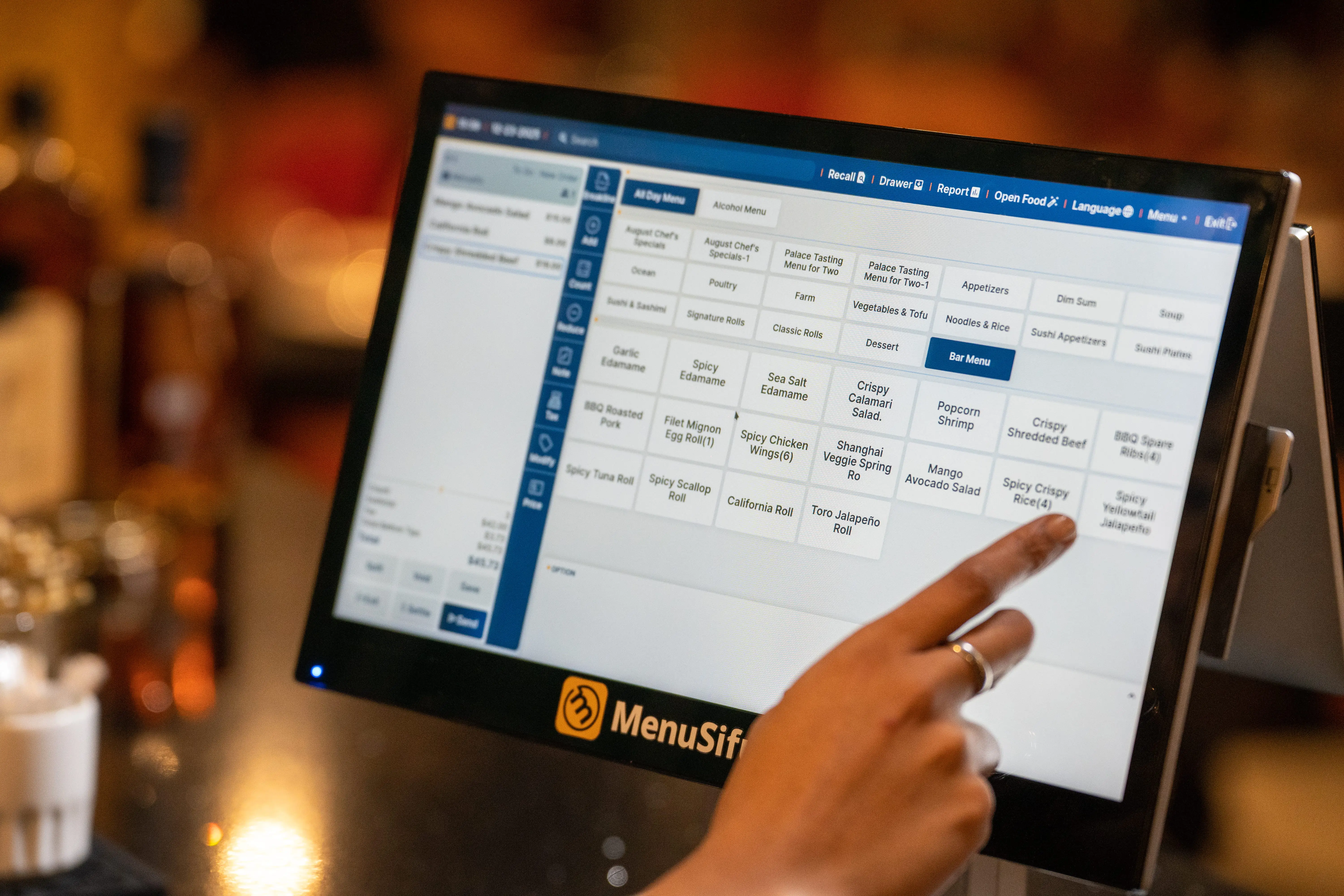
MenuSifu manages dine-in, takeout, phone, online, and delivery orders through one workflow. Its menu tools support multi-step modifiers, combo rules, item notes, portion changes, availability updates, and detailed configurations for restaurants with highly customized dishes.
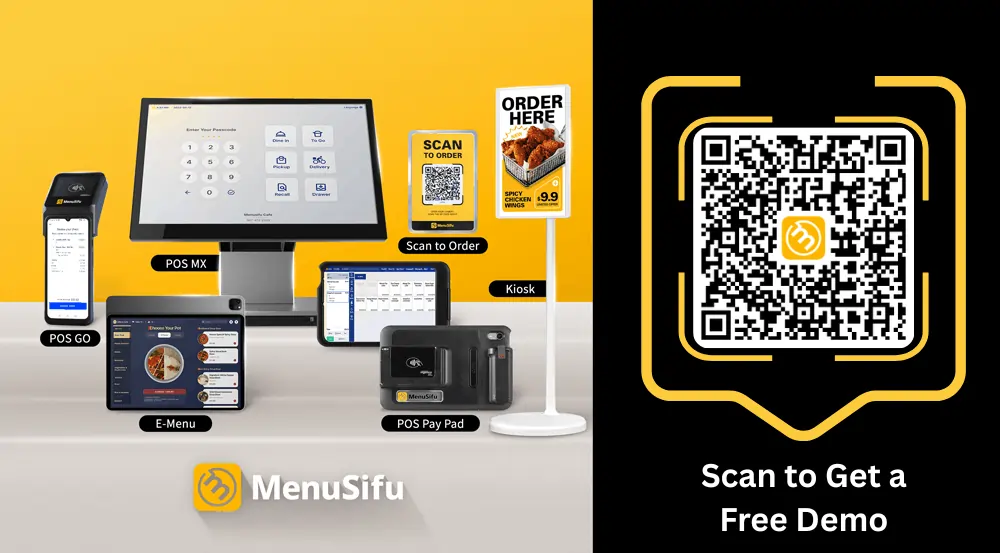
Menus can display in English, Spanish, Chinese, or French across POS terminals, kitchen displays, and self-ordering screens. The product suite also includes handheld POS devices, KDS screens, kiosks, waitlist and reservation tools, online ordering, scan-to-order, and delivery integration.
Employee tools cover clock-ins and clock-outs, secure role permissions, tips, and overtime calculations. Mobile reports show sales by order type, menu item, and employee performance. Integrated loyalty, coupons, promotions, and SMS campaigns help restaurants bring guests back through the same system.
MenuSifu’s Pay-As-You-Grow plan starts at $0 per month for eligible new restaurants. MenuSifu also offers Basic, Pro, and Premium packages designed for small restaurants, growing operations, and restaurant chains.
Depending on the selected plan, restaurants can add tools such as kiosks, scan-to-order, delivery integration, tablet ordering, waitlists, reservations, kitchen display systems, and multi-location gift cards.
Restaurants can choose purchase or subscription options, request hardware financing, and select features based on current operational needs. Payment processing is available through USEZPAY under an Interchange Plus pricing structure, with custom rates based on each restaurant’s transaction profile.
When comparing total cost, review the software plan, hardware, payment-processing rates, installation, training, and optional services together.
MenuSifu combines local restaurant operation with cloud access. Its terminals and connected devices continue handling orders and payments during internet outages. Handheld devices can keep order entry, kitchen sending, and payment functions active through the local network, while KDS screens support offline kitchen communication.
The cloud layer gives authorized managers remote access to sales and performance reports. This setup supports service continuity on-site while preserving access to business data away from the restaurant.
MenuSifu handles menu programming, system configuration, installation, and hands-on employee training. MenuSifu states that it completes onboarding within three days for most restaurants. It also provides 24/7 bilingual technical support and a direct support hotline.
This guided process can help restaurants with large menus, multiple kitchen stations, specialized modifiers, or employees who prefer direct training.
MenuSifu supports multi-location management, online ordering, loyalty, marketing, kiosks, handhelds, and kitchen displays. Its wider ecosystem includes USEZPAY for payments, EZ Capital for financing, MEALKEYWAY for marketing, WEFOOD for restaurant consulting, Showtop for in-store engagement, and Oloso for automated boba production.
This connected approach may suit restaurant groups that prefer working with one technology partner across several operational areas. MenuSifu also offers specialized solutions for all-you-can-eat restaurants, boba shops, and high-volume ordering environments.
MenuSifu can serve full-service and quick-service restaurants, high-volume dining rooms, takeout-focused concepts, and multi-location groups. It also offers dedicated solutions for Chinese, Japanese, Korean, Thai, Vietnamese, and Mexican restaurants, plus boba tea, hot pot, barbecue, café, bakery, and all-you-can-eat concepts.
It may fit restaurants that need detailed menu configuration, multilingual interfaces, bilingual technical support, guided onboarding, and connected services beyond the POS.
Square for Restaurants combines restaurant software, payment processing, hardware, and optional business products. Its flexible entry point can appeal to smaller operations and restaurants that want to add features over time.
Square supports countertop, handheld, and tableside ordering. Full-service tools include coursing, table and seat management, custom floor plans, split checks, and kitchen ticket routing. Square also offers KDS, online ordering, delivery connections, self-service kiosks, automatic pickup texts, customer profiles, loyalty, marketing, shifts, and payroll products.
The platform covers counter-service and table-service workflows, but feature access depends on the selected plan and added products.
Square lists Free, Plus, and Premium restaurant plans at $0, $49, and $149 per location each month. The monthly location fee sits alongside payment-processing rates, hardware, and optional products. KDS and kiosk apps carry per-device fees on paid plans, while payroll, loyalty, marketing, and added hardware raise the full cost.
Calculate the total across every location, register, handheld, kitchen screen, and kiosk. This approach shows how a low entry price changes as you add restaurant functions.
Square supports offline card payments on eligible apps and hardware. The device stores transactions locally and processes them automatically after reconnection.
Time limits vary by hardware. Square Register, Square Terminal, and Square Handheld must reconnect and upload offline payments within 72 hours from the start of the offline session, although Square recommends uploading them within 24 hours. Supported Square Readers and Square Stands can accept offline payments for up to 24 hours before they must reconnect. All pending offline payments must still be uploaded within 72 hours. Merchants carry the risk for expired, declined, or disputed offline transactions.
Some functions remain limited during an outage. Depending on the type of disruption, new online and delivery orders may not appear until service returns, and close-of-day reporting is unavailable offline. Check device eligibility and offline settings before launch.
Square supports self-led setup through its dashboard, menu tools, and training resources. Restaurants can ask about optional onboarding and implementation assistance. Square Free includes weekday phone support during the first 90 days, Plus includes weekday phone support, and Premium includes 24/7 phone support.
Clarify who will build the menu, connect printers, configure the KDS, train employees, and assist during launch. A small counter-service menu may require less help than a table-service restaurant with several devices and kitchen stations.
Square can add locations, Square Handheld devices, KDS screens, kiosks, online ordering, loyalty, marketing, payroll, and staff management. Paid plan fees apply per location, while KDS and kiosk charges apply per active device.
Restaurants with several locations should review consolidated reporting, menu controls, employee permissions, and the combined monthly cost before choosing a plan.
Square can fit cafés, bakeries, food trucks, counter-service concepts, small quick-service restaurants, new businesses, and smaller table-service operations. It can also suit businesses within the Square product ecosystem that prefer one account for payments and related services.
Clover pairs restaurant software with a broad hardware lineup and an app marketplace. The platform gives you several ways to configure countertop, tableside, and takeout service.
Clover restaurant packages can include Station Solo, Station Duo, and Flex handheld devices. Full-service configurations support tableside order entry, order firing, tableside payments, takeout stations, and front-of-house management. Clover devices also include tools for payments, customer rewards, and employee scheduling, with added software available through the Clover App Market.
The final feature set depends on the restaurant package, devices, and apps you select. Confirm access to check splitting, inventory, KDS connections, delivery links, kiosks, scan-to-pay, and multi-location controls during the sales process.
Clover offers hardware purchase and subscription options. A subscription may provide equipment with no upfront payment, warranty coverage, and upgrade options. Payment-processing fees are priced separately.
Clover states that its subscriptions are non-cancelable and ineligible for refunds, although you can pay off the subscription or change devices through a buyout or upgrade. At the end of the subscription term, you can purchase or return the equipment. If you do not select either option, the subscription continues at the same monthly charge. Clover requires at least 30 days’ notice before the term ends if you plan to purchase or return the equipment instead of continuing the monthly subscription.
Your total may include hardware, monthly restaurant software, processing rates, app subscriptions, installation, support, accessories, and financing. Clover sells through direct channels and partner institutions, so contract length, cancellation terms, device ownership, and service responsibilities may differ by seller.
Clover can support offline payments in eligible setups, but availability depends on the device, connection method, app, and processor configuration. Offline transactions may receive approval or decline after reconnection, which creates payment risk for the merchant.
Confirm the transaction limits, accepted card types, upload process, and functions available during an outage. Test the exact Clover setup you plan to install.
Clover provides setup assistance, online help, live support, and 24/7/365 troubleshooting. Its full-service restaurant packages also list 24/7 live support.
Support may involve Clover, the seller, or the merchant-services provider. Put menu setup, installation, staff training, hardware replacement, billing support, and response times in the agreement so each responsibility stays clear.
Clover lets you add countertop terminals, Flex handhelds, takeout stations, accessories, and restaurant software packages. The Clover App Market adds tools for rewards, scheduling, reporting, inventory, marketing, and other business functions.
Multi-location restaurants should confirm that every site can use consistent menus, apps, reporting, processing terms, and support arrangements.
Clover can fit bars, cafés, counter-service restaurants, full-service concepts, and small to midsize businesses that prioritize hardware choice. It may also appeal to operators who prefer third-party apps and feel comfortable managing several software subscriptions.
Lightspeed Restaurant focuses on cloud-based management, reporting, inventory, and oversight across locations. Its plan structure gives restaurants access to a broad set of service and management tools.
Lightspeed supports menu and modifier setup, coursing, refunds, stock management, floor plans, tableside ordering, takeout, delivery, online ordering, contactless ordering, and pre-authorized bar tabs. It also offers mobile reporting, reservations, KDS, advanced inventory, multiple revenue centers, and integrations for delivery, property management, and accounting.
These tools can support restaurants that need detailed sales data, inventory controls, hotel food-and-beverage reporting, or shared oversight across several locations.
Lightspeed publicly lists Starter at $69 per month, Essential at $189, and Premium at $399, with custom Enterprise pricing. KDS costs $30 per screen each month, and several tools appear as add-ons or become available on higher plans. Prices may vary by business type.
Include software, hardware, integrated payments, KDS screens, advanced inventory, delivery connections, added locations, implementation, and training in the final comparison.
Lightspeed can keep core selling functions active offline. The system stores sales data locally on the device and synchronizes it with the cloud after the connection returns. Some cloud and master-data functions remain unavailable during the outage.
Review the offline process for payments, ticket changes, refunds, tips, reports, and end-of-day tasks. Device and regional payment configurations can affect what remains available.
Lightspeed lists offline mode and 24/7 support across its restaurant offering. Essential and Premium customers can access professional services, while Enterprise includes launch consultation, a dedicated support group, and a customer success manager.
Before launch, define responsibility for menu migration, device installation, employee training, payment activation, integration setup, and support after opening day.
Lightspeed supports multi-location management, mobile performance tracking, advanced inventory, multiple revenue centers, added users, several menus, and third-party integrations. Its reporting tools give managers a high-level view across restaurant sites.
These capabilities can support restaurant groups and hospitality businesses that need shared controls and detailed reporting across locations.
Lightspeed can fit full-service restaurants, bars, hotels, hospitality businesses, restaurant groups, and multi-location operators. It may suit businesses that prioritize analytics, inventory controls, employee permissions, and property-management or accounting integrations.

Your ideal Toast alternative depends on your service model, required tools, support expectations, and total technology cost. Use the following guide to narrow your options.
MenuSifu may fit your restaurant if you manage detailed menu modifiers, multiple ordering channels, multilingual service, or specialized dining formats. Guided onboarding, on-site training, offline operation, and 24/7 bilingual technical support can also reduce the workload placed on managers during implementation.
Its ecosystem connects POS, payments, marketing, financing, consulting, and automation. This model can benefit restaurants that prefer managing several technology and business services through one partner.
Square may fit a smaller or growing restaurant that wants familiar payment tools, flexible devices, and a low-cost entry plan. Its products can support cafés, bakeries, food trucks, counter-service concepts, and smaller dining rooms.
Calculate the full cost before choosing a plan. Kitchen displays, kiosks, loyalty, marketing, payroll, additional devices, and more locations can increase monthly expenses.
Clover may be a good fit if hardware selection ranks high among your priorities. You can combine countertop terminals, handheld devices, kiosks, kitchen displays, and third-party applications based on your service model.
Review the merchant provider, processing agreement, software plan, equipment terms, and app subscriptions before signing. Pricing and support responsibilities can vary based on the seller.
Lightspeed may fit your restaurant if you prioritize detailed reporting, inventory controls, remote access, and visibility across several locations. Its management tools can help you monitor menus, employees, revenue centers, inventory, and sales performance from one account.
Compare plan levels carefully. Advanced reporting, inventory features, integrations, KDS screens, and additional locations can raise the total monthly cost.
A well-planned POS change helps protect daily service, payment flow, restaurant data, and staff productivity. Complete the steps below before setting a launch date with a new provider.
Confirm your Toast contract end date, cancellation terms, payment-processing agreement, and hardware obligations. Check which devices you own, lease, or need to return.
Record all current expenses, including:
This review gives you an accurate cost baseline for comparing new POS proposals.
Create a list of the daily tasks the new system must support. Focus on the processes your staff uses during service, including:
Rank each workflow by priority. Use the list during every product demonstration so each provider covers the same operational requirements.
Request a written proposal that includes the full cost of the system. The proposal should cover:
Compare upfront costs, recurring fees, processing rates, contract length, renewal terms, device limits, and cancellation policies. Include the cost of adding terminals, locations, or ordering channels later.
Identify the information you need to transfer from Toast, including:
Confirm which records the new provider can import and which records your staff must recreate.
Create a training schedule based on employee roles. Managers may need access to reporting, permissions, refunds, and closeout tools. Servers, cashiers, and kitchen staff should practice the tasks they complete during each shift.
Test the POS with realistic restaurant orders before using it during regular service. Review:
Record any issues and resolve them before the launch date. Confirm that terminals, handheld devices, printers, kitchen displays, kiosks, and delivery connections work together as expected.
The right choice should align with your daily workflows, budget, support needs, and expansion plans. Compare the complete cost of each system, including software, hardware, payment processing, training, integrations, and ongoing service.
Before signing, test how each platform handles order entry, menu updates, kitchen communication, payments, reporting, and internet outages. This process will help you identify the system that fits your current operation and can accommodate new locations, devices, or ordering channels.
MenuSifu may be a strong option if you need detailed menu customization, multilingual tools, guided onboarding, offline operation, bilingual support, and connected services across payments, marketing, financing, consulting, and automation.
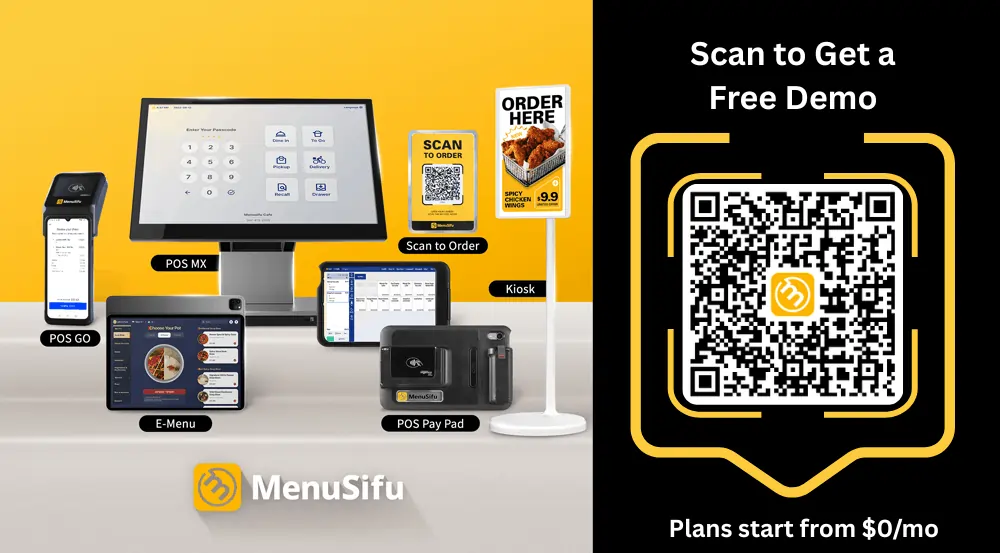
Book a Free Demo with MenuSifu to see how the platform can support your menu, service model, and ordering channels. The MenuSifu team can review your current setup and help you identify the tools that fit your operation.
Still comparing Toast with other restaurant POS providers? The answers below cover key details about pricing, features, and competing platforms to help you evaluate your options.
Toast POS is a cloud-based restaurant point-of-sale and management platform that connects order taking, payment processing, menu management, kitchen communication, online ordering, and reporting. Depending on the selected products and plan, restaurants can also add employee-management tools and use Toast through terminals, handheld devices, self-ordering kiosks and kitchen display systems.
Toast lists its Starter Kit from $0 per month and its Point of Sale plan from $69 per month. It also offers a Build Your Own plan with custom pricing. Toast states that these advertised prices apply to new, single-location customers and include the first hardware terminal subscription. Payment processing, additional devices, implementation, and optional add-ons can increase the total cost, so request an itemized quote before comparing Toast with other POS providers.
Toast POS can be worth the money if its restaurant tools, integrated payments, and support fit your operation and budget. Before committing, compare the total cost of software, hardware, payment processing, add-ons, and contract terms with alternatives such as MenuSifu, Square, Clover, and Lightspeed.
Toast focuses on restaurant-specific features, including menu management, kitchen operations, online ordering, and employee tools. Square offers simpler setup, flexible pricing, and broader support across business types. Toast often suits established or multi-location restaurants, while Square can work well for smaller businesses seeking an easy-to-use POS system.
Toast often suits restaurants that prefer an integrated restaurant POS with online ordering, kitchen tools, and reporting. Clover may suit operators who prioritize hardware choice, third-party apps, and flexible payment-provider options. The better choice depends on required features, total costs, support, and contract terms.
Toast does not publicly identify a single company as its biggest competitor. Square, Clover, and Lightspeed are among its major restaurant POS competitors, although the closest alternative depends on restaurant size, service model, hardware requirements, and desired features. MenuSifu is a more specialized option, offering multilingual tools and restaurant technology designed in part for Chinese and other Asian restaurant concepts, along with specialized menu features, offline functionality, and an integrated restaurant technology ecosystem.
For more restaurant POS guides, operational tips, and technology updates, visit the MenuSifu blog.