September 18, 2026
Find the right Lightspeed POS alternative by reviewing MenuSifu, Square, Toast, and Clover on pricing, hardware, support, offline use, and best restaurant fit.
Switching POS systems can feel risky when orders, payments, kitchen communication, and reporting all depend on the platform. Rising costs, limited support, hardware restrictions, or expensive add-ons may be prompting you to consider a Lightspeed POS alternative.
A side-by-side comparison can help you narrow your options before making a commitment. This guide compares MenuSifu, Square for Restaurants, Toast, and Clover using the same evaluation criteria, showing how each platform handles restaurant operations, pricing, hardware, integrations, support, and future growth.
A restaurant POS affects ordering, payments, kitchen communication, reporting, and staff performance. To compare each Lightspeed alternative fairly, we used the same seven criteria across all four providers.
Your POS should match the way your restaurant serves guests. We reviewed each platform’s tools for menu modifiers, table service, split checks, kitchen routing, online orders, delivery orders, employee management, loyalty programs, kiosks, QR ordering, and handheld service.
We also considered how well each system handles detailed menus, multiple order channels, and different service formats.
An internet outage should cause minimal disruption during service. We examined which ordering, payment, and kitchen functions remain available when connectivity drops.
We also reviewed how each platform stores offline transactions, reconnects devices, and synchronizes data after internet service returns.
Your service model determines which devices you need. We compared countertop terminals, handheld POS devices, kitchen displays, customer-facing screens, kiosks, and mobile setups.
We also considered durability, device compatibility, warranties, replacement policies, and the cost of adding equipment.
The advertised monthly fee rarely shows the full expense. We reviewed software subscriptions, hardware, payment-processing rates, installation, add-ons, contract terms, and support charges.
This approach gives you a clearer view of first-year costs and the expenses tied to adding devices, features, or locations.
A POS often needs to exchange data with several restaurant tools. We assessed connections with online ordering, delivery platforms, accounting, payroll, reservations, loyalty programs, marketing tools, and third-party applications.
We also considered which features operate inside the platform and which require separate vendors or subscriptions.
A smooth transition depends on preparation and reliable assistance. We compared menu programming, system installation, staff training, launch timelines, support hours, and access to live technicians.
We also reviewed how much setup each provider handles and how support changes across plans or sales channels.
Your POS should continue serving your business as order volume, staffing, and location count increase. We evaluated support for additional terminals, employees, ordering channels, menus, and restaurant locations.
Centralized reporting, role-based permissions, menu controls, and multi-location management also shaped our evaluation.

MenuSifu combines restaurant POS software with payments, ordering, marketing, financing, consulting, and automation services. The platform gives restaurants one connected ecosystem for front-of-house service, kitchen operations, customer engagement, and business support.
MenuSifu consolidates dine-in, takeout, phone, online, and delivery orders in one workflow. You can update menus across ordering channels, manage detailed modifiers, split checks, control coursing, calculate tips, route items to kitchen stations, and track employee time and permissions. The product range also includes handheld ordering, kitchen displays, kiosks, QR ordering, digital menus, loyalty programs, SMS marketing, promotions, and coupons.
Multilingual menus can appear on POS terminals, kitchen displays, kiosks, and other ordering screens in English, Chinese, Spanish, and French. This coverage can help multilingual employees communicate across the dining room, counter, and kitchen while giving guests clearer ordering options.
MenuSifu also supports restaurant concepts with detailed service rules and menu structures. These include Chinese restaurants, hot pot and barbecue concepts, all-you-can-eat dining, bubble tea shops, quick-service businesses, and high-volume takeout operations. Tools such as modifier controls, kitchen routing, ordering limits, kiosks, e-menus, and automated bubble tea connections can support the needs of these concepts.
MenuSifu combines local operation with cloud access and backup. During an internet outage, supported devices can continue essential ordering and kitchen workflows, helping staff maintain service across the POS and kitchen. Authorized managers can also access restaurant reports remotely through the cloud.
During the product demonstration, test ordering, kitchen routing, payments, and device synchronization under a simulated outage.
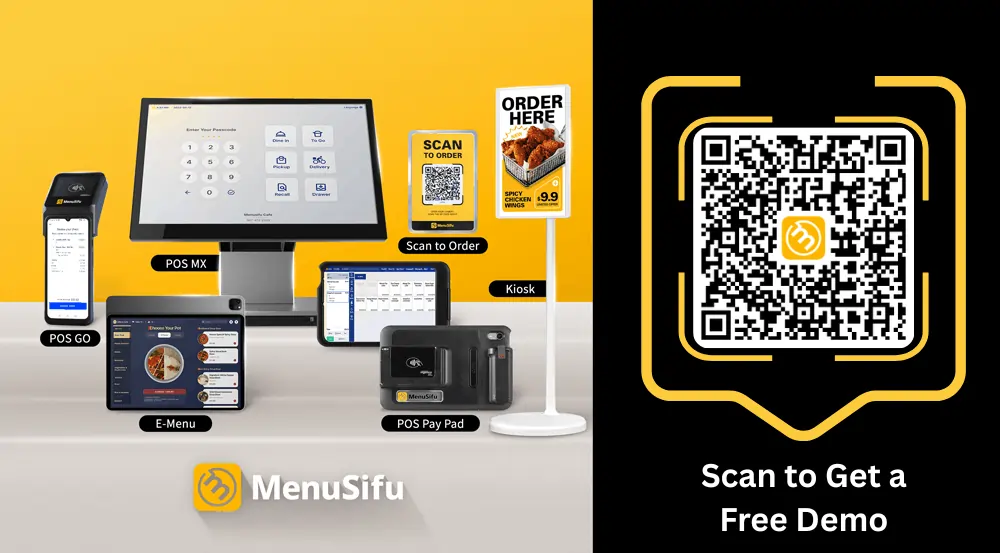
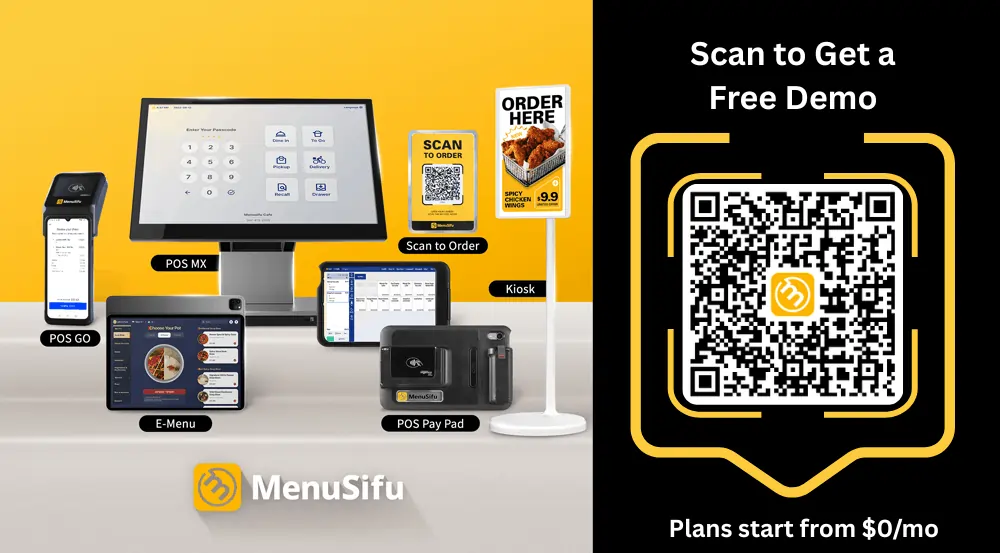
MenuSifu offers the POS MX with a 15.6-inch interface and stainless-steel design. It also provides an iPad POS with a compact footprint and flexible placement. Restaurants can add handheld POS devices, kitchen displays, customer-facing screens, self-ordering kiosks, e-menu devices, order-status screens, printers, and payment equipment.
This hardware range can cover the counter, dining room, kitchen, pickup area, and tableside service. Review device protection, mounting, printer compatibility, warranties, and replacement terms when selecting equipment for areas exposed to grease, steam, heat, spills, and frequent handling.
MenuSifu offers Pay-As-You-Grow, Basic, Pro, and Premium pricing options. Pay-As-You-Grow starts at $0 per month and targets new restaurants. Basic supports smaller operations, Pro adds tools for growing restaurants, and Premium supports chains with advanced multi-location functions. Restaurants can select purchase or subscription arrangements and choose features based on their current operational needs.
USEZPAY provides connected payment processing within the MenuSifu ecosystem. Since pricing depends on the selected configuration, request an itemized quote based on locations, terminals, handhelds, kitchen displays, kiosks, software modules, installation, and support services. An itemized quote makes first-year and recurring costs easier to compare with Lightspeed.
MenuSifu connects POS operations with USEZPAY for payments, EZ Capital for financing, MEALKEYWAY for marketing, WEFOOD for consulting, Showtop for in-store engagement, and Oloso for automated bubble tea production. The platform also supports delivery integrations, online ordering, loyalty, digital menus, restaurant websites, kitchen automation, and customer engagement tools.
This connected ecosystem can reduce the number of vendors involved in daily operations. Before launch, confirm billing, data ownership, service contacts, and technical responsibility for every selected product.
MenuSifu handles menu setup, system configuration, installation, and staff training. The company states that most restaurants can complete onboarding in about three days. Available services may include on-site installation and hands-on training, depending on the selected agreement. MenuSifu also provides a 24/7 bilingual technical hotline with direct access to support technicians.
Before signing, confirm the menu-build timeline, installation date, training hours, data-migration scope, launch-day assistance, and any related fees. These details can help you schedule the transition around regular service and employee availability.
MenuSifu supports centralized menu management, multi-location reporting, role-based permissions, added ordering channels, loyalty, marketing, financing, and kitchen automation. Its chain-level options can also support multi-store gift cards, shared reporting, and location-based controls.
This structure can support an independent restaurant that plans to add devices or locations, along with established groups that need shared controls across several sites.
MenuSifu may suit restaurants with detailed menus, multilingual service, specialized ordering rules, high transaction volume, or several locations. It can also support Chinese restaurants, hot pot and barbecue concepts, all-you-can-eat dining, bubble tea shops, and quick-service businesses that prefer POS, payments, marketing, financing, consulting, and automation through one provider.
Square for Restaurants provides POS, payments, online ordering, employee tools, customer engagement, reporting, and related Square business products. Its free entry plan and broad hardware range may appeal to smaller restaurants that want a quick setup and the option to add paid tools over time.
Square supports menu management, order entry, table service, open checks, online ordering, QR ordering, employee management, loyalty, marketing, customer profiles, and restaurant reporting. Paid products can add kitchen displays, kiosks, payroll, advanced team management, and other functions.
Review each feature against the selected plan. A tool shown across the Square product family may carry a separate subscription, device fee, or payment-processing charge. This review helps you compare the actual package with the tools included in your current Lightspeed setup.
Square supports offline card payments through eligible hardware and POS applications. Offline limits vary by device. Some setups can accept offline payments for up to 24 hours, while pending transactions generally must be uploaded within 72 hours. Square recommends reconnecting within 24 hours to reduce the risk of declines or disputes. The merchant remains responsible for expired, declined, or disputed offline payments.
Confirm how the proposed setup handles open checks, kitchen tickets, online orders, menu updates, and reports during an outage. Card acceptance covers one part of restaurant service, while some cloud-based functions may require an active connection.
Square offers registers, terminals, card readers, mobile setups, handheld options, customer-facing displays, kitchen displays, and kiosk configurations. This range can support a compact counter, tableside payment, a food truck, or a small dining room.
Review battery life, device protection, printer support, kitchen display requirements, and replacement costs before placing Square hardware in a kitchen or high-volume service area.
Square offers free and paid restaurant plans, with integrated processing rates based on the selected plan and transaction type. Hardware, kitchen display software, kiosk tools, loyalty, marketing, payroll, and other products can add to the monthly total. Higher-volume businesses can request custom pricing and implementation support.
Build a cost model that includes every device, location, subscription, and processing rate. This calculation shows how the starting price changes as you add services or expand to another location.
Square connects its POS with online ordering, delivery partners, payroll, employee scheduling, loyalty, marketing, gift cards, banking, loans, accounting tools, and third-party apps. This product range may keep many services under one Square account, though some restaurants may still require outside platforms for advanced kitchen or management needs.
List each current Lightspeed connection, then match it to a Square product or partner app. Include monthly fees, data ownership, and support responsibility in the comparison.
Square emphasizes self-service account creation, menu setup, hardware installation, online documentation, and digital support resources. Larger sellers can contact Square about onboarding, implementation, technical specialists, and account management.
A small menu may fit this setup model. Restaurants with many modifiers, several kitchen stations, or multiple locations may benefit from added implementation help.
Square can support additional locations, devices, employees, online sales channels, loyalty tools, payroll, and reporting. Costs rise as you add paid subscriptions, hardware, and location-based services, so calculate the future setup before selecting a plan.
Square may fit cafés, bakeries, food trucks, counter-service restaurants, and new businesses with simple menus and service flows. It can also suit operators who prefer Square’s payment, payroll, online ordering, and customer tools under one account.
Toast offers restaurant POS, integrated payments, online ordering, kitchen tools, employee management, guest engagement, reporting, and other operational products. Its connected restaurant platform can support full-service, quick-service, and multi-location operations.
Toast supports table and order management, handheld ordering, menu modifiers, kitchen displays, online ordering, delivery, loyalty, gift cards, employee tools, payroll, reporting, and guest management. These products connect servers, cashiers, managers, and kitchen staff through shared order and sales data.
Review the proposal line by line because some functions require added subscriptions, devices, or service packages. This step also helps you identify which Toast products can replace current Lightspeed integrations.
Toast moves supported devices into offline mode during internet, local network, or Toast platform disruptions. Employees can continue taking orders and accepting cash or card payments, though available functions depend on the restaurant’s configuration and local-sync capabilities.
Online ordering may become unavailable during an outage, while gift card transactions and loyalty redemptions cannot be processed until service returns. Orders may also remain limited to the device that created them when local sync is unavailable. Test terminals, handhelds, kitchen displays, printers, payments, and data synchronization during implementation.
Toast offers countertop terminals, handheld POS devices, kitchen displays, kiosks, printers, and guest-facing equipment. Its kitchen display hardware is built for restaurant use and tested for heat, spills, grease, and continuous service.
Toast uses compatible provider-approved hardware, so a move from Lightspeed may require new devices. Include equipment replacement, installation, warranties, and added terminal fees in the transition budget.
Toast structures pricing around software, hardware, integrated payments, installation, and optional products. Current offers include entry packages and custom configurations, while added devices and restaurant services can increase the long-term total.
Compare payment-processing rates, contract length, installation fees, add-on subscriptions, renewal terms, and early termination conditions in one written proposal. This provides a clearer cost picture than the promoted starting price.
Toast connects POS with online ordering, delivery, payroll, scheduling, loyalty, marketing, accounting, supplier tools, financing, reservations, and third-party integrations. This coverage can replace several separate products, depending on the selected package.
Map each current system to a Toast product or partner integration. Confirm data access, monthly fees, and the support contact assigned to each connection.
Toast offers implementation resources, menu configuration, hardware setup, installation options, training, and technical support. The scope can vary by agreement, so review the order form for menu programming, on-site work, training sessions, launch coverage, and ongoing account support.
Toast supports centralized menus, multi-location reporting, employee management, analytics, digital ordering, loyalty, payroll, and additional hardware. Restaurant groups can extend the platform across locations, though each added product or device may affect monthly cost and contract terms.
Toast may fit full-service restaurants, quick-service concepts, and growing restaurant groups that want connected front-of-house, kitchen, employee, and guest tools. It can also suit operators prepared to use Toast-compatible hardware and integrated payment services.
Clover combines proprietary hardware, payment processing, restaurant software, and an app marketplace. Its system gives smaller operators several ways to configure a counter, dining room, tableside service, or kitchen setup.
Clover supports menu management, order entry, table service, employee tools, online ordering, loyalty, kitchen communication, and reporting. Its Restaurant Growth software plan includes core restaurant functions, while optional hardware and App Market integrations can add kitchen displays, delivery management, reservations, accounting, payroll, marketing, and other capabilities.
The final feature set depends on the software plan, hardware bundle, payment provider, and selected applications. Compare the complete configuration instead of evaluating the terminal by itself.
Clover devices and apps support certain offline payment functions, though availability varies by device, connection method, region, and transaction type. Clover documentation states that some standard sale transactions can queue for later processing, while preauthorization and capture require a live connection.
Confirm offline behavior across orders, payments, tables, kitchen routing, printers, and reports. The reseller or processor should also explain risk limits and declined transactions after reconnection.
Clover offers countertop stations, compact terminals, mobile readers, Flex handhelds, kiosks, customer-facing displays, and kitchen display systems. Full-service bundles can combine a Station terminal with handheld ordering or guest-facing payment equipment.
Choose devices based on counter space, table coverage, battery life, printer needs, mounting, warranties, and equipment ownership terms.
Clover sells restaurant packages through Starter, Standard, and Advanced configurations, with purchase and subscription options. Clover also works through banks, processors, resellers, and retail partners, so software fees, processing rates, contracts, support, and equipment terms can vary by seller.
Request a written quote that lists the hardware price, monthly software fees, payment-processing rates, app subscriptions, support charges, contract length, renewal terms, cancellation conditions, and device ownership. This helps prevent separate seller terms from hiding the complete cost.
Clover’s App Market adds online ordering, delivery, accounting, employee management, loyalty, marketing, ecommerce, and other business tools. The app model offers flexibility, though several subscriptions can increase costs and spread support across several companies.
Confirm which vendor controls each integration, bills the subscription, stores the data, and handles technical issues.
Installation, training, and support can differ across Clover Direct, banks, processors, and resellers. Identify the company responsible for menu setup, device installation, employee training, payment support, app issues, and hardware replacement before purchase. Clover’s direct pricing pages also state that partner plans and pricing can vary.
Clover can add terminals, handhelds, locations, apps, online ordering, and reporting functions. A larger operation should verify centralized menu controls, multi-location reporting, app administration, processing terms, and support ownership across every site.
Clover may fit small restaurants, cafés, bakeries, and counter-service businesses that prefer compact hardware and app-based configuration. Review reseller, processing, and support terms closely before replacing Lightspeed.
Each platform serves different restaurant needs. Use this overview to compare the ideal use case, leading strength, pricing approach, and main consideration for MenuSifu, Square for Restaurants, Toast, and Clover.
Product information reviewed on July 30, 2026. Pricing, features, hardware availability, payment-processing terms, and support options may change. Request a current written proposal from each provider.
Use this overview to create a shortlist, then review the recommendations below based on your menu, service model, budget, support needs, and growth plans.
The best Lightspeed POS alternative depends on your menu structure, service model, hardware preferences, support needs, and growth plans. Use the following recommendations to narrow your shortlist.
MenuSifu may fit restaurants that manage detailed modifiers, multilingual menus, several ordering channels, or concept-specific workflows. Its ecosystem connects POS, payments, online ordering, loyalty, marketing, financing, consulting, and automation, making it a strong option for operators who prefer fewer technology vendors.
Square may suit cafés, bakeries, food trucks, and counter-service businesses with smaller menus and simpler workflows. Its accessible entry plans, compact hardware, and related business tools can support new or smaller operations, though added features may increase the total monthly cost.
Toast may fit full-service restaurants, quick-service concepts, and growing restaurant groups that want connected tools for front-of-house service, kitchen operations, digital ordering, employees, and guest engagement. Review its hardware requirements, integrated payment structure, contract terms, and add-on pricing before committing.
Clover may suit smaller restaurants that value compact devices and the ability to add functions through an app marketplace. Since banks, payment processors, and resellers may offer different rates and terms, compare equipment ownership, processing fees, support responsibility, and contract conditions across proposals.
After selecting two or three providers, ask each company to demonstrate the system using your actual menu, modifiers, payment flow, kitchen routing, employee roles, and outage procedures. The strongest choice should support current operations while allowing room to add devices, ordering channels, and locations.
Use the same questions during every sales call. Record each provider’s answers so you can compare proposals consistently.
Ask each provider to demonstrate the workflows that create the most pressure during service. Use real menu items, modifiers, split checks, refunds, online orders, kitchen routing, shift changes, and an internet outage. A sales presentation can show features, but a live workflow test shows how the system will operate during a shift.
MenuSifu, Square, Toast, and Clover support different restaurant needs. The right choice depends on your menu structure, service model, preferred hardware, support expectations, budget, and expansion plans. Compare the full cost of each system, test key workflows, and review contract terms before replacing Lightspeed.
MenuSifu may be a strong option if you need detailed menu controls, multilingual tools, reliable offline operation, guided onboarding, and connected services across payments, ordering, loyalty, marketing, financing, consulting, and automation.
See how MenuSifu can support your daily operations using your actual menu, ordering channels, and service requirements. Book a Free Demo with MenuSifu today to explore the platform and receive a solution recommendation based on your restaurant setup.
Still comparing restaurant POS platforms? These answers cover key questions about Lightspeed competitors, switching considerations, and the best options for different restaurant formats.
The best Lightspeed POS alternatives for restaurants include MenuSifu, Square for Restaurants, Toast, and Clover. MenuSifu suits restaurants that need advanced menu customization, multilingual tools, offline operation, and an integrated technology ecosystem. Square fits smaller operations with simpler workflows, Toast offers broad restaurant-focused features, and Clover provides flexible hardware with app-based expansion. The best choice depends on your menu structure, service model, support needs, growth plans, and total cost.
MenuSifu, Square for Restaurants, Toast, and Clover are among the restaurant POS platforms that compete with Lightspeed. Each offers a different mix of POS software, payment processing, restaurant hardware, online ordering, and management tools.
Restaurants may switch from Lightspeed when its pricing, add-on fees, payment-processing terms, hardware requirements, support model, or available features no longer align with their operations. Growing restaurant groups may also seek different multi-location controls, offline capabilities, integrations, or onboarding services.
The reasons vary by business, so compare the total cost, contract terms, included tools, hardware requirements, and support options before replacing your current system.
Yes. Lightspeed can be a good POS system for restaurants that need customizable menus, floor plans, reporting, online ordering, multi-location management, and offline support. However, its subscription pricing, add-on fees, and payment terms may not suit every operation. Compare the total cost, included features, contract terms, and support level with other providers before deciding.
Among the platforms covered in this guide, MenuSifu and Square for Restaurants offer iPad-based options that restaurants may consider as alternatives to Lightspeed. MenuSifu may suit restaurants that need detailed menu controls and multilingual tools, while Square may fit smaller operations seeking an accessible iPad setup.
For more restaurant POS comparisons, operational guides, and technology updates, explore the MenuSifu blog.