October 20, 2026
Find out how handheld POS systems for restaurants improve table service, speed up checkout, and reduce terminal bottlenecks, plus what to compare before buying.
Busy service often exposes the limits of fixed POS terminals. Servers may spend valuable time walking back to shared stations, waiting to enter orders, or making extra trips to process payments.
When those delays repeat across dozens of tables, they can affect service speed, staff efficiency, and the overall dining experience. Handheld POS systems for restaurants bring key tasks closer to the table, helping staff send orders sooner, capture details more accurately, and complete payments where guests are seated.
If you are comparing handheld POS options, this guide covers the benefits, essential features, and key evaluation points that can help you choose the right system for your restaurant.
During a dinner rush, a server may take an order at one table, walk to a fixed terminal to enter it, then head back across the dining room when another guest wants to add a drink or change a side. Multiply those trips across several tables, and the terminal starts shaping the pace of service.
A handheld POS shortens that route. Servers enter orders while they are still at the table, so the kitchen receives the ticket sooner. They spend less time walking back to a shared station or waiting behind another employee who is closing a check. That leaves more of the shift for checking tables, answering menu inquiries, and handling requests as they happen.
Entering the order in front of the guest also helps preserve details that often get lost between the table and the terminal. A server can record a sauce substitution, allergy note, cooking preference, or extra side while the guest is explaining it. If an item sells out and the POS updates availability across devices, the server sees the change before sending the order. This reduces corrections after the kitchen has received the ticket and gives staff more accurate information during service.
The same handheld device also shortens checkout. Instead of taking a card to a payment station and returning with a receipt, the server brings the check and payment process to the table. Depending on the system, guests may split the check, add a digital tip, pay by credit or debit card, use Apple Pay or another contactless option, or apply a gift card or house account. The server closes the check in place and moves on to the next table sooner.
Those minutes become especially valuable during peak periods. Earlier order entry helps the kitchen start sooner, while tableside payment reduces waiting at the end of the meal. The result is a smoother table cycle built around removing avoidable delays, not rushing guests. For a restaurant handling dozens or hundreds of covers in a service period, small time savings at each table can add up to more efficient use of seats, staff time, and POS terminals.
A handheld POS becomes especially useful when staff spends a noticeable part of each shift walking back to fixed terminals, waiting to enter orders, or covering tables far from the main service station.
Full-service restaurants. If servers regularly move between tables and a shared POS terminal, handheld ordering cuts out that repeated trip. A server can enter a steak temperature, add an allergy note, send the order, and handle a later modification while staying in the section.
High-volume restaurants. Terminal access often becomes tight during the dinner rush, when several servers need to send orders or close checks at once. Handheld devices give each server a direct way to enter orders and take payments from the floor, reducing queues around fixed stations and helping tickets reach the kitchen sooner.
Restaurants with large or outdoor dining areas. A patio table or rooftop section may sit a long walk from the nearest terminal. Carrying a handheld lets servers update orders and collect payment where the guest is seated, which reduces back-and-forth trips across larger service areas.
Multi-location restaurants. When handheld devices connect to the same centralized POS platform used across locations, you can keep ordering, payments, menu updates, and staff workflows consistent from one restaurant to the next. A shared interface also gives employees a more familiar experience when they work across different locations.

A handheld POS earns its place on the floor when servers can rely on it throughout service instead of treating it as a secondary device. As you compare systems, look closely at what staff can complete from the handheld, how quickly information moves between the dining room and kitchen, and how the device performs during a full shift.
Servers should be able to handle routine service tasks at the table instead of walking back to a fixed terminal. A capable handheld should support the actions staff perform most often during ordering, check management, and payment.
Look for functions such as:
MenuSifu handheld devices extend many of the same functions available on the main POS terminal to the dining room. Staff can manage orders, notes, split payments, item availability, loyalty logins, and checkout from one handheld device.
A sold-out dish should disappear from a server’s options before another guest orders it. When menu updates, item availability, and order details sync in real time, servers can work from the same information the kitchen sees.
Check how quickly the handheld receives menu changes and how orders move from the table to the kitchen. Immediate updates can reduce corrections, canceled items, and repeated trips to confirm availability.
Tableside service loses much of its value if staff still need a separate terminal to close the check. A handheld that handles both ordering and payment can shorten the final steps of service and keep the transaction at the table.
Compare support for:
Also review how the system records tips, handles split checks, and updates the final transaction in the main POS.
A handheld needs to stay connected in the places where servers actually work, including patios, private rooms, and sections far from the main terminal. Test coverage across the dining area and confirm what happens when internet service drops.
Look at local network support, offline ordering, kitchen communication, and payment behavior during an outage. MenuSifu handheld devices connect through the local network and support offline operation for core tasks such as taking orders, sending them to the kitchen, and handling supported payments.
Restaurant handhelds spend hours around drinks, grease, moisture, crowded service stations, and constant handling. Consumer-grade hardware may struggle under that level of daily use.
Pay attention to build quality, screen durability, resistance to spills and grease, and how securely staff can hold the device during service. MenuSifu handheld hardware is waterproof and oil-resistant, with construction designed for regular restaurant use.
A device that needs frequent charging can become unavailable during the busiest part of a shift. Battery life should support long service periods, while the size and weight should allow staff to carry the device comfortably from table to table.
A larger screen may help with menu navigation and payment review, while a smaller device may be easier to carry throughout the day. Compare both form factor and battery performance against the way staff move through service.
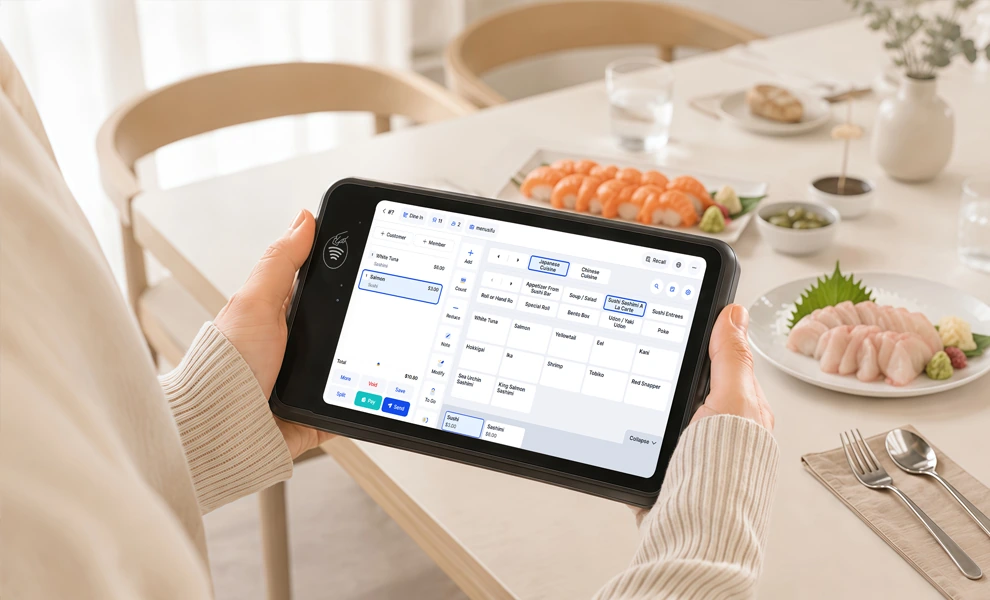
Handheld and countertop POS systems serve different roles during restaurant service. A handheld gives servers more mobility on the floor, while a countertop terminal provides a larger, fixed station for cashier, manager, and front-counter tasks.
The two systems can work well together. Servers can use handheld devices to take orders, add modifications, split checks, and process payments at the table, while countertop terminals remain available for cashier workflows, reporting, manager functions, and other tasks that benefit from a larger screen.
When both operate through the same POS platform, staff can move between handheld and countertop devices while keeping menu data, kitchen workflows, and payment processing connected. This gives staff more flexibility during service while keeping core POS functions centralized.
A handheld POS should solve specific service delays, not simply add another device to the floor. Before comparing vendors, look closely at where staff lose time, where orders stall, and which tasks still pull servers back to a fixed terminal.
Start with a busy shift, not a feature sheet. Watch what happens after a server takes an order: how far they walk to enter it, how long they wait for a terminal, and how many trips it takes to close a check.
Pay particular attention to recurring delays such as:
These are the points where a handheld device should produce a visible operational improvement.
Mobility has limited value if servers still return to a countertop terminal to modify an order, split a check, add an allergy note, or process payment. Review the full tableside workflow from order entry through checkout.
A strong handheld should handle the tasks servers perform repeatedly during service, including order changes, special instructions, item availability, check management, loyalty access, and payment. The fewer tasks tied to a stationary terminal, the more useful the device becomes on the floor.
A handheld should connect directly with the restaurant's main POS, kitchen operations, and payment flow. When a server sends an order, updates an item, or closes a check, those changes should appear where the rest of the team needs them.
During vendor evaluation, review how the handheld connects with:
A disconnected handheld can create duplicate work or delayed updates. A tightly integrated one keeps order and payment data moving through the same restaurant system.
Specifications look different after eight hours of dinner service. Test how the device performs with wet or greasy hands, how clearly the screen reads under restaurant lighting, and how reliably it stays connected in patios, private rooms, or distant sections.
Battery life deserves the same scrutiny. A device that needs frequent charging during service can quickly become unavailable when staff need it most, so compare real shift coverage, charging routines, weight, and durability alongside processing speed.
A capable device still falls short if servers need extensive retraining to use it comfortably. Compare the handheld interface with the main POS and look at how quickly staff can find menu items, add modifiers, send notes, split checks, and take payment.
Similar navigation across devices can shorten training and reduce hesitation during busy service. The best test is practical: a server should be able to move from the main terminal to the handheld and complete core tasks with very little adjustment.
The price of each handheld is only one part of the overall cost. Compare software fees, payment processing costs, charging equipment, support, replacement policies, and the number of devices your staff will need during peak service.
Also consider how those costs change as you add devices or locations. Looking at the complete setup gives you a clearer picture of both the upfront investment and ongoing operating costs across providers.
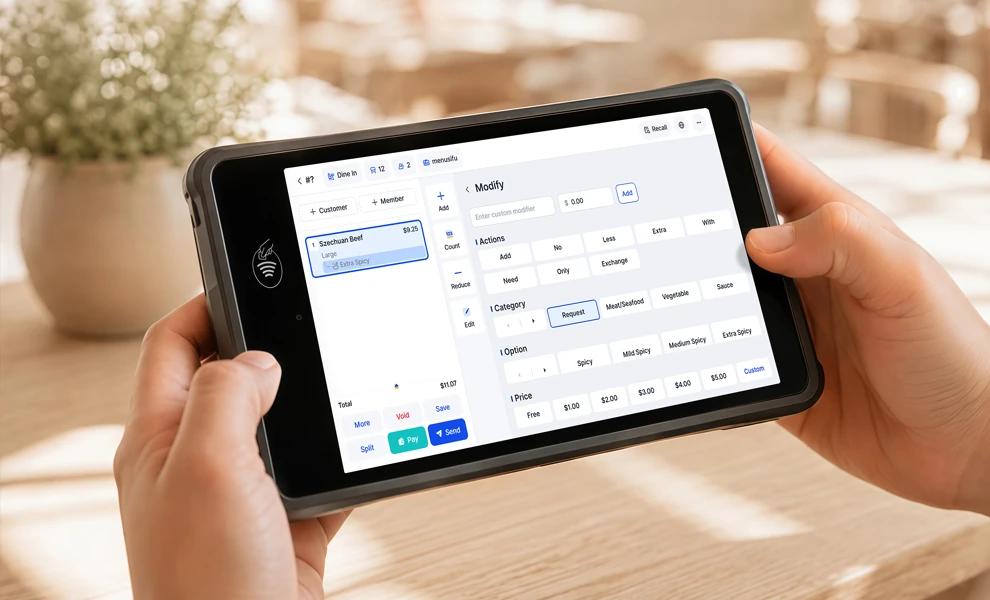
MenuSifu’s handheld POS extends key restaurant POS functions to the dining room, giving staff access to ordering, modifications, kitchen communication, and payments directly at the table.
Servers can enter orders as guests speak, add item modifications, record allergy notes, and include special instructions before sending the order to the kitchen. If the guest adds another item or requests a change, the server can update the order from the handheld.
MenuSifu also supports kitchen reminders and real-time item availability updates, helping staff send clearer order details while staying with the table.
A server should see when a dish becomes unavailable before offering it to the next table. MenuSifu synchronizes menu changes and item availability across the system, so handheld devices reflect current updates from the restaurant.
This keeps front-of-house staff informed during service and reduces the need to confirm availability with the kitchen each time an item changes.
When guests are ready to leave, servers can bring the payment process directly to the table. MenuSifu supports check review, split payments, suggested tips, and digital tip recording from the handheld.
Depending on the payment setup, supported options include:
Keeping checkout at the table can shorten the final stage of service and reduce repeated trips between guests and a stationary terminal.
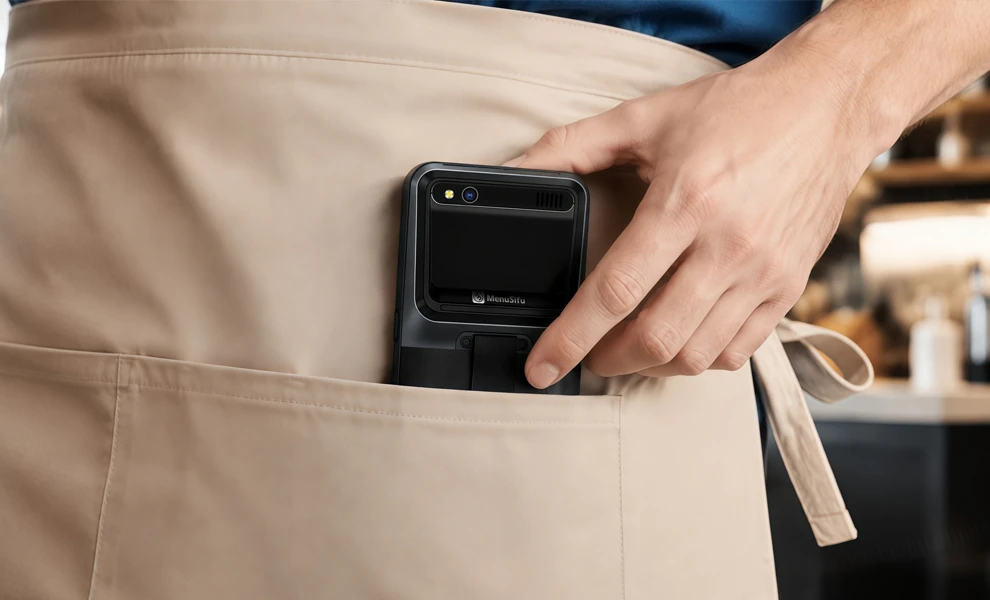
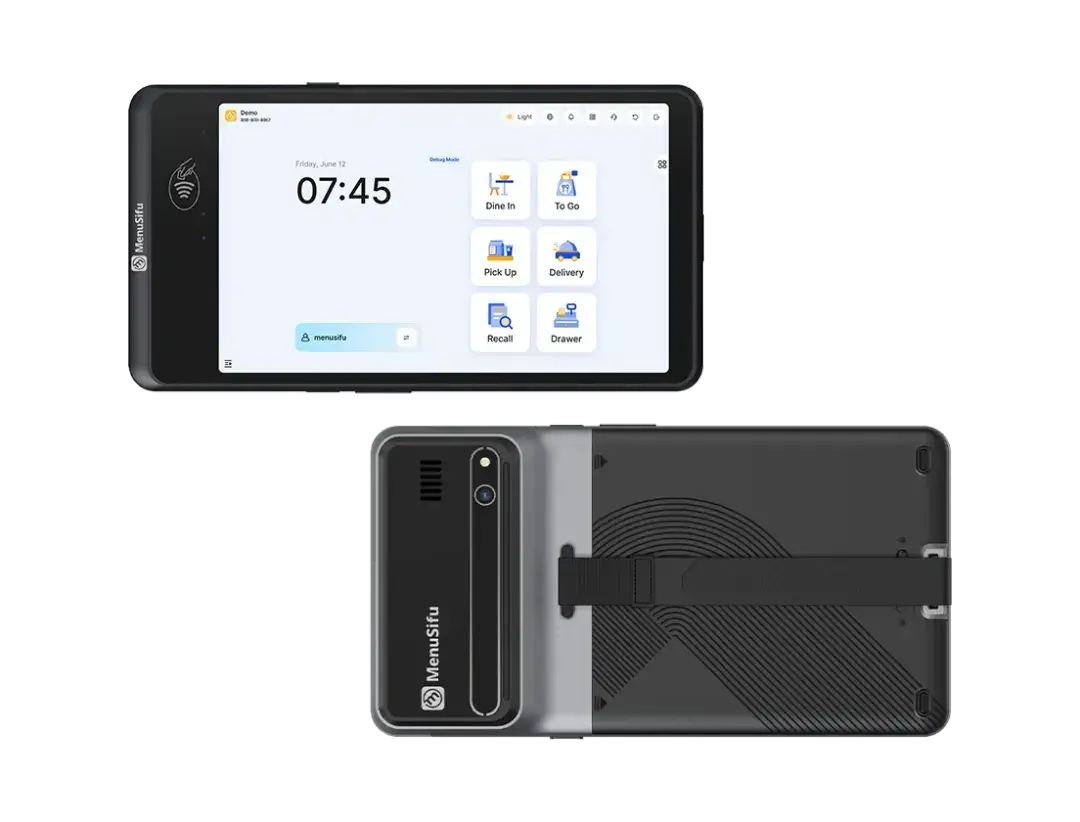
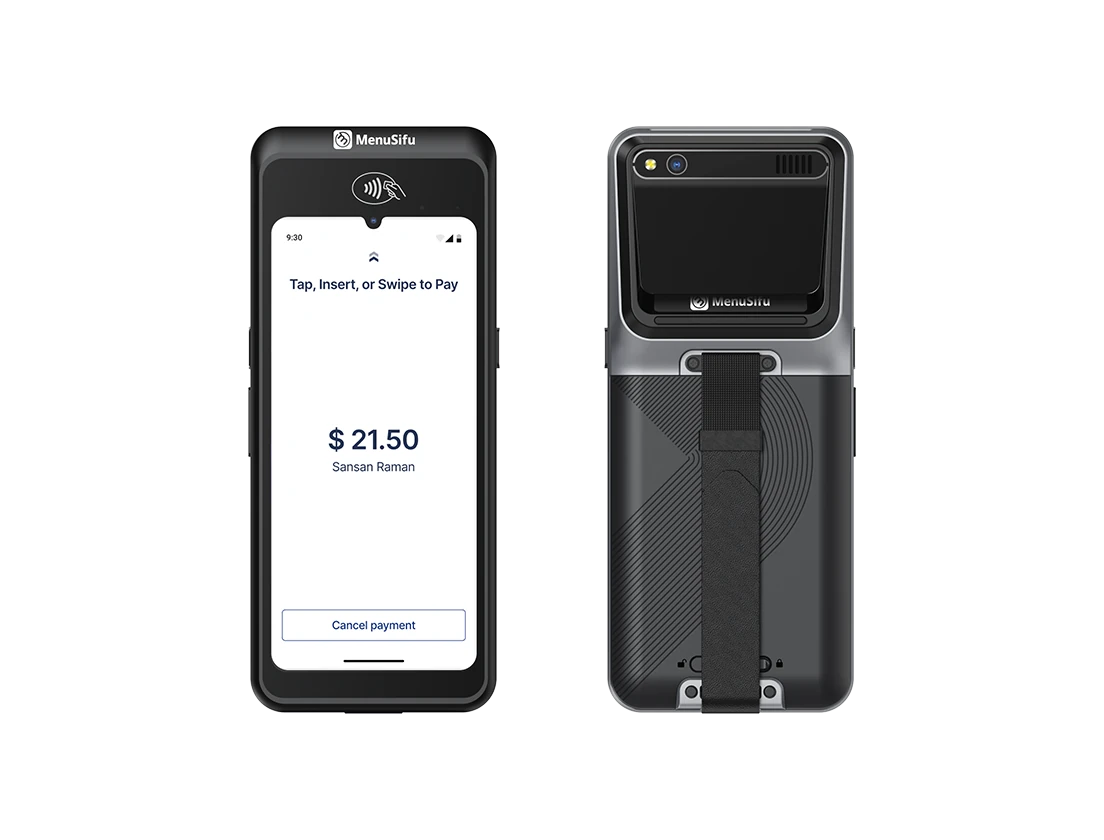
MenuSifu offers two handheld options with different form factors. The better choice depends on how your staff carries and uses the device during a shift.
POS Pay Pad offers a larger display and an interface similar to the main POS terminal. It works well when staff want more screen space for tableside ordering, check review, and payment.
POS GO focuses on mobility. Its pocket-sized, lightweight design, long battery life, and durable hardware make it practical for servers who carry the device throughout the shift.
Restaurant service should keep moving if internet connectivity becomes unreliable. MenuSifu handheld devices connect through the local network and support offline operation for key tasks such as taking orders, sending them to the kitchen, and processing supported payments.
The hardware is also designed for daily restaurant use, including exposure to grease, moisture, and frequent handling. That combination of local connectivity, offline support, and durable construction helps the device stay useful during demanding shifts.
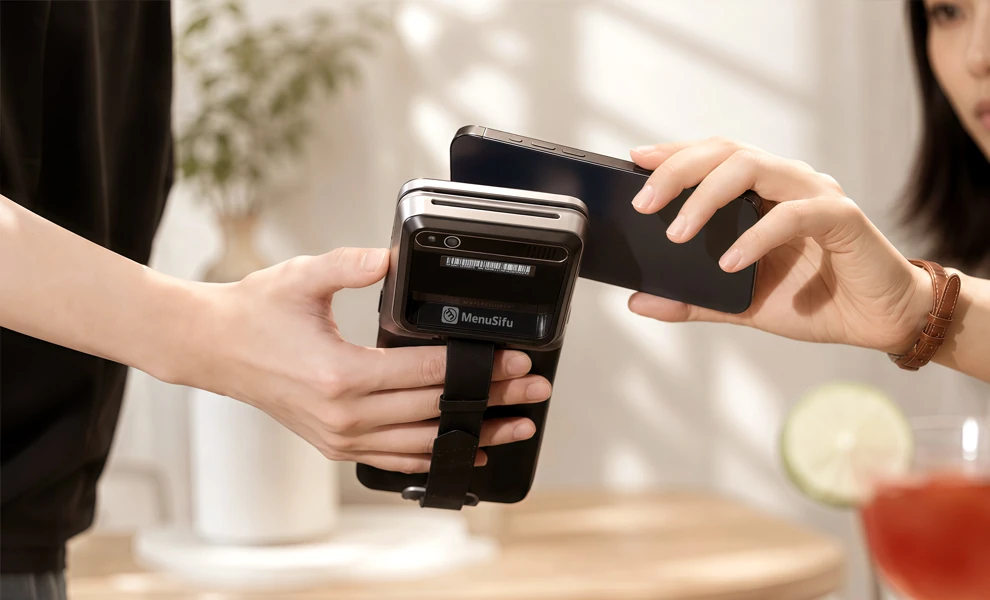
A handheld POS can be especially useful when your current service workflow depends heavily on fixed terminals or when staff need greater access to POS functions across the dining area.
Consider a handheld POS if you need to:
The device should also connect closely with the restaurant's main POS platform. Look for a system that keeps orders, menu availability, kitchen communication, payments, and other core functions synchronized across handheld and countertop terminals. That combination gives staff mobility while preserving the operational control of a complete restaurant POS system.
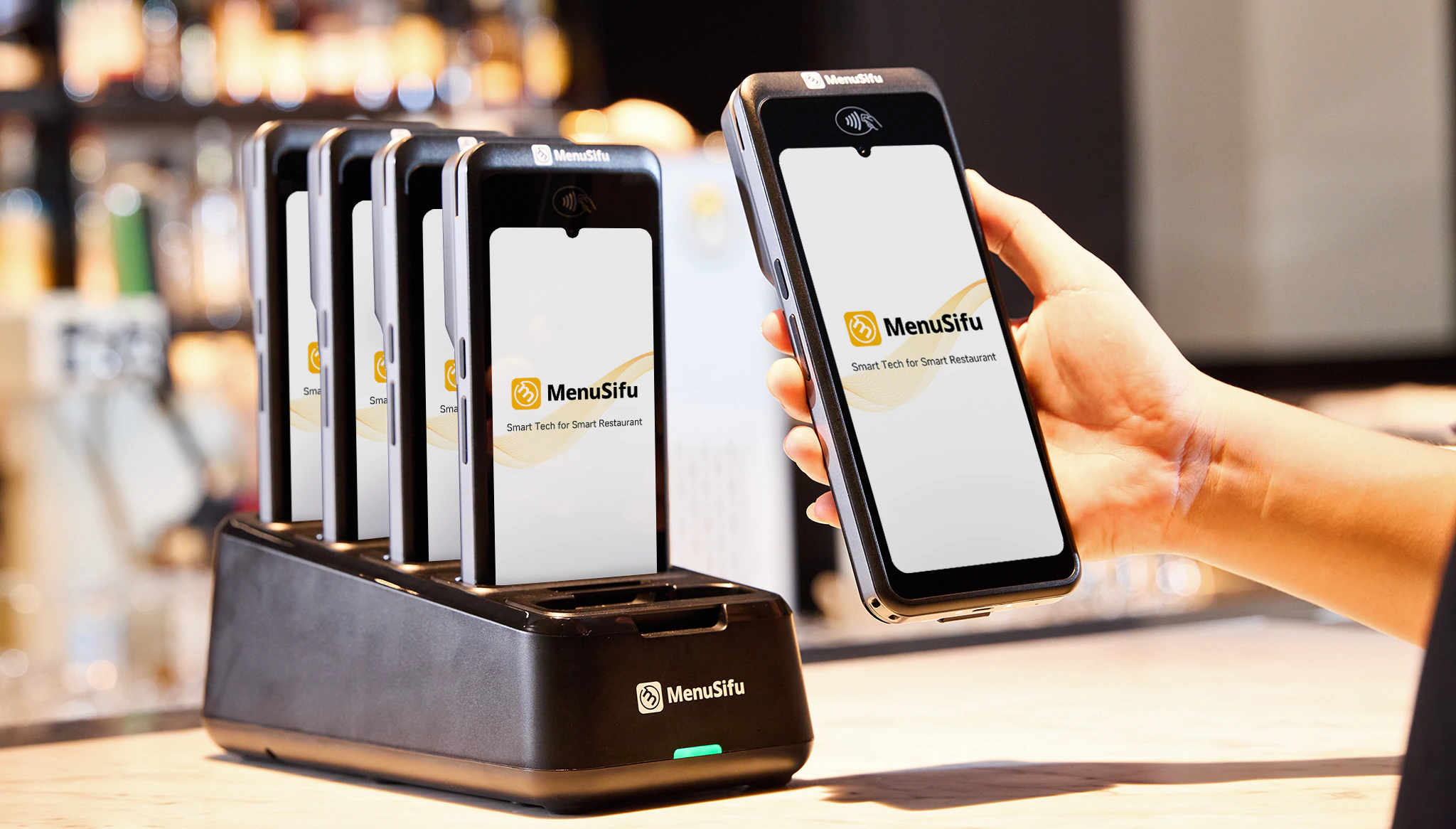
A handheld POS should help your team move through service with fewer trips to fixed terminals, faster order entry, clearer kitchen communication, and easier tableside payment. The best choice is one that connects closely with your main POS and supports the tasks your staff handles throughout each shift.
MenuSifu’s handheld POS system brings ordering, modifications, payments, tipping, and menu updates directly to the table while staying connected with the broader restaurant POS platform. If you are comparing handheld options and want to see how these workflows operate in practice, Book a Free Demo with MenuSifu and explore the system in a live walkthrough.
Still comparing handheld POS options? These frequently asked questions cover the key points to consider, from core features and offline performance to device count and how handheld systems work alongside traditional POS terminals.
The best handheld POS system for restaurants should support tableside ordering, integrated payments, real-time menu updates, kitchen communication, reliable connectivity, and durable hardware. MenuSifu is among the options worth considering, with handheld POS devices that support ordering, check management, kitchen communication, and payments while staying connected with the main POS system.
Look for a handheld POS system that supports tableside ordering, order modifications, split checks, integrated payments, and real-time kitchen and menu updates. Also review connectivity, offline capability, battery life, durability, and how closely the handheld works with the main restaurant POS system.
A handheld POS can replace many functions of a traditional POS terminal, especially for tableside ordering and payment. Staff can take orders, add modifiers, split checks, and process payments directly from the device. However, many restaurants still keep countertop terminals for manager tasks, front-counter service, and workflows that benefit from a larger screen.
Some handheld POS systems can keep key functions running during an internet outage if they support offline mode. Staff may still be able to take orders, send tickets to the kitchen, and process supported payments, depending on the provider and system setup. Check which features remain available offline before choosing a handheld POS system.
The number of handheld POS devices depends on staff size, table count, service style, and peak-hour volume. Many restaurants assign one device per server, while others share devices across sections or shifts. Start with enough units to prevent staff from waiting for a device during busy service, then adjust based on actual usage.
Looking for more practical restaurant technology guidance? Explore the MenuSifu blog for insights on POS systems, restaurant operations, payments, kitchen technology, and other tools that can help you evaluate restaurant technology with greater confidence.
Related Articles: