October 20, 2026
Compare MenuSifu, Toast, Square, and Clover to find the best mobile POS system for restaurants in 2026 across ordering, payments, hardware, and kitchen sync.

A mobile POS can make service more efficient when staff can take orders, send tickets to the kitchen, and accept payments right at the table. The value of a handheld system depends on how well it supports those tasks throughout a shift.
Choosing among handheld options gets harder once you start comparing payment methods, kitchen connectivity, offline support, hardware durability, and overall cost. If you are searching for the best mobile POS system for restaurants, this guide compares MenuSifu, Toast, Square, and Clover across the features that affect daily service, from tableside ordering and contactless payments to handheld hardware and kitchen integration.
Start with the key features to evaluate before comparing each provider.
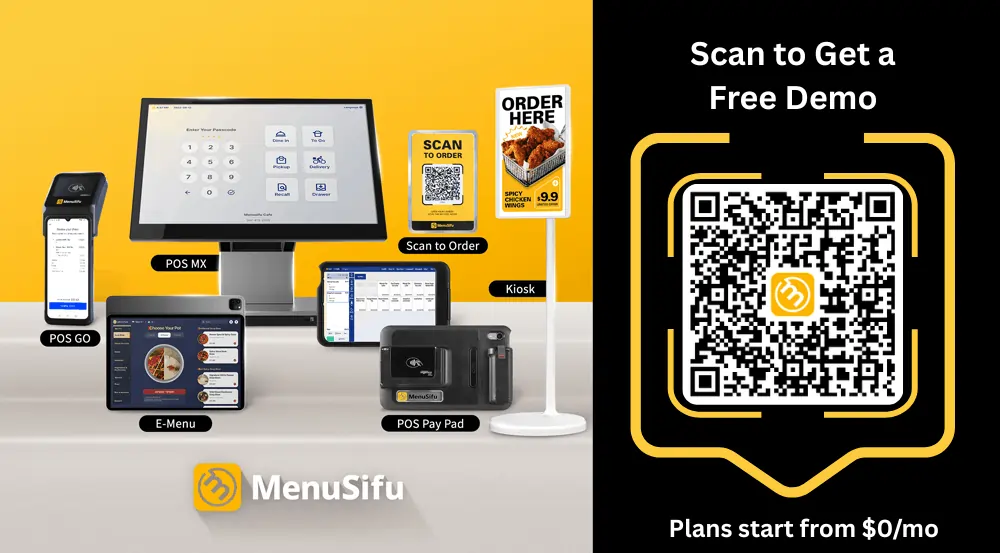
A mobile POS should reduce the time staff spend moving between guests, terminals, and the kitchen. Start by looking at the tasks employees handle most often during service. If servers take orders at the table, adjust items after the order is sent, split checks, or collect payment beside the guest, the handheld needs to support those actions directly.
Tableside ordering should let a server enter the full order while speaking with the guest and send it to the kitchen from the same device. Look closely at how the system handles modifiers, item substitutions, allergy notes, special requests, and edits after the first order is placed. A handheld that forces staff back to a fixed terminal for routine changes defeats much of the value of mobile service.
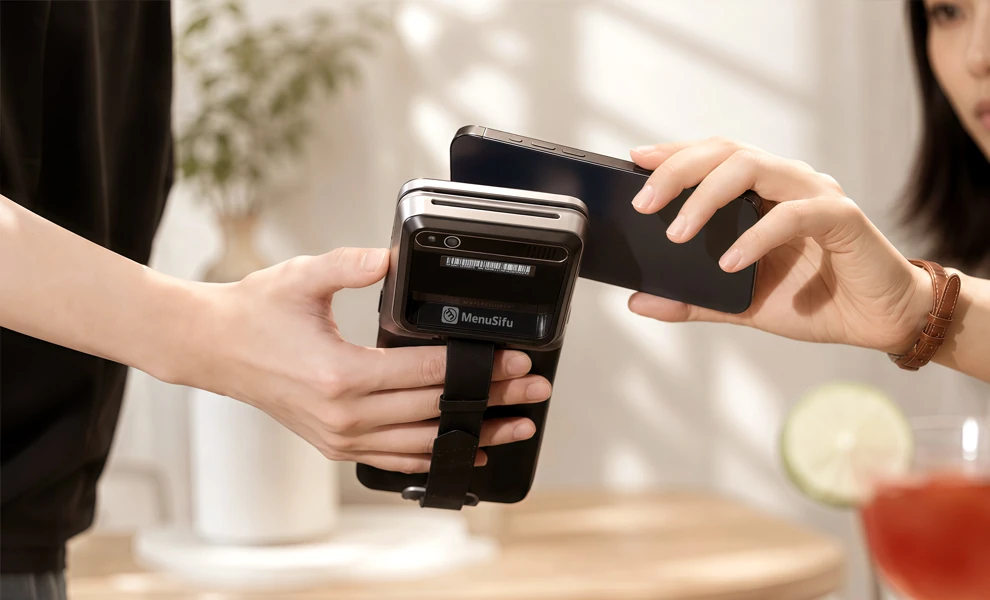
Payment should happen where the check is presented. Review support for chip cards, contactless cards, Apple Pay, other mobile wallets, gift cards, and house accounts if your restaurant uses them. For full-service dining, pay-at-table can shorten the checkout process by letting guests review the total, add a tip, and complete payment at the table.
Check splitting deserves close attention if your restaurant serves groups. Staff should be able to divide a check by guest, item, amount, or payment method with minimal back-and-forth at a terminal. Digital tipping also helps streamline closeout because the POS records the selected tip as part of the payment instead of relying on later receipt entry.
The handheld should reflect what the kitchen and main POS currently know. If an item sells out, servers need that update before they take another order for it. The same applies to menu changes, modifiers, pricing, and special instructions. Orders entered on the handheld should also reach the correct kitchen station quickly so staff do not need to relay information separately.
A mobile POS depends heavily on network performance, so review what happens when connectivity drops. Some systems use local networking, while others support offline payment or selected offline POS functions. Check which tasks remain available during an interruption, how long offline transactions can remain pending, and what happens once the connection returns.
The device should hold up through repeated handling during a full shift. Check its weight, battery life, screen readability, charging setup, and resistance to spills, grease, and moisture. A server may carry the device for hours, so pocketability and grip can be just as important as screen size.
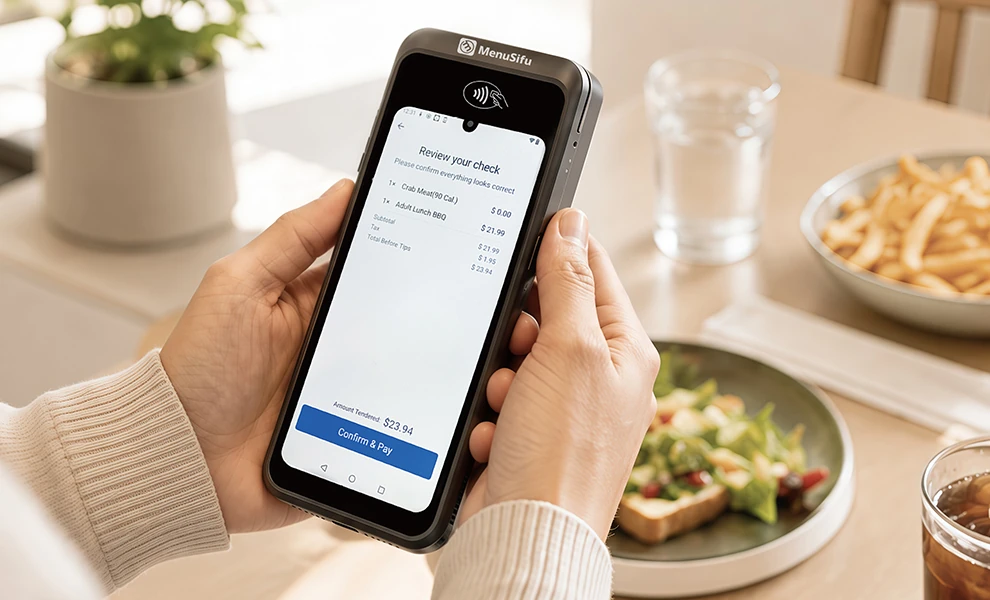
The best mobile POS systems take different approaches to restaurant service. Some focus on durable handheld hardware, while others emphasize portability, payment flexibility, kitchen connectivity, or a more connected ordering and payment workflow.
The options below compare MenuSifu, Toast, Square, and Clover based on the features that support daily restaurant service.
Best for: Restaurants that want tableside ordering and payment connected closely with kitchen operations, including core service workflows during connectivity interruptions.
A key strength of MenuSifu’s handheld POS is its connected tableside workflow. A server can take and modify an order beside the guest, add allergy notes or item changes, send the ticket directly to the kitchen, and see menu or dish availability updates from the handheld. The same device also handles split checks, digital tipping, and payment at the table.
That continuity extends to connectivity disruptions. MenuSifu states that its handhelds connect through a local network and support offline mode for core ordering, kitchen sending, and payment workflows. This gives restaurants a practical advantage when the priority is keeping service moving across the full order-to-payment process.
MenuSifu offers two handheld formats. POS Pay Pad 2 uses a larger display and the same interface as the main terminal, which can shorten staff training. POS GO 2 takes a more compact approach with pocket-sized hardware, long battery life, and a design built to resist grease, moisture, and daily restaurant wear.

Limitations: MenuSifu’s public handheld page does not list detailed device pricing or precise offline payment limits. Restaurants should confirm hardware costs, processing terms, integration requirements, and offline payment conditions during the evaluation process.
Best for: Full-service and high-volume restaurants that place a high priority on durable handheld hardware and connectivity across patios, rooftops, curbside areas, and large service spaces.
Toast Go 3 combines restaurant ordering and payment in a rugged handheld. Servers can enter orders from the floor and use Toast’s restaurant software for modifiers, check management, tipping, and kitchen routing. Toast also supports tap and NFC mobile payments alongside dip and swipe transactions.
Its clearest hardware advantage is connectivity. Toast Go 3 includes Wi-Fi 6 and offers 4G cellular connectivity on applicable models, giving staff another connection option in areas with weak Wi-Fi coverage. The device also carries an IP65 rating, a five-foot drop rating, and a battery rated for more than 24 hours.
Toast supports offline ordering and card payments, and restaurants using its local-sync configuration can continue selected kitchen workflows on the local network. Offline operation has limits, however, and some functions such as gift cards, loyalty redemption, house accounts, and certain device-to-device activities require connectivity.
Limitations: Toast works most closely within its own restaurant hardware and software ecosystem. Restaurants should review subscription costs, hardware requirements, and the functions that remain available during an outage before selecting a configuration.
Best for: Restaurants that value a light, pocket-sized handheld and want restaurant tools connected with Square’s broader payment platform.
Square Handheld weighs 0.7 pounds and combines order entry with an integrated payment reader. Restaurant staff can open checks, add or modify items, fire courses, send orders toward the kitchen, and complete tableside checkout from the device. It accepts chip and contactless payments and supports digital wallets such as Apple Pay and Google Pay.
Portability is Square Handheld’s most distinct strength. The unit is IP54-rated for protection against dust and water splashes, uses Gorilla Glass Victus cover glass, and has a battery designed to last through a shift. A built-in barcode scanner also gives cafés and restaurants selling packaged retail items another useful function in the same device.
Square also supports offline card payments on Square Handheld. Its current documentation allows supported offline payments for a defined period, although normal operation requires Wi-Fi and some restaurant functions remain tied to the selected software subscription.
Limitations: Tableside ordering through Square for Restaurants requires eligible Plus or Premium subscriptions. Restaurants that need deeper table-service functionality should compare subscription levels closely instead of evaluating the handheld hardware alone.
Best for: Restaurants that want a portable POS with an integrated receipt printer and access to Clover’s wider hardware and software platform.
Clover Flex places a nearly six-inch touchscreen, payment reader, receipt printer, camera, and barcode scanner in one handheld device. Staff can use it for tableside ordering and payment, while Clover restaurant software supports bill splitting, tipping, table management, and kitchen workflows.
The built-in printer gives Clover a distinct use case for restaurants that still provide printed receipts at the table. Flex accepts swipe, chip, tap, and contactless transactions, so servers can complete payment from the same device used during service.
Clover Flex can also record eligible card transactions while offline when the merchant has offline payments configured. Clover notes that offline transactions cannot receive live authorization until connectivity returns, so restaurants assume the risk of a later decline.
Limitations: Clover reserves tableside ordering and firing for selected restaurant plans. Restaurants should compare plan levels carefully because the handheld hardware alone does not provide every restaurant function listed across Clover’s higher-tier packages.
Use the table below to compare MenuSifu, Toast, Square, and Clover across the mobile POS features that support daily restaurant service. Feature availability can vary by software plan, hardware configuration, payment setup, and location.
Before narrowing your options, confirm the software tier, hardware package, payment processing setup, kitchen tools, and offline capabilities you plan to use. Some functions depend on the provider's subscription level or device configuration.
Restaurant service models create different demands for mobile POS technology. A full-service restaurant may prioritize tableside ordering and check management, while a quick-service operation may focus on transaction speed and line busting. Identify the workflows your staff handles most often, then compare systems based on the features that support those tasks.
Full-service restaurants benefit from mobile POS systems that keep servers near their tables throughout ordering and checkout. Staff should be able to enter orders tableside, add modifiers or special requests, and send tickets directly to the kitchen.
Pay-at-table capabilities also help servers complete checkout from the dining room. Look for support for split checks, multiple payment methods, digital tipping, and contactless payments. Real-time kitchen and menu synchronization also helps servers stay informed about item availability while speaking with guests.
Prioritize:
Quick-service and fast-casual restaurants typically place greater emphasis on speed and transaction volume. Mobile POS devices can help employees take orders beyond the main counter and serve customers waiting in line during peak periods.
Look for handhelds that support quick order entry, contactless payments, and reliable kitchen routing. Lightweight hardware and strong battery performance also help staff use the device throughout busy service periods.
Prioritize:
Cafés, bakeries, bubble tea shops, and beverage concepts often process frequent orders in compact service areas. A handheld POS can give staff another ordering or payment point when the main register gets busy.
Choose hardware that employees can carry easily and learn quickly. If the menu includes customized drinks or food items, review how efficiently the POS handles sizes, add-ons, substitutions, and other modifiers.
Prioritize:
Multi-location restaurants need more than portable hardware at each store. The POS platform should help management maintain consistent menus, workflows, permissions, and restaurant data across locations.
Review how each provider handles menu updates, item availability, reporting, user access, and device management. A centralized system can help management maintain consistent operations as the number of locations and handheld devices increases.
Prioritize:

A mobile POS changes where staff complete routine service tasks. Orders can reach the kitchen sooner, servers spend less time walking back to fixed terminals, and guests can complete payment at the table. Those changes become especially useful during busy periods when every extra trip across the dining room adds time.
With a handheld POS, a server can enter an order while standing at the table and send it to the kitchen as soon as the guest finishes ordering. That shortens the gap between taking an order and starting preparation. In a large dining room or patio, staff no longer need to cross the floor to find an open terminal before the kitchen receives the ticket.
A guest may add another drink, change a side, or request an extra item after the first order has been sent. A handheld POS lets the server make that update from the table instead of returning to a fixed station. The same device can also handle check changes and payment when the meal ends. This keeps staff closer to their assigned tables and reduces repeated trips between the dining room and POS station.
Servers can enter modifiers, allergy notes, cooking preferences, and special requests while speaking with the guest. That removes the extra step of transferring handwritten notes into a terminal later. If a guest changes an order before the server leaves the table, the employee can update the ticket immediately and send the revised information to the kitchen.
Waiting for a card to travel from the table to a terminal and back can extend the final minutes of a meal, especially when several tables request checks at once. With tableside payment, the server brings the checkout device directly to the guest. The guest can review the total, split the check when needed, select a tip, and complete payment at the table. The server can then move to the next table instead of making another trip to the payment station.
A fixed POS limits order entry and payment to specific points inside the restaurant. Handheld devices let staff work where guests are actually being served. That can be useful across dining rooms, patios, curbside areas, outdoor seating, waiting lines, and temporary service stations. During a rush, managers can also place employees where demand is highest instead of directing every transaction back to the main counter.
Start with the points in service where staff need mobility most. If servers regularly leave tables to enter orders, close checks, or confirm item availability, prioritize a handheld POS that supports tableside ordering, kitchen communication, split payments, tipping, and pay-at-table from the same device.
Then compare the system behind the handheld. Focus on the details that affect daily use and long-term cost:
Compare each provider using the setup you would actually deploy, including the number of handhelds, software tier, payment processing, integrations, and support. This gives you a more accurate view of daily usability and total cost than comparing entry-level pricing or hardware specifications alone.
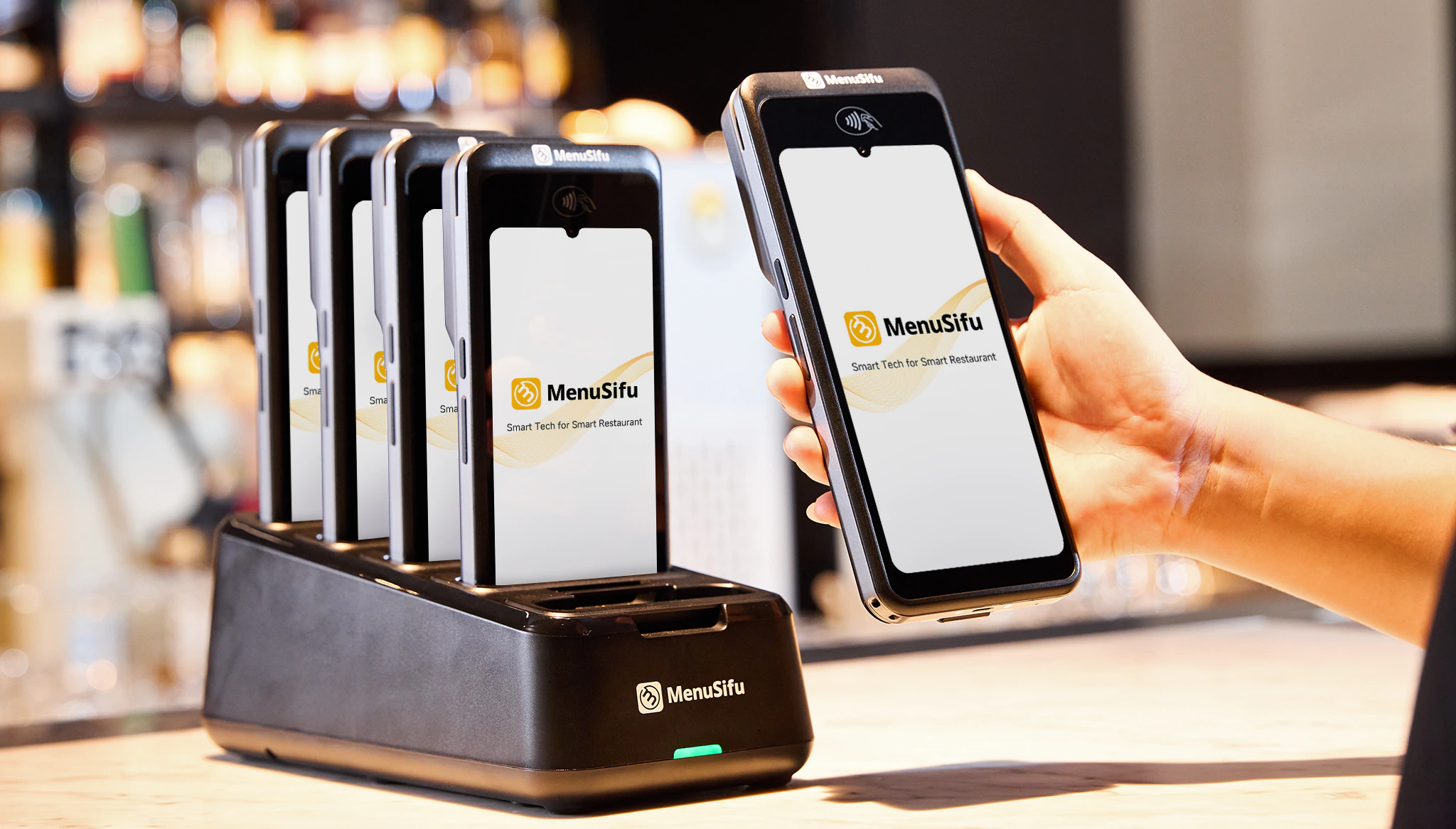
The best mobile POS system should help staff take orders, communicate with the kitchen, manage checks, and accept payments with fewer trips to a fixed terminal. As you compare MenuSifu, Toast, Square, and Clover, focus on the features your team will use throughout each shift, including tableside ordering, contactless payments, kitchen synchronization, offline capabilities, and handheld reliability.
The right choice also depends on your service model, payment needs, restaurant size, and existing technology setup. Compare the full cost of hardware, software, payment processing, and integrations alongside day-to-day usability before making a decision.
If MenuSifu’s approach to mobile ordering and tableside payment matches what you need in your restaurant, explore the MenuSifu Handheld POS System or Book a Free Demo with MenuSifu. You can see how POS Pay Pad 2 and POS GO 2 support ordering, kitchen communication, check splitting, tipping, and payment from a single handheld workflow.
The FAQs below cover key details about mobile POS systems, including contactless payments, kitchen connectivity, offline support, and the features to compare before choosing a provider.
MenuSifu stands out as one of the best mobile POS systems for restaurants in 2026, especially for operations that rely on tableside ordering, handheld payments, contactless checkout, and kitchen-connected service. Its POS Pay Pad 2 and POS GO 2 support order entry, check splitting, digital tipping, payment processing, menu synchronization, and offline core workflows in a restaurant-focused setup. Toast, Square, and Clover are also popular options, so the best choice ultimately depends on your restaurant’s service model, hardware needs, integrations, and budget.
Yes. Many mobile restaurant POS systems accept contactless payments, including tap-to-pay cards, Apple Pay, Google Pay, and other NFC-based mobile wallets. Support varies by provider and device, so confirm the available payment methods and processing requirements before choosing a system.
Yes. Many handheld POS systems send orders directly from the dining area to a kitchen display system or kitchen printer. Servers can enter items, modifiers, allergy notes, and special requests on the handheld, then route the order to the appropriate kitchen station in real time.
Yes, some mobile POS systems can keep selected functions running during an internet outage. Depending on the provider, staff may still take orders, send tickets to the kitchen, or process supported offline payments, then sync the data once the connection returns.
Offline capabilities vary by system, so check which functions remain available during an outage and how each provider handles offline transactions.
Compare the software features, payment processing, kitchen integration, connectivity, offline support, staff usability, reporting, integrations, and total cost. Also check how well the system handles ordering, check splitting, tipping, menu updates, and multi-location management if you operate more than one restaurant.
Visit the MenuSifu blog for more restaurant technology insights, POS guides, operational strategies, and industry updates.
DISCLAIMER: Product features, hardware specifications, software plans, and availability are based on publicly available information at the time of publication and may change. Check each provider’s official website for the latest product and pricing information.
Related Articles: