October 9, 2026
Compare tableside ordering tablets vs traditional methods across speed, accuracy, labor efficiency, table turnover, guest experience, costs, and potential ROI.
When order entry takes extra steps, small delays can add up quickly across a shift. Missed modifiers, repeated trips to the POS, slow checkouts, and inconsistent upselling can affect labor efficiency, table turnover, and the guest experience.
Comparing tableside ordering tablets vs traditional methods can help you see which approach better supports speed, accuracy, and cost control in your restaurant. The side-by-side comparison below highlights the main differences before looking at each workflow in more detail.
Tableside ordering tablets and traditional ordering differ most in speed, accuracy, labor efficiency, payments, and cost. The table below summarizes the key differences.
The main difference is where order entry happens. Tableside tablets let servers enter and send orders from the table, while traditional ordering requires a separate trip to the POS terminal.
With a tableside tablet, the server selects menu items, quantities, modifiers, and special requests while taking the order. The system can display required selections for items such as cooking temperature, side choices, toppings, or substitutions, helping staff capture complete order details before submission.
Once the server confirms the order, the tablet sends it through the restaurant's connected systems. Depending on the technology setup, the order can move directly to the POS and then to the appropriate kitchen display system, printer, or bar station.
Some tableside platforms also support payment on the same device. Servers can present the check, accept eligible payment methods, and complete checkout at the table, which keeps ordering and payment within one connected workflow.
Traditional ordering separates the guest interaction from digital order entry. A server typically writes the order down or takes it from memory, then walks to a stationary POS terminal to enter each item, modifier, and special request.
After POS entry, the system sends the order to the kitchen or bar according to the restaurant's existing setup. If staff need clarification or notice a missing modifier, the server may need to return to the table before correcting and submitting the order.
Payment usually follows another series of steps. The server presents the check, collects the guest's payment method, processes the transaction at a terminal, and returns with the receipt or final check. This approach remains familiar to many teams, but it places more distance between the table, order entry, and payment process.

Tableside tablets let servers enter an order as guests make their selections. Once submitted, the order can move directly to the POS, kitchen display system, or bar. Traditional ordering adds a trip to a stationary terminal before production starts.
The time gap becomes more noticeable when several tables order close together or servers wait for an open POS station. Pay-at-table features can also shorten the final stage of the meal by letting staff present and process the check at the table.
Faster order entry and payment can support quicker table turns when those steps create delays. Tablets will not shorten food preparation or the time guests choose to spend at the table, so the impact depends on your current bottlenecks.
Direct entry reduces the gap between the guest's request and the digital order sent to the kitchen. Servers can select items, modifiers, sides, temperatures, and substitutions while the conversation is still fresh.
Well-configured prompts can require key selections before an order is submitted. This can reduce missed modifiers, unclear handwritten notes, and transcription errors that lead to remakes or comps.
Traditional ordering can remain highly accurate with experienced staff and disciplined procedures. Tablets also introduce their own risk. A server can tap the wrong item or choose an incorrect modifier. Clear menu configuration and training still shape order quality.
Traditional ordering often requires repeated trips between tables and POS terminals. Those trips take time that could go toward checking on guests, clearing tables, coordinating requests, or preparing the next step in the meal.
A tableside device lets the server complete order entry at the table, reducing duplicate work and POS congestion. That can help servers use each trip through the dining room more productively.
The benefit becomes stronger when terminals sit far from sections, several servers share a small number of stations, or peak periods create queues for order entry. Tablets do not replace good staffing or floor management, but they can remove avoidable delays from the workflow.
A tablet changes the tool used to record the order, but it does not have to reduce personal service. Servers can still explain dishes, answer requests, suggest pairings, and guide the meal while entering selections on a handheld device.
Execution shapes the guest experience. Staff who maintain eye contact and use the device briefly can keep the interaction personal. Heavy screen focus may make the exchange feel less attentive.
Traditional ordering may suit restaurants that rely on formal presentation, long menu discussions, or highly personalized pacing. Tablets tend to work well when guests value quicker ordering, accurate modifications, and faster payment. Your service style should guide how visible the technology becomes at the table.
Tableside systems can prompt servers with relevant add-ons at the point of order. A burger may trigger cheese or side options, an entrée may prompt a beverage pairing, and the end of the meal may surface dessert choices.
These prompts can create more consistent selling habits across the team. Traditional upselling depends more heavily on each server's product knowledge, memory, and sales approach.
Digital prompts work best when they support a natural recommendation. Too many can slow the conversation or make the interaction feel overly promotional. Configure suggestions around items that complement the order, then track average check size to measure the result.
Tableside ordering adds costs that traditional ordering may avoid. The investment can include tablets, protective cases, charging equipment, software subscriptions, payment hardware, integrations, training, support, and replacement devices.
The financial comparison should also include operating effects. Faster entry may free server time, clearer prompts may reduce ordering errors and remakes, quicker payment may improve table availability, and consistent add-on suggestions may raise average checks.
Traditional ordering can carry lower technology costs, especially in smaller or lower-volume restaurants. Yet lower hardware spending does not automatically mean lower total cost. Labor time, errors, delayed payments, and missed sales opportunities can affect the broader calculation.
Set measurable targets before adopting tablets, such as lower remake rates, shorter payment times, higher average checks, or improved table turns. Compare those gains with the monthly and annual cost of the system.
Tableside tablets depend on a stable technical setup. Reliable Wi-Fi, charged batteries, secure payment connections, compatible POS and KDS integrations, and routine device maintenance support consistent performance.
Device damage, weak wireless coverage, software outages, or depleted batteries can interrupt order entry. Maintain charging procedures, assign responsibility for device care, and keep a backup order process available.
Traditional ordering relies less on mobile hardware. Staff can continue writing orders if a handheld device fails, although POS or kitchen systems may still depend on the network.
Before switching, test wireless coverage across the dining area, confirm system compatibility, review support options, and plan for device replacement. Technology should reduce operational delays instead of creating a new source of them.
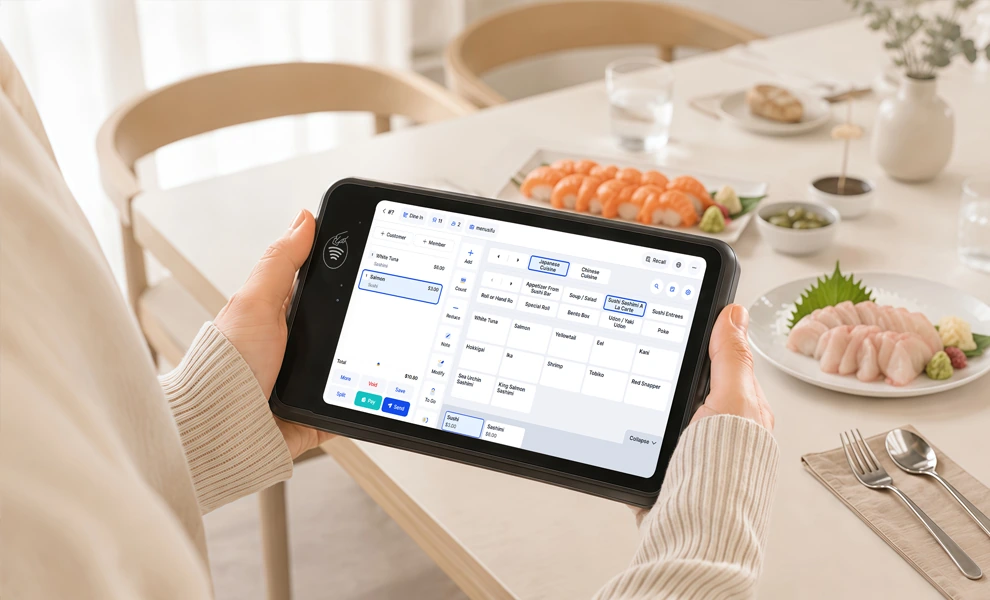
Tableside ordering tablets can improve speed and accuracy, but the value depends on your current systems, workflow, service model, and operating costs. Before investing, assess where the technology can create measurable improvements.
Start with your restaurant’s technology setup. The tablet system should connect smoothly with your POS, kitchen display system, payment processor, and menu database. Confirm that updates to prices, modifiers, and availability can sync across systems without creating duplicate work.
Your network also needs enough coverage and stability across the dining area. Weak Wi-Fi can delay order transmission or payment processing. If you plan to accept payments at the table, review device security, processor compatibility, and payment hardware requirements as part of the same evaluation.
Focus on the problems you want tablets to address. Restaurants with large menus, detailed modifiers, frequent substitutions, or high order volume may gain more from direct table entry.
Review your current performance in areas such as order corrections, remakes, POS terminal wait times, delayed kitchen entry, payment speed, and table-turn time. If these issues occur regularly, tablets may provide a stronger operational benefit.
If your ordering process already runs efficiently and errors remain low, the financial gain may be smaller.
Consider how tablets would change a typical shift. Servers may spend less time returning to stationary terminals, but they still need training on order entry, modifiers, payments, charging procedures, and basic troubleshooting.
Look at peak-hour server workload as well. A mobile ordering system may help staff manage larger sections more efficiently when several tables order or request checks close together.
Training should cover both the device and the service approach. Staff should remain engaged with guests instead of focusing too heavily on the screen.
Technology should support the type of experience your restaurant provides.
High-volume casual restaurants, bars, family restaurants, and multi-location groups may benefit from faster ordering, quicker payment, and more consistent processes. Fine-dining and lower-volume concepts may prefer discreet handheld devices, traditional ordering, or a hybrid approach that preserves a highly personal interaction.
Consider how visible technology affects the tone of the meal and the level of personal attention guests expect.
Calculate the full investment, including:
Then compare those costs with measurable improvements such as shorter order-entry times, fewer remakes, faster payments, higher table turnover, and more consistent add-on sales.
Set performance benchmarks before rollout so you can compare results after implementation.
The final decision should come down to measurable business value:
Do the expected gains in efficiency, accuracy, table turns, and sales outweigh the ongoing cost of the technology?
The better choice depends on where delays, errors, and labor inefficiencies appear in your current ordering process. Tableside tablets can reduce steps between the table, POS, kitchen, and payment, while traditional ordering may remain a strong option for restaurants that prioritize a familiar, highly personal service style.
Before making a change, compare the expected gains in speed, accuracy, table turnover, and average check size with the full cost of hardware, software, training, maintenance, and support. The right approach should produce measurable operational gains while supporting the guest experience you want to deliver.
If tableside ordering could help reduce order-entry delays or speed up checkout in your restaurant, seeing the workflow more closely can help you assess the potential return. Book a free demo with MenuSifu to explore how tableside ordering can support your current operations.
These FAQs answer a few final questions about cost, speed, POS compatibility, staffing, and hybrid ordering before you decide which approach suits your restaurant best.
They can be. Tableside ordering tablets can speed up order entry by letting servers send orders directly from the table to the POS or kitchen system. This reduces trips to a stationary terminal and can shorten order submission and payment times, especially during busy periods.
Costs vary based on the provider, hardware, number of devices, software fees, payment setup, and integration requirements. When comparing options, account for tablets, charging equipment, training, maintenance, replacements, and any POS or payment integration costs.
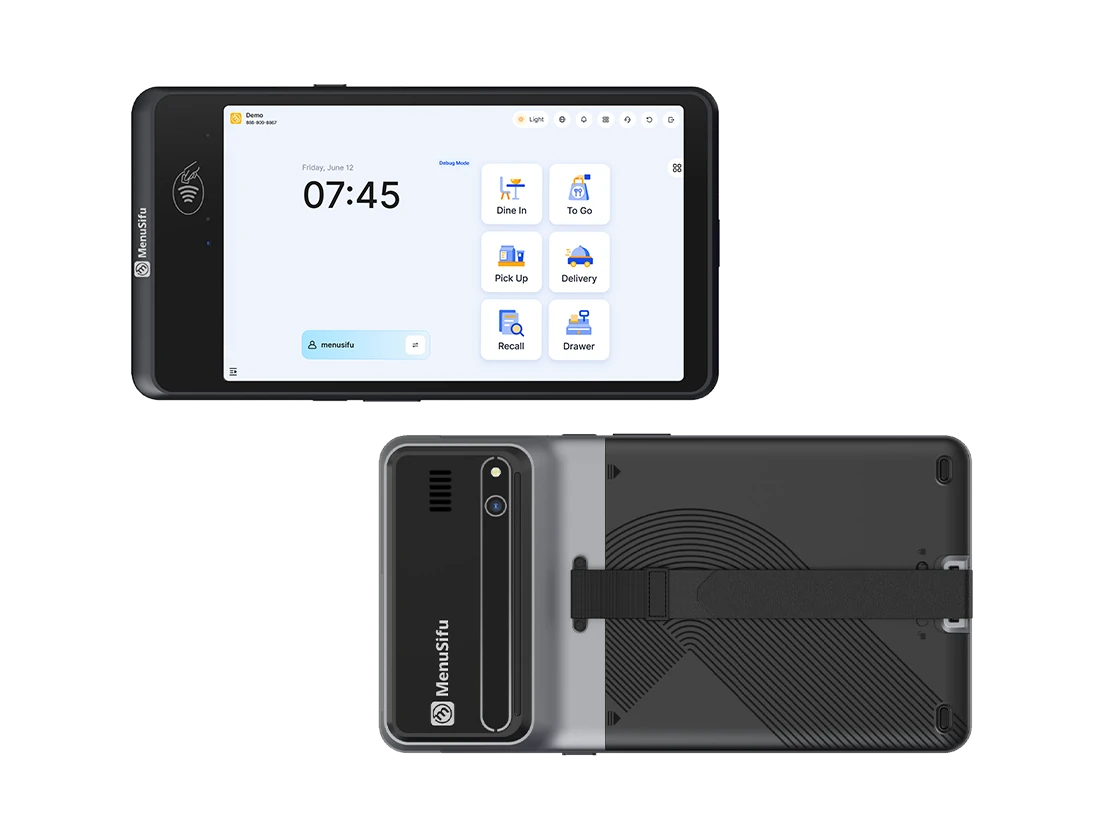
For example, MenuSifu’s POS GO 2 and POS Pay Pad 2 cost approximately $700 to $900 per device as a one-time hardware purchase, with no software fee. This one-time device cost can make upfront budgeting easier when comparing tableside ordering options.
Yes. Many tableside tablet systems integrate with existing restaurant POS platforms, but compatibility varies by provider. Confirm support across your POS, KDS, menu, modifiers, payments, and reporting tools before setup. Using technology from the same ecosystem may also simplify data synchronization, configuration, and support.
No. Tableside ordering tablets support servers by handling order entry, modifiers, and payments more efficiently. Servers still guide guests, answer menu questions, make recommendations, and provide personal service. The tablets reduce manual steps so staff can spend more time engaging with guests.
Yes. Restaurants can use tablets for order entry and pay-at-table while keeping traditional ordering available for certain tables, service styles, or backup needs. A hybrid approach can preserve personal service while reducing trips to POS terminals and speeding up order processing.
Looking for more practical ideas on restaurant operations, technology, payments, and service efficiency? Explore the MenuSifu blog for more guides and industry updates.
Related Articles: