October 27, 2026
Learn how to automate SMS marketing for restaurants in seven practical steps, from building an opt-in list to launching targeted campaigns and tracking results.

Manually sending promotional texts can take up valuable time, especially when you're managing different customer segments and offers. Learning how to automate SMS marketing for restaurants can help you simplify this process, send timely messages, and encourage repeat visits.
With the right tools and setup, you can create SMS campaigns that respond automatically to customer activity. Here are seven steps to get started.
Automating restaurant SMS marketing involves setting up a system that sends messages based on customer behavior, scheduled dates, or predefined triggers.
Start by identifying what you want your SMS campaigns to achieve. Your goals could include increasing repeat visits, promoting limited-time offers, improving customer retention, or encouraging loyalty program participation.
Turn each objective into a measurable target. For example, you might aim to increase SMS coupon redemptions by 10% within 60 days or bring back 50 inactive customers through a re-engagement campaign.
Set a timeframe and choose a performance metric for each goal. This gives you a clear basis for evaluating your campaigns after launch.
Select an SMS marketing platform that supports your campaign objectives and works with your restaurant's current setup or future technology needs.
Prioritize these features:
If you already use a point-of-sale (POS) system, customer relationship management (CRM) software, or loyalty program, check if the SMS platform integrates with these tools. If you don't have a POS system yet, consider a solution that offers SMS marketing alongside restaurant management features. This can help you manage customer data and automate campaigns as your needs expand.
Before selecting a platform, verify which automation features and integrations are included in its pricing.
Your automated campaigns need a subscriber list of customers who have agreed to receive promotional messages.
Offer SMS sign-ups through online ordering pages, reservation forms, loyalty program registrations, and in-store QR codes. Explain what customers will receive, how frequently you expect to send messages, and how they can unsubscribe.
Obtain the required marketing consent before sending promotional texts. Follow applicable SMS marketing regulations, including relevant Telephone Consumer Protection Act (TCPA) requirements in the United States.
Keep records of customer consent and promptly honor unsubscribe requests across your promotional SMS campaigns. Avoid adding phone numbers collected through orders or reservations to promotional campaigns unless those customers have provided the necessary marketing consent.
Maintaining accurate permission records helps ensure your automated campaigns reach eligible recipients.
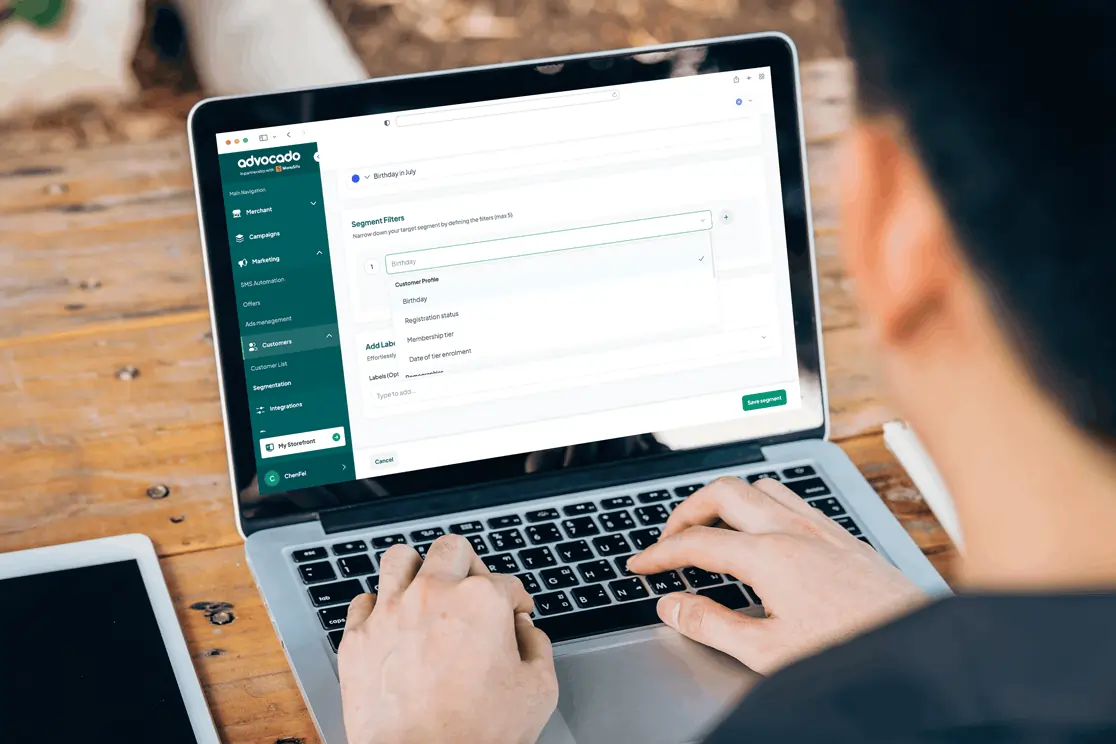
Once you've collected subscribers, divide them into groups based on their purchase behavior, visit frequency, loyalty status, or known preferences.
For example, you can create separate segments for first-time customers, frequent visitors, inactive customers, and loyalty members. Each group may respond differently to promotional messages.
A customer who hasn't visited in 45 days might receive a return-visit offer, while a frequent customer could receive an exclusive loyalty reward.
Use available customer data from your SMS marketing platform, POS system, CRM software, or loyalty program to create these groups. If you don't have purchase history available, start with information collected during SMS sign-ups, such as customer preferences or subscription dates. Update your segments as new customer information becomes available.
With your subscriber segments established, you can create campaigns that send messages when customers meet specific conditions.
Start with these restaurant SMS automation workflows:
Choose the campaigns that align with the goals you established in Step 1.
Configure your automation triggers.
In your SMS platform, define the eligible customer segment, select the trigger, and assign a message template.
If your SMS platform has access to customer transaction data through a POS or CRM system, you can create a re-engagement workflow that follows this sequence:
This setup allows your restaurant to reconnect with inactive customers automatically, using their recorded purchase activity to determine when to send a message.
Personalize your SMS messages.
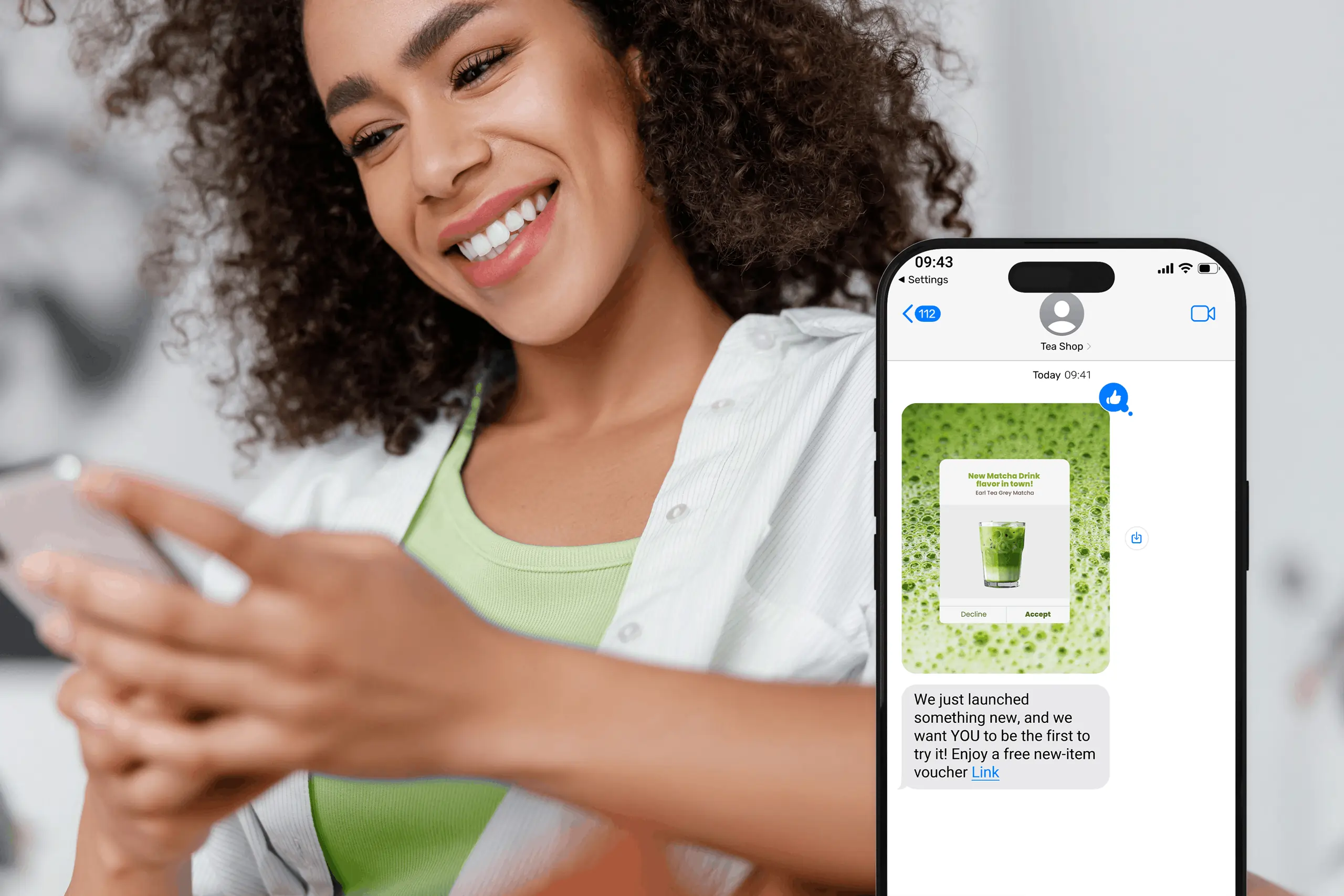
Use available customer information to make each message relevant. Include your restaurant's name, a clear promotional offer, and a specific call to action.
For example:
Hi Alex! We'd love to see you again at [Restaurant Name]. Enjoy 10% off your next order through [expiration date]. Show this text to redeem. Reply STOP to opt out.
You can also include an ordering link, reservation link, or unique coupon code, depending on your platform's capabilities.
Set delivery schedules and frequency limits.
Choose sending times that align with your customers' dining habits and applicable messaging restrictions.
For example, you could schedule a lunch promotion ahead of your usual lunch period or announce a weekend special on Thursday.
Configure frequency limits and exclusion rules to prevent duplicate messages. Make sure promotions stop when customers unsubscribe, redeem the relevant offer, or no longer meet the campaign conditions.
Before activating your campaigns, send test messages to confirm that each automation works correctly.
Review the following elements:
Also, test how your workflows respond when customers redeem offers, move into different segments, or unsubscribe before a scheduled message.
Once testing is complete, launch your workflows with a small eligible subscriber group. Review the initial results before expanding campaigns to additional subscribers.
After launching your automated campaigns, track their performance against the goals you established.
Focus on metrics that show how effectively your messages reach customers and encourage them to take action.
Use unique coupon codes or POS-linked promotions to track purchases associated with individual campaigns.
For example, if a campaign achieves a high delivery rate but few customers redeem the offer, review the promotional incentive, message content, and targeting criteria. A rising opt-out rate could indicate that your sending frequency needs adjustment.
You can also test different message formats, promotional offers, and delivery times. Change one major variable at a time so you can identify which adjustments improve performance.
When evaluating revenue, compare campaign results with previous periods or a comparable customer group that didn't receive the promotion. This can help distinguish campaign-attributed purchases from additional sales generated by your SMS marketing efforts.
Use these insights to refine your workflows and improve future campaigns.
Automating SMS marketing helps you reach customers with timely, relevant messages while reducing manual campaign management. Start with a few targeted workflows, track customer responses, and use performance data to improve your campaigns over time.
To put these steps into practice, MenuSifu's SMS marketing solution lets you segment customers based on their behavior, automate birthday offers and win-back messages, and send reminders about expiring rewards. You can also create targeted promotions to encourage repeat visits and strengthen customer engagement.
As part of MenuSifu's 2026 Year-End Promotions, eligible customers who sign a contract between October 1 and December 31, 2026, will receive a one-time credit of 10,000 complimentary marketing text messages and no monthly subscription fees on eligible MenuSifu-developed core software. Required hardware is sold separately, and additional SMS messages are subject to standard pricing.
Book a Free Demo with MenuSifu to explore these promotional offers and see how MenuSifu can support your restaurant's SMS marketing strategy.
Have more questions about automating your restaurant's SMS marketing? These FAQs cover POS integration, customer consent, campaign selection, and pricing to help you make informed decisions before getting started.
Yes, you can automate restaurant SMS marketing through a POS system with built-in SMS features or an integration with an automation platform. Depending on the system's capabilities, you can use customer purchase history, loyalty activity, and visit data to trigger personalized promotions, birthday offers, and re-engagement messages.
Yes. Obtain the consent required by applicable laws before sending automated promotional text messages. Under the TCPA, certain automated marketing texts in the United States generally require prior express written consent. You can collect opt-ins through online ordering, sign-up forms, or loyalty programs and should provide a clear way to unsubscribe, such as replying STOP.
Start with a welcome SMS campaign to engage new subscribers and encourage their first or next visit. If customer retention is your priority, consider automating re-engagement messages to reconnect with inactive customers. Choose the campaign that best supports your restaurant's marketing goals.
Restaurant SMS marketing automation costs vary depending on the platform, number of messages sent, and features included. Providers may charge monthly subscription fees, per-message rates, or additional fees for advanced automation and integrations. Compare pricing plans and estimated messaging costs to find an option that aligns with your restaurant's budget and marketing needs.
For more restaurant marketing ideas, technology insights, and practical business tips, explore the MenuSifu blog and stay updated on strategies that can help improve customer engagement and restaurant performance.