十一月 25, 2026
Explore essential restaurant POS hardware, compare setups by restaurant type, and learn how to select reliable equipment when opening a restaurant or upgrading.
Slow terminals, unreliable card readers, and disconnected kitchen printers can lead to order errors, longer wait times, and frustrated customers. Choosing reliable restaurant point of sale hardware can help reduce these disruptions.
If you're opening a new restaurant or replacing an outdated POS system, knowing which equipment you need can help you avoid unnecessary purchases and additional expenses.
This guide covers essential restaurant POS hardware, optional devices to consider, and how to choose the right setup based on your restaurant's operational needs.
A typical restaurant POS setup may include a POS terminal, payment terminal, receipt printer, cash drawer, kitchen display or printer, and networking equipment. However, the exact hardware you need depends on your restaurant's ordering process, payment methods, and service model.
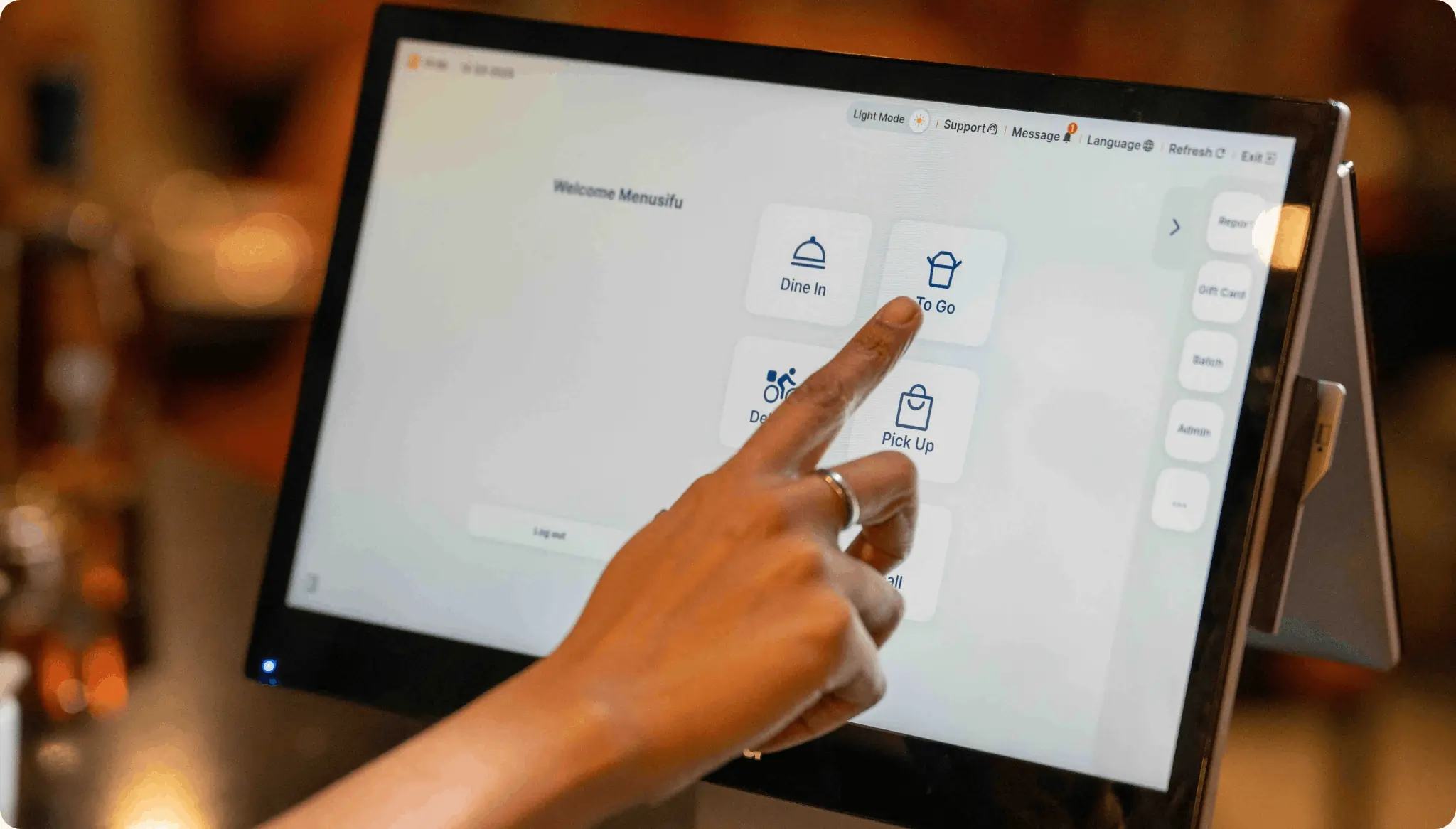
A POS terminal serves as the central device where staff enter orders, process transactions, and access POS software. It allows employees to select menu items, apply discounts, split bills, and manage customer payments from one interface.
Two common POS configurations include:
If you choose a separate touchscreen monitor, check if it requires a connected computer or POS controller to operate.
A payment terminal or card reader allows your restaurant to accept credit cards, debit cards, contactless payments, and mobile wallets such as Apple Pay and Google Pay.
Customers can tap, insert, or swipe their cards, depending on the device's supported payment methods.
When integrated with your POS system, the terminal can automatically receive transaction amounts and communicate payment status, reducing manual entry errors and speeding up checkout.
Before purchasing, verify that the device supports your preferred payment processor and POS software.
A receipt printer produces printed transaction records showing ordered items, prices, taxes, and payment totals. It allows customers to review their purchases and provides documentation when needed.
Thermal receipt printers are commonly used in restaurants because they print quickly, operate quietly, and use heat-sensitive paper instead of ink cartridges.
Some POS systems also support digital receipts sent through email or text messages. You can offer printed receipts, digital receipts, or both, depending on customer preferences and applicable requirements.
A cash drawer securely stores bills and coins while helping staff organize cash transactions.
Many POS-compatible cash drawers connect directly to a receipt printer or POS terminal and open automatically when an authorized cash transaction occurs.
When selecting a cash drawer, consider its storage capacity, locking mechanism, and compatibility with your existing equipment.
If your restaurant accepts cash, this device helps maintain an organized checkout station. Fully cashless establishments may operate without one.
A Kitchen Display System (KDS) or kitchen printer receives orders from your POS system and presents them to kitchen staff, helping them access accurate order details.
The main difference is how each device presents orders:
Your restaurant can use either device or combine both across different preparation stations.
Network and connectivity equipment allows your POS terminals, payment devices, kitchen systems, and other connected hardware to communicate.
Common equipment includes:
A reliable network helps connected POS hardware exchange order and transaction information consistently.
If internet connectivity becomes unavailable, some POS systems can continue performing certain operations through offline functionality. Check your provider's network requirements and offline capabilities before installing or upgrading equipment.
Beyond the essential POS equipment, additional devices can improve order handling, expand payment options, and support specific restaurant operations. The right additions depend on your service model, customer volume, and existing setup.
Handheld POS devices allow staff to take orders directly at the table or elsewhere in the restaurant. Models with integrated or compatible payment readers can also process payments on the spot. Servers can enter orders into the POS system and send them to the kitchen immediately, reducing trips to a stationary terminal.
These portable devices are particularly useful in full-service restaurants, outdoor dining areas, and establishments with multiple seating sections. When selecting a handheld POS, check its battery life, wireless connectivity, and compatibility with your existing system.
Self-service kiosks allow customers to browse menus, customize items, and submit orders independently through a touchscreen interface. Models with integrated payment functionality also allow customers to complete transactions. Self-service kiosks can help reduce queues at staffed counters by providing another ordering option during peak hours.
These devices work particularly well in quick-service and fast-casual restaurants. When integrated with your POS system, kiosks can send customer orders directly to the kitchen and keep transaction records synchronized across ordering channels.
Customer-facing displays show order details, item prices, taxes, and transaction totals as staff enters purchases into the POS system. Customers can review their orders before paying, helping reduce checkout errors and pricing disputes.
Some models also support digital signatures, tipping prompts, and promotional messages. These displays are especially useful at cashier counters where clear transaction visibility improves the checkout experience.
Barcode scanners and label printers support product identification, inventory handling, and order preparation. Each device serves a different purpose:
These devices are particularly useful in cafés, bakeries, delis, and restaurants that sell packaged products or handle large volumes of takeaway orders.
Tabletop ordering devices allow customers to browse digital menus, customize items, and place orders directly from their tables. When integrated with the POS system, these devices can send orders to the kitchen, reducing the need for staff to enter orders manually.
These devices are particularly useful in full-service restaurants, hot pot restaurants, and other dine-in establishments where customers may place additional orders throughout their meals.
Digital menu boards display menu items, prices, and product availability, while order status screens show customers when their orders are being prepared or ready for pickup.
Some commercial display systems also support promotional content, including featured items, special offers, and videos. When connected to compatible POS software, these screens can display updated menu information or order progress automatically.
These displays are particularly useful in quick-service restaurants, cafés, and fast-casual establishments that rely on counter ordering and customer pickup.
Different restaurant types require different POS hardware configurations. The table below outlines suggested equipment setups based on common ordering, payment, and food preparation workflows.
Beyond these basic configurations, consider how orders move between different areas of your restaurant. For example, cafés with separate food and beverage stations may need multiple kitchen printers or displays, while bars can use dedicated printers to send drink orders directly to bartenders.
Use these recommendations as a starting point when setting up or upgrading your POS system. The number of devices you need will depend on your checkout stations, order volume, and kitchen layout.
Before purchasing new POS hardware or replacing your current equipment, consider these four factors to help you select a reliable setup that supports your restaurant's operations.
1. Restaurant Operations
Assess how your restaurant handles orders, payments, and kitchen communication. Consider your service model, peak-hour transaction volume, and the number of checkout or ordering stations you need. For example, a counter-service restaurant may prioritize stationary POS terminals, while a full-service restaurant may benefit from handheld ordering devices.
2. Hardware and Software Compatibility
Verify that your POS terminals, payment devices, printers, and other peripherals work with your selected POS software and payment processor. If you're switching providers, check which existing devices you can reuse and which require replacement. Confirming compatibility before purchasing helps prevent integration issues and unnecessary expenses.
3. Reliability and Scalability
Choose commercial-grade hardware designed to withstand frequent use in restaurant environments. Prioritize durable equipment, stable connectivity, and reliable performance. Also, check if the system allows you to add terminals, payment devices, or kitchen stations as your business expands.
4. Installation and Technical Support
Review installation requirements, warranty coverage, maintenance services, and technical support availability. Choose a provider that offers reliable assistance with setup, troubleshooting, and hardware replacement. If you're upgrading an existing system, coordinate installation and staff training to minimize operational disruptions.

Investing in the right restaurant POS hardware can help improve order accuracy, streamline transactions, and keep your staff connected. Start with the essential equipment, then consider additional devices based on your service model and operational requirements.
If you're setting up a new restaurant or replacing outdated POS equipment, working with a provider that offers compatible hardware and software can simplify the process.
Book a Free Demo with MenuSifu to explore available POS hardware and software solutions and find a POS setup that supports your restaurant's needs.
Choosing restaurant POS hardware often raises additional concerns about compatibility, equipment requirements, and system upgrades. The answers below address key considerations to help you make informed decisions when setting up or replacing your POS equipment.
If your restaurant accepts chip-enabled credit and debit cards, choose an EMV-compatible payment terminal or card reader. Look for a device that supports chip insertion and contactless payments, including compatible mobile wallets. Confirm that the terminal works with your POS system and payment processor.
A fast-casual restaurant typically uses a countertop POS terminal, payment terminal, and kitchen display system (KDS) or kitchen printer to manage orders and payments. Receipt printers and cash drawers may also be necessary depending on accepted payment methods and receipt requirements. Self-service kiosks and customer-facing displays provide additional ordering and checkout options.
Rugged POS hardware can be a better choice for restaurants that need equipment capable of handling frequent use and demanding kitchen environments. Depending on its durability ratings, it may offer additional protection against spills, heat, and impacts, helping reduce the risk of equipment damage and downtime.
However, standard POS hardware may be sufficient for less demanding areas, such as cashier counters. Choose based on your restaurant's operating conditions, budget, and hardware requirements.
Yes, you can reuse some of your existing POS hardware if it is compatible with the new POS system. Devices such as receipt printers, cash drawers, and barcode scanners may work with different systems, while POS terminals and payment devices may require replacement. Before switching, confirm hardware compatibility with your new POS provider to avoid unnecessary costs.
The number of POS terminals depends on your restaurant's size, order volume, and checkout process. A small café may need just one terminal, while a larger restaurant with multiple ordering or payment stations may require several. Consider your busiest hours and staff workflow to determine how many terminals can support efficient operations.
A hardware-agnostic POS system is restaurant POS software that works with various compatible hardware devices instead of requiring equipment from a specific manufacturer. It allows restaurants to choose from supported POS terminals, tablets, receipt printers, and other peripherals. This flexibility can help reduce hardware replacement costs when upgrading or switching POS systems, provided the existing devices meet the new software's compatibility requirements.
Want more practical tips on restaurant technology, POS systems, and improving operations? Explore the MenuSifu blog for additional insights, guides, and industry updates.
Related Articles: