June 25, 2026

Bubble Tea Menu Design Tips for Boba Shops

Build a cleaner bubble tea menu design with tips for drink categories, customization, pricing, photos, template ideas, and digital menu updates for boba shops.

Customers should be able to scan your menu, find the drink they want, and choose toppings with ease. A good bubble tea menu design helps you organize drinks, highlight best sellers, and make prices and customization options easy to follow. When the layout feels clear, customers can decide faster and place more accurate orders.

In this guide, you’ll learn practical tips, template ideas, and sample menu design points you can use to create a cleaner, more sales-friendly boba menu.

Bubble Tea Menu Design Tips for Easier Ordering and Better Sales

Use these bubble tea menu design tips to organize your drink list, highlight popular items, simplify customization, and keep ordering simple.

Start with a Clear Menu Structure

A strong boba menu should be easy to scan. When customers walk in, they should quickly see where to find milk tea, fruit tea, cheese foam drinks, smoothies, slushies, seasonal drinks, and best sellers.

Group your drinks into simple categories such as:

  • Classic milk tea
  • Fruit tea
  • Brown sugar drinks
  • Cheese foam drinks
  • Smoothies and slushies
  • Signature drinks
  • Seasonal specials

Clear categories help customers choose faster because they do not need to search through one long drink list. A customer craving fruit tea can go straight to that section, while a first-time visitor can start with best sellers or signature drinks.

This structure also helps during busy hours. When the menu feels organized, customers spend less time comparing unrelated items and more time choosing the drink they actually want.

Highlight Best Sellers and Signature Drinks

Not every drink needs the same level of attention. Your best sellers, new items, and high-margin drinks should stand out so customers notice them first.

Use simple design cues such as:

  • “Best Seller” or “Staff Pick” labels
  • Photos for signature drinks
  • A small “Top Picks” section
  • Popular drinks placed near the top or center of the menu

These details guide customers toward drinks that perform well. They also help new customers decide faster, especially when they feel unsure about what to order.

Keep this section focused. If you label too many drinks as best sellers, the label loses value. Choose a small group of drinks that represent your brand, sell consistently, or support better margins.

Make Customization Easy to Follow

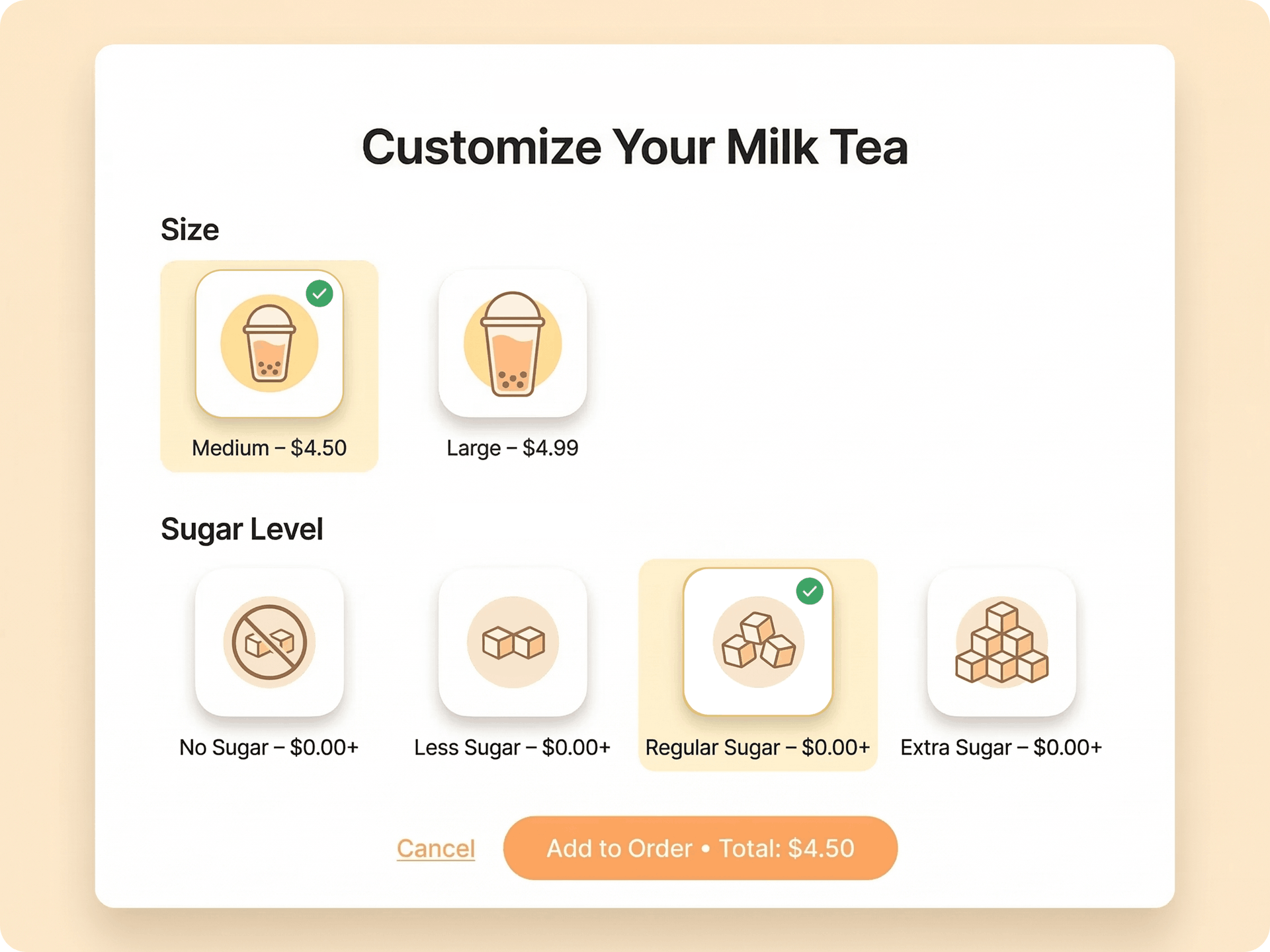
Bubble tea orders often include several choices. Customers may need to select a size, topping, sugar level, ice level, milk option, and upgrade before they pay.

Make each step clear on the menu. Include key options such as:

  • Drink size
  • Toppings
  • Sugar level
  • Ice level
  • Milk or dairy-free options
  • Add-ons and upgrades

A simple customization flow can look like this.

  1. Choose your drink
  2. Select a size
  3. Pick toppings
  4. Choose sweetness level
  5. Choose ice level
  6. Add upgrades

This format helps customers understand the ordering process from start to finish. It also helps staff enter orders more accurately because each modifier follows a clear order.

For toppings, group similar items together. Place pearls, jellies, pudding, cheese foam, popping boba, and other add-ons in a dedicated section. Show extra charges clearly so customers know the price before checkout.

Use a Clean and Readable Layout

Your menu should look attractive and easy to read. A crowded layout can make even a good drink list feel confusing.

Use enough spacing, clear fonts, short drink names, and consistent formatting. Helpful layout tips include:

  • Keep drink names short and clear
  • Group similar items together
  • Use readable font sizes
  • Avoid too many colors
  • Keep prices aligned
  • Limit long descriptions

Short descriptions work best. Instead of writing a long paragraph for each drink, use a brief description that explains the base, flavor, and key toppings.

For example, “black tea, milk, brown sugar pearls” gives customers enough detail while keeping the menu clean. Aligning prices also helps customers compare sizes and upgrades faster.

Add High-Quality Drink Photos Strategically

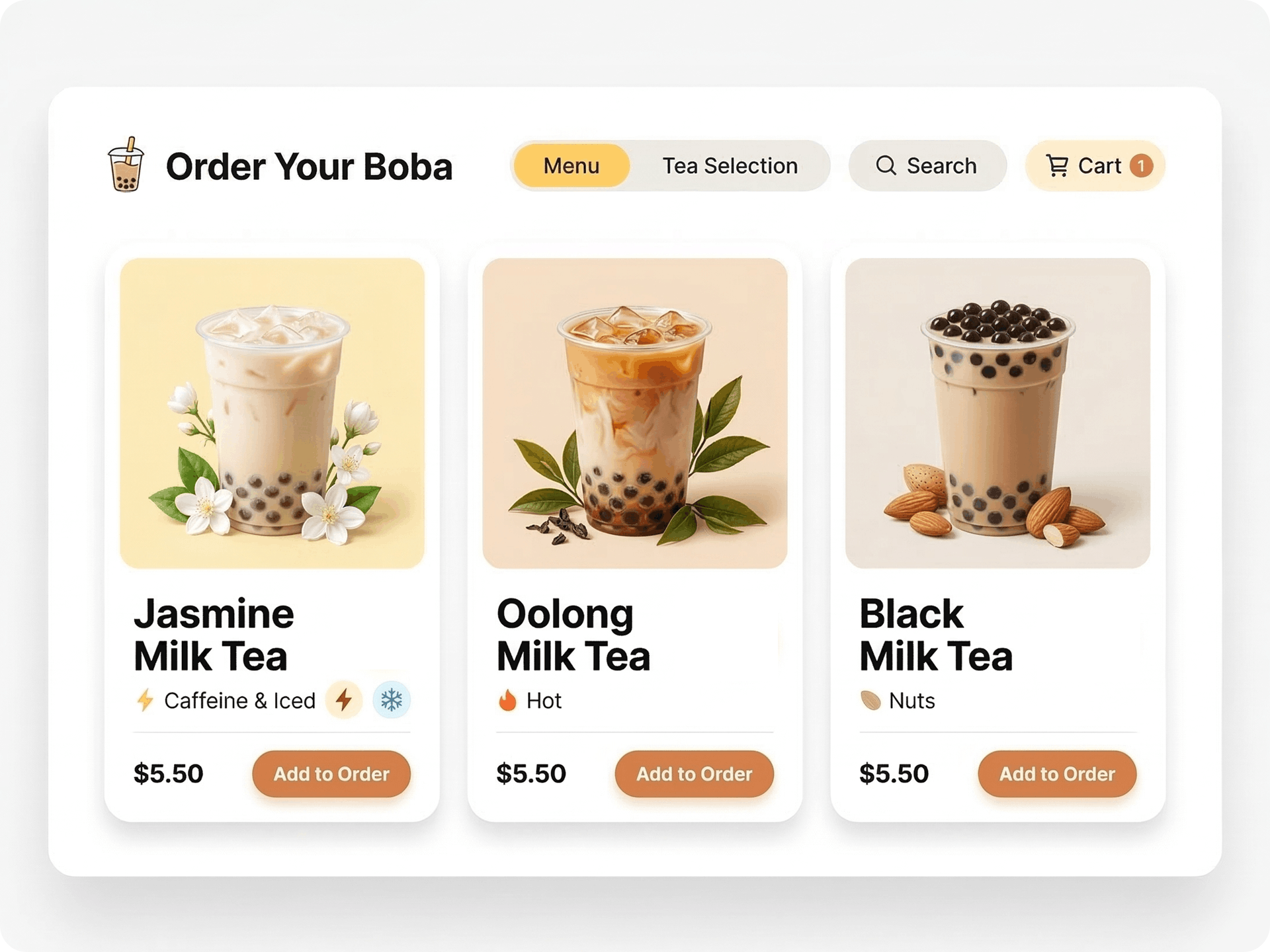
Drink photos can help customers see what they are ordering, especially for signature drinks, seasonal items, and premium drinks. Still, too many images can make the menu feel crowded.

Use photos with purpose. The best ways to use drink photos include:

  • Feature 3 to 6 top drinks
  • Use consistent lighting and background
  • Avoid low-quality or heavily edited images
  • Match photos with the actual drink presentation

Choose photos that reflect the drinks customers will receive. If the photo shows a layered brown sugar drink, the served drink should look close to that image.

Keep the visual style consistent across the menu. Similar lighting, cup angles, and backgrounds help the full design feel polished and easier to read.

Create a Boba Menu Template Before Finalizing the Design

A boba menu template helps you organize the full menu before printing it or publishing it digitally. It lets you plan categories, drink names, prices, modifiers, and promotions in one place.

A useful boba tea menu template should include:

  • Drink categories
  • Item names
  • Short descriptions
  • Prices
  • Sizes
  • Toppings
  • Sweetness and ice options
  • Best-seller labels
  • Seasonal promotions

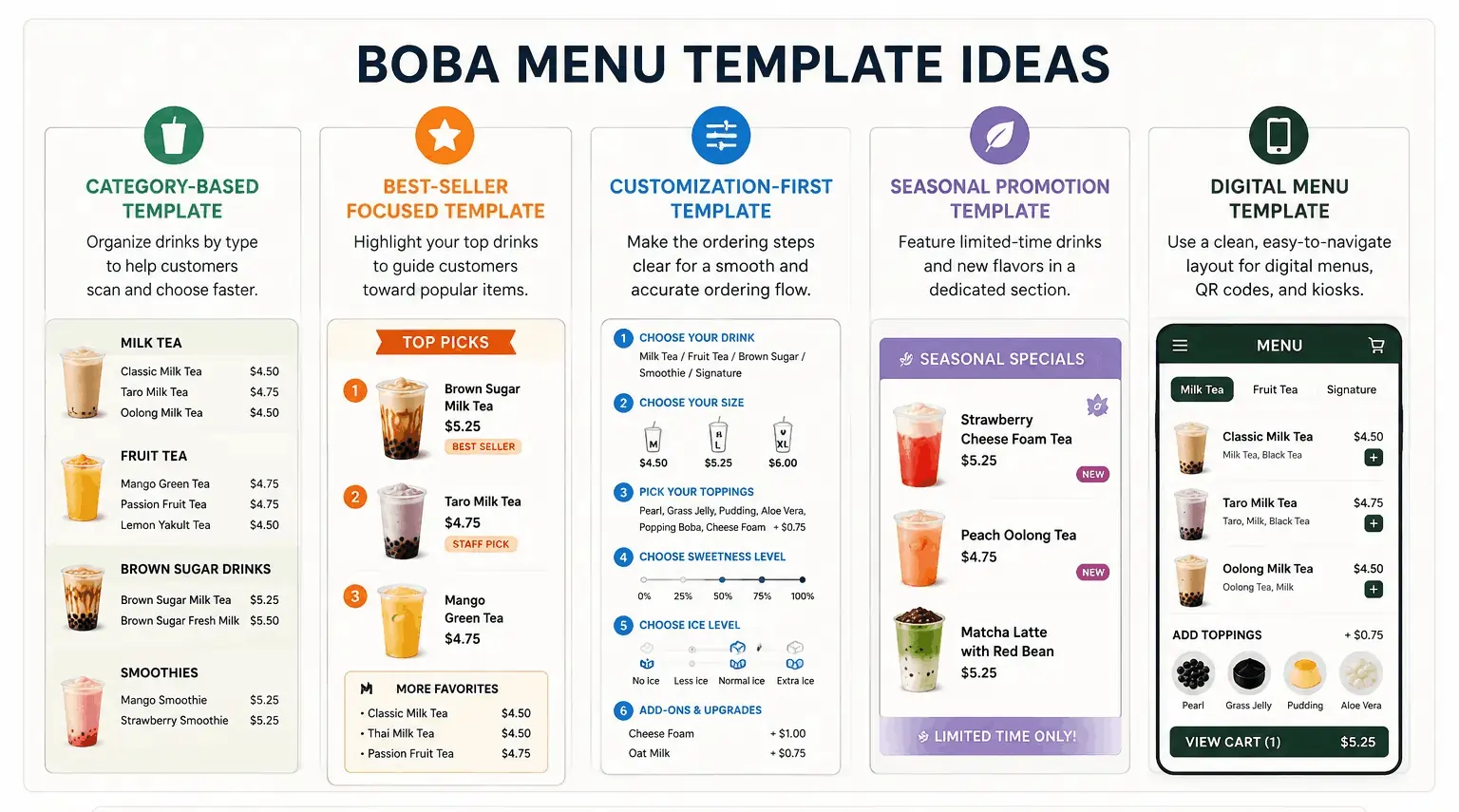
Boba Menu Template Ideas You Can Use

Use these boba menu template ideas to compare layout options before finalizing your design.

Start with the content first. Build the drink list, organize the categories, and map out the customization steps. After that, add colors, photos, icons, and brand details.

This approach helps you avoid a menu that looks good but feels hard to use. It also gives you a cleaner structure when you add new drinks, update prices, or promote seasonal specials.

Review a Sample Bubble Tea Menu Design Before Building Yours

A sample bubble tea menu design can help you see how different layouts work in real use. Use samples to study category placement, featured drinks, toppings, and pricing.

Check these points before building your own menu:

  • The menu is easy to scan
  • Best sellers are visible
  • Toppings and add-ons are easy to find
  • Prices are clear
  • The design matches your brand
  • Customization steps are easy to follow

Do not copy a sample exactly. Use it as a reference for structure and flow. Your menu should still reflect your drink lineup, brand style, pricing, and ordering process.

If a sample looks attractive but feels hard to read, look closer at the layout. It may use too many colors, too many photos, small text, or unclear categories.

Design for Both Printed and Digital Menus

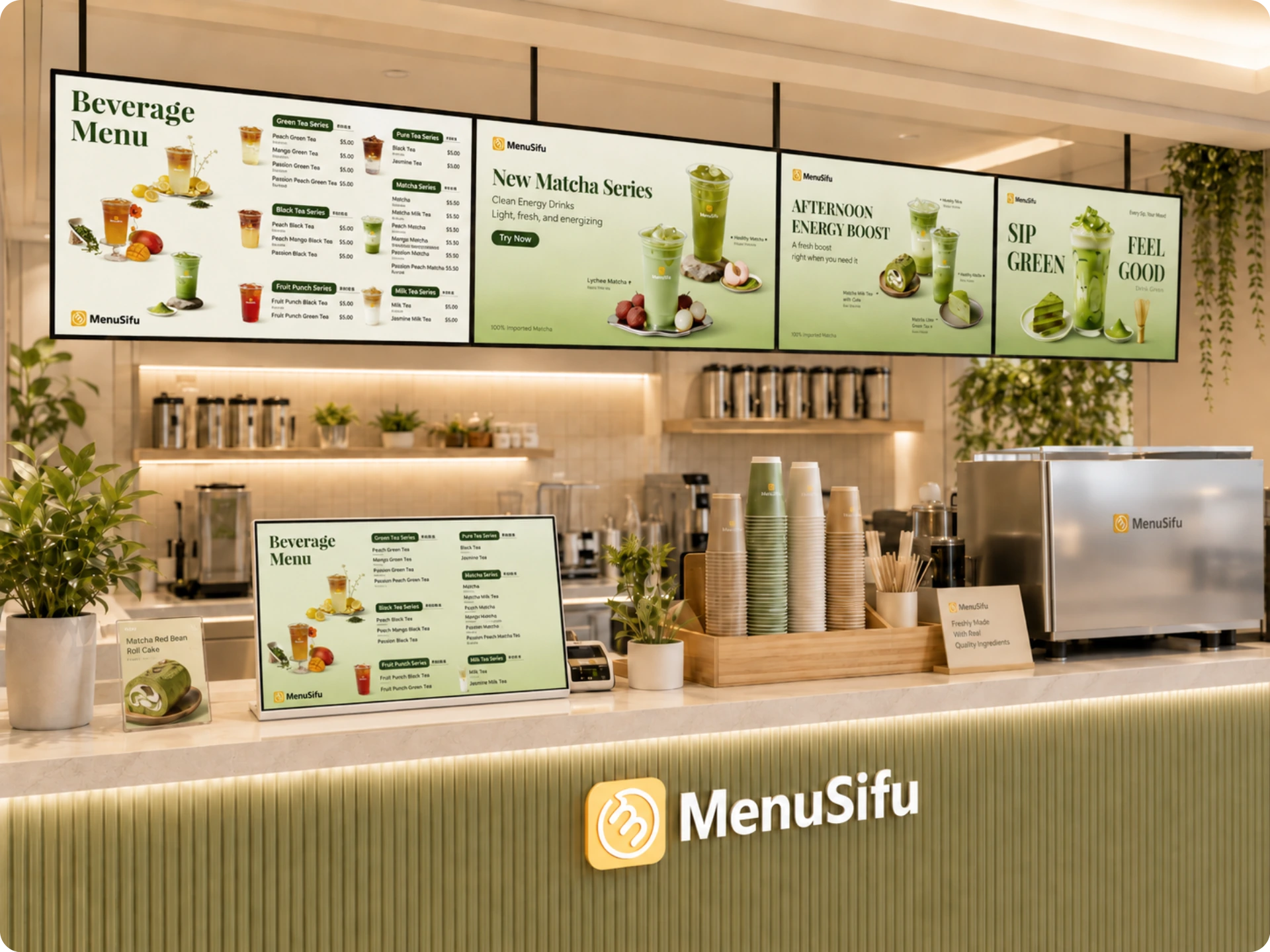
Your menu may appear in several places, such as a printed counter menu, menu board, QR code menu, digital display, self-ordering kiosk, or POS-connected menu. Keep the design consistent across each format.

Printed menu tips:

  • Use large, readable text
  • Keep categories organized
  • Avoid overcrowding the page
  • Make prices easy to compare

Digital menu tips:

  • Use clear sections
  • Make modifiers easy to update
  • Highlight promotions
  • Keep item names and descriptions consistent with the POS system

Printed menus need to be highly readable from a distance. Digital menus need simple navigation and accurate item details.

Use the same drink names across your printed menu, digital menu, and POS system. If the counter menu says “Brown Sugar Milk Tea” but the POS uses a shortened internal name, staff may enter the wrong item or need extra time to confirm the order.

Keep Pricing, Add-Ons, and Promotions Easy to Manage

Boba menus change often. You may update drink prices, add new toppings, launch limited-time drinks, run combo offers, or mark items as sold out.

Keep these menu details updated:

  • Drink prices
  • Topping prices
  • Limited-time drinks
  • Combo offers
  • Loyalty rewards
  • Out-of-stock items

A POS-connected menu can help you manage these updates more efficiently. When your menu management system connects with your ordering channels, you can keep item names, prices, modifiers, and promotions more consistent.

This is especially helpful for bubble tea orders because modifiers play a big role in every ticket. Sizes, toppings, sugar levels, ice levels, and add-ons should appear clearly and be priced correctly across in-store, kiosk, QR code, and online ordering.

Common Bubble Milk Tea Menu Design Mistakes to Avoid

Even a great drink lineup can lose sales when the menu feels crowded or unclear. Review these common bubble milk tea menu design mistakes so customers can find drinks, choose add-ons, and place orders more easily.

Listing Too Many Drinks Without Categories

A long list of drinks can overwhelm customers. Group items by type, such as milk tea, fruit tea, brown sugar drinks, smoothies, and seasonal specials. Clear sections help customers scan the menu faster.

Using Small or Hard-to-Read Text

Tiny fonts can slow customers down at the counter. Use readable font sizes, simple labels, and enough spacing between items. Prices, sizes, and toppings should be easy to see at a glance.

Adding Too Many Photos

Drink photos can help customers choose, but too many images can crowd the layout. Feature a few best sellers, signature drinks, or seasonal items instead of showing every drink.

Hiding Toppings or Add-On Prices

Customers should see topping choices and extra charges before they order. Place add-ons near the drink options and show prices clearly. This helps customers build their drinks faster.

Making Customization Steps Unclear

Bubble tea orders often include size, toppings, sugar level, ice level, and milk options. Present these steps in a clear order so customers know what to choose next.

Using Inconsistent Drink Names Across Menus and POS Systems

Keep drink names the same across printed menus, digital menus, online ordering, and your POS system. Consistent names help staff enter orders correctly and help customers recognize the same item across every channel.

Forgetting to Update Seasonal Items

Seasonal drinks, sold-out toppings, and limited-time promos need regular updates. Remove expired offers, update prices, and mark unavailable items clearly so the menu stays accurate.

Bubble Tea Menu Final Checklist

Before you print or publish your menu, review it from a customer’s perspective. A strong menu should feel easy to scan, simple to order from, and accurate across every ordering channel.

Use this checklist before launch:

A final review helps you catch small issues before customers see the menu. It also helps you create a cleaner ordering experience and guide attention to the drinks you want to sell more often.

Build a Boba Menu That Is Easy to Order From

A strong bubble tea menu helps customers scan drinks, choose toppings, compare prices, and spot your best sellers quickly. When your printed menu, digital menu, kiosk, and POS use the same item names, prices, modifiers, and availability, your ordering flow becomes easier to manage.

MenuSifu helps you keep those details connected through a bubble tea shop POS system and menu management system. You can update drink prices, topping options, sold-out items, menu schedules, dietary labels, and menu displays in multiple languages from one place.

If you want a cleaner menu setup that supports smoother ordering and easier updates, Book a Free Demo with MenuSifu today.

Frequently Asked Questions About Bubble Tea Menu Design

Before you finalize your menu, review these quick answers about layout, templates, photos, and POS updates. These tips can help you refine the details that affect ordering, customization, and menu accuracy.

What Should a Bubble Tea Menu Include?

A bubble tea menu should include clear drink categories, drink names, short descriptions, prices, sizes, tea bases, milk options, toppings, add-ons, sweetness levels, and ice levels. It should also highlight best sellers, seasonal drinks, promotions, and allergen notes so customers can choose faster and order accurately.

How Can I Make My Boba Menu Easier to Read?

Make your boba menu easier to read by grouping drinks into clear categories, using large fonts, keeping prices aligned, and limiting long descriptions. Highlight best sellers, show toppings and customization options clearly, and add enough spacing so customers can scan the menu quickly.

What Makes a Good Boba Menu Template?

A good boba menu template organizes drinks by category, highlights best sellers, and makes customization easy to scan. It should show sizes, prices, toppings, sweetness levels, ice levels, milk choices, and add-ons in a clean layout. Strong visuals, readable fonts, and clear labels help customers choose faster and help staff capture orders accurately.

How Many Photos Should a Bubble Tea Menu Have?

Use 3 to 6 high-quality photos on a bubble tea menu. Feature best sellers, signature drinks, and seasonal items instead of showing every drink. Too many images can clutter the layout, distract from prices and modifiers, and make the menu harder to scan. Keep each photo bright, consistent, and accurate to the actual drink.

How Can a POS System Help with Bubble Tea Menu Updates?

A POS system helps bubble tea shops update menus by centralizing prices, drink options, toppings, sweetness levels, and seasonal items. The system can sync changes across kiosks, digital menus, online ordering, and checkout screens. This keeps menu details accurate and helps staff sell the right items with the right modifiers.

For more practical tips on restaurant technology, digital menus, and POS solutions, visit our blog section for more insights and updates.

Related Articles:

想把餐厅越开越好?
免费订阅,持续获取行业报告、经营洞察与实用工具。