June 24, 2026

Boba Kiosk: 10 Key Features for Faster Bubble Tea Ordering

Learn how a boba kiosk helps bubble tea shops speed up ordering, capture drink modifiers, reduce errors, and connect every order with POS tools in one flow.

Peak hours can turn custom drink ordering into a slow line at the counter. Customers want toppings, sweetness levels, ice levels, milk options, and add-ons captured correctly, while your staff needs more time to make drinks and manage pickups. 

A boba kiosk gives customers a clear self-ordering flow and sends each order directly to your POS or prep station. This helps your team receive clearer orders and keep service moving during busy hours.

In this guide, you’ll learn how it works, which features to look for, and how it can support faster, more accurate service in your shop.

What Is a Boba Kiosk?

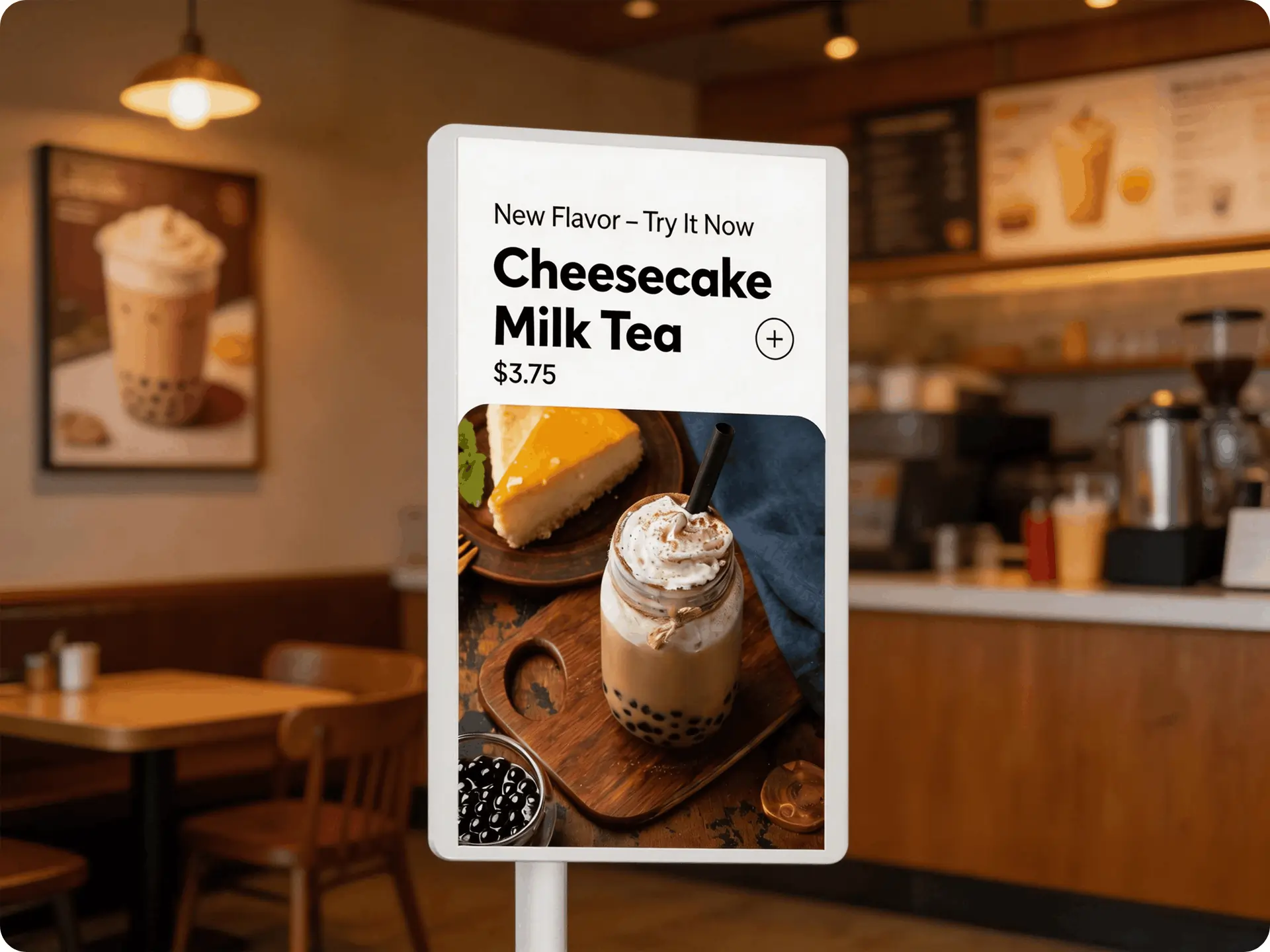
A boba kiosk, or bubble tea kiosk, is a self-ordering touchscreen that lets customers place their own bubble tea orders in-store. Instead of giving every detail to a cashier, customers use the screen to browse drinks, choose modifiers, review their order, pay, and send the ticket directly to the POS or prep station.

This setup works well for bubble tea because each drink often includes several choices. Customers can select their drink size, toppings, sweetness level, ice level, milk options, and add-ons or upgrades before checkout. 

A boba kiosk helps capture these details clearly from the start. Customers see the available options on screen, make their selections, and confirm the order before paying. Your staff receives a complete ticket with the selected modifiers, which helps reduce missed details and repeat clarifications at the counter.

When connected to your restaurant POS system, the kiosk keeps orders, payments, and prep instructions in one flow. This gives your team a cleaner way to manage custom drink orders during busy hours.

Common Ordering Challenges in Bubble Tea Shops

Boba ordering can be more detailed than standard quick-service ordering. A single drink may include tea base, size, toppings, sugar level, ice level, milk option, add-ons, and temperature. When your staff enters each detail by hand, every extra choice adds another chance for delay or error.

Here are the common ordering challenges many bubble tea shops deal with:

Long lines during peak hours

Lunch rushes, after-school traffic, and weekend spikes can crowd the counter quickly. When each customer needs time to choose and customize a drink, the line can grow before your team catches up.

Detailed drink customization

Boba customers often want full control over their orders. One drink may include pearls, grass jelly, less ice, 50% sugar, oat milk, cheese foam, and a size upgrade. Your team needs a clear way to capture every choice and send it to the drink station.

Manual order-entry errors

A missed topping or wrong sweetness level can lead to remakes. These errors take extra time, use more ingredients, and pull staff away from new orders. During busy hours, even small mistakes can slow the entire queue.

Slow checkout

When staff need to explain menu options, confirm modifiers, take payment, and enter the order, checkout can take longer than expected. This can affect both the customer experience and the number of orders your shop can handle during rush periods.

Staff handling too many tasks at once

Your front-of-house team may take orders, answer menu inquiries, process payments, prepare drinks, pack orders, and call out pickups. When staff split their attention across too many tasks, service can feel rushed and errors become more likely.

Missed upsell opportunities

Cashiers may not always have time to suggest toppings, larger sizes, seasonal drinks, or loyalty sign-ups. When upsells depend only on staff prompts, your shop can miss chances to increase average ticket size.

These challenges often point to the same need. Your ordering process should help customers customize drinks clearly, help staff receive accurate tickets, and keep the line moving during your busiest hours.

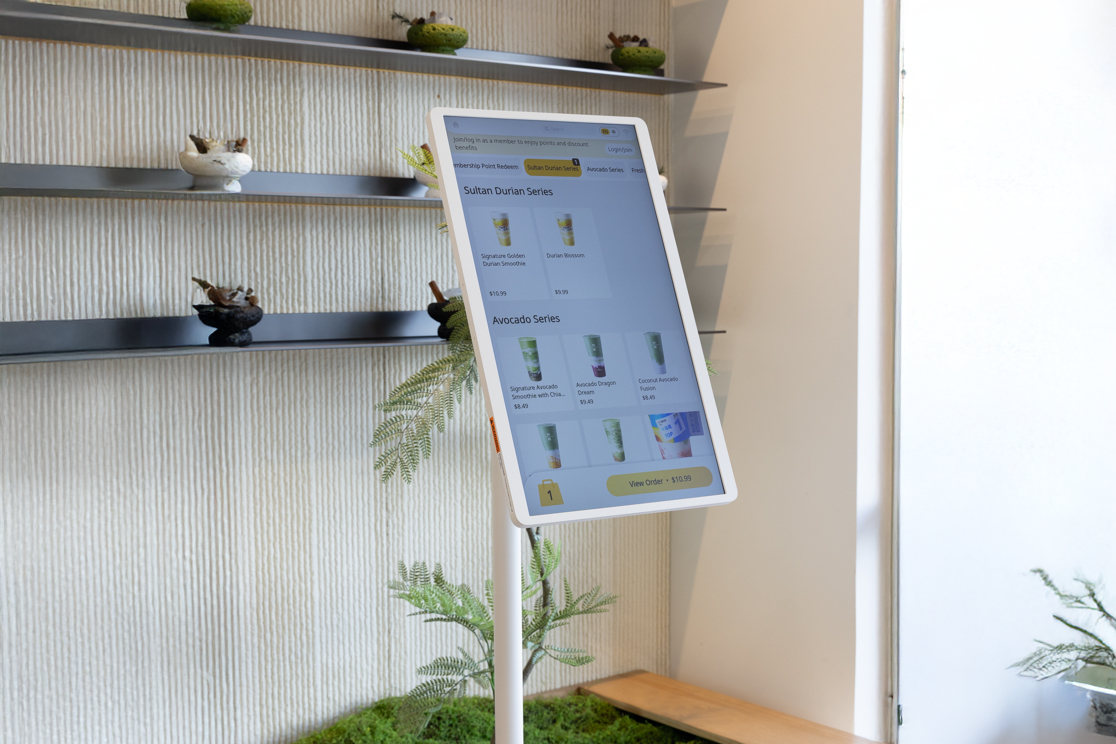
Sleek self-service kiosk featuring smooth menu navigation and modern hardware built for high performance in a busy cafe space.

How a Boba Kiosk Improves the Ordering Process

A boba kiosk gives customers a clear way to build their own drinks from start to finish. They can choose the drink base, size, toppings, sweetness level, ice level, milk option, and add-ons directly on the screen. This helps them review each choice before they pay, which can reduce mistakes at the counter.

Self-ordering also helps your staff focus on the work that needs their attention most. Instead of entering every topping and modifier by hand, your team can spend more time preparing drinks, organizing pickup orders, and helping customers who need support.

During rush periods, kiosks can also help move the line faster. Customers can place orders at the kiosk while your counter staff continue taking orders from other guests. This gives your shop another ordering point and helps reduce crowding near the register.

A boba kiosk can also create a more consistent ordering experience. Every customer sees the same menu, modifier options, add-ons, and promotions. This helps your shop present upsells more clearly, from extra toppings to larger sizes and limited-time drinks.

The result is a smoother ordering flow for both customers and staff. Customers get more control over their orders, and your team receives clearer tickets with the details they need to prepare each drink correctly.

Next, let’s explore the kiosk features that make these results possible.

Key Features to Look for in a Bubble Tea Kiosk

A bubble tea kiosk should help customers place accurate orders and help your staff manage them easily. Since boba drinks often include several choices, the kiosk needs to make each step clear, from drink selection to payment.

Here are the key features to look for.

1. Flexible modifier setup for toppings, sweetness, and ice levels

Your kiosk should let customers customize drinks the same way they would at the counter. This includes toppings, sweetness levels, ice levels, sizes, milk options, add-ons, and temperature choices.

This feature is essential because customers expect full control over their drinks. A strong modifier setup helps them build each drink correctly before checkout and gives staff clearer order details once the ticket reaches the prep station.

2. Product images and clear menu categories

A good kiosk menu should feel easy to browse. Clear categories can help customers find milk tea, fruit tea, smoothies, slushes, toppings, and seasonal drinks.

Product images can also help customers choose faster. When drinks look clear and appealing on screen, customers can scan the menu with less hesitation and make faster decisions.

You can also use simple menu labels, such as caffeine, iced, hot, nuts, or dairy-free, to help customers understand each item before they order. 

3. Multi-language menu support

Your kiosk should make ordering easy for customers who prefer different languages. A multi-language menu can help guests browse drinks, review modifiers, and complete checkout with less staff assistance.

This is especially helpful in busy locations where customers may speak English, Chinese, Spanish, French, or other common local languages. When customers can order in their preferred language, they can move through the kiosk flow more easily and choose the right drink options with fewer errors.

4. Built-in payments

Built-in payments let customers order and pay in one place. This keeps the line moving and reduces the number of transactions staff need to handle at the counter.

The kiosk should support common payment methods, so customers can complete checkout easily and move to pickup.

5. POS integration

Your kiosk should connect with your restaurant POS system. When the kiosk and POS work together, orders, payments, menu updates, and sales data stay in one system.

This helps you manage counter orders, kiosk orders, and other order channels with better control.

6. Order routing

After a customer places an order, the kiosk should send it to the right prep station, kitchen printer, or kitchen display system.

Order routing helps staff clearly see each drink's details. This includes the drink base, toppings, sweetness level, ice level, and any special notes.

7. Upsell prompts

A kiosk can suggest add-ons during the ordering process. It can show toppings, larger sizes, limited-time drinks, combo offers, or promotions before checkout.

These prompts help you promote upgrades consistently. They also give customers a clear view of options they may want to add. Branded welcome screens, screensavers, and promotion displays can also highlight new drinks, seasonal offers, and loyalty deals while keeping the ordering experience aligned with your brand.

8. Loyalty integration

Loyalty features can help turn first-time customers into repeat guests. A kiosk can prompt customers to sign up, earn points, redeem rewards, or apply discounts during checkout.

This keeps loyalty visible during the ordering process and helps you grow your customer base over time.

9. Multi-location menu management

If you operate more than one store or plan to expand, your kiosk should support centralized menu control. This lets you update prices, items, modifiers, and promotions across locations more easily.

Consistent menu management helps each store follow the same setup while still allowing location-level adjustments when needed.

10. Reporting and sales insights

Your kiosk should give you useful data. Look for reports that show kiosk order volume, popular drinks, top modifiers, average ticket size, and promotion performance.

These insights can help you adjust your menu, improve upsells, and plan staffing around busy ordering periods.

The best bubble tea kiosk should feel easy for customers and practical for staff. Once those features connect with your POS, the kiosk becomes part of a smoother ordering system rather than a separate screen at the counter.

How a Boba Kiosk Connects With a Restaurant POS System

A boba kiosk connects with your restaurant POS system by sending kiosk orders, payments, menu data, and order details into the same platform your staff uses for daily service. When a customer places an order at the kiosk, the order moves directly to the POS with the selected drink, toppings, sweetness level, ice level, size, milk option, add-ons, and payment status.

From there, the POS sends the ticket to the right prep station, kitchen printer, or kitchen display system. This helps your staff see each drink order clearly and prepare it in the correct order.

POS integration also keeps menu management easier. When you update prices, drinks, toppings, modifiers, or promotions in the POS, those updates can stay aligned with the kiosk menu. This helps customers see accurate options when they order.

Payments and reports also stay connected. Kiosk sales can appear with counter, online, and delivery orders, so you can review order volume, popular drinks, add-ons, and sales performance from one system.

A restaurant technology solution like MenuSifu connects self-ordering kiosks with POS, payments, menu management, loyalty, reporting, and order routing. This helps your shop keep every ordering channel organized from the customer’s first tap to drink preparation.

Benefits of a POS-Connected Boba Tea Kiosk

A POS-connected boba tea kiosk helps your shop handle self-ordering, payments, and drink preparation in one connected flow. Customers place their orders at the kiosk, choose their drink options, and pay on screen. The order then moves into your POS and reaches the right prep station with the selected modifiers included.

Here are the main benefits:

  1. Improved speed of service. A kiosk gives customers another way to order during rush periods. Since orders flow directly into the POS, staff do not need to re-enter kiosk orders at the counter. This helps move the line faster when traffic picks up.
  1. Fewer order mistakes. Boba orders often include toppings, sweetness levels, ice levels, milk options, and add-ons. When customers select these details on screen, the POS receives the full order with each modifier attached. This helps staff prepare drinks more accurately and reduce remakes.
  1. Increased average ticket size. A connected kiosk can show add-ons, toppings, larger sizes, seasonal drinks, and promotions before checkout. Since these prompts appear during the ordering flow, your shop can promote upgrades more consistently on every kiosk order.
  1. Better labor efficiency. Self-ordering reduces the time staff spend taking orders at the counter. Your team can focus more on drink preparation, pickup, cleaning, restocking, and customer support during busy shifts.
  1. Cleaner order flow. When the kiosk connects with your POS, kiosk orders, counter orders, payments, and reports stay in one system. Staff can see order details, payment status, and timing more easily, especially when several order channels run at the same time.
  1. More scalable operations. A POS-connected kiosk can help you manage menus, pricing, promotions, loyalty, and reporting with better consistency. This helps your shop stay organized as order volume grows or as you add more locations.

Is a Boba Kiosk Right for Your Shop?

A boba kiosk can be a strong fit if your counter gets crowded, your menu has many drink options, or your staff spends too much time entering custom orders. It gives customers a clear way to order on their own while your team focuses on making drinks, managing pickup, and keeping service moving.

Use this quick checklist to see if a kiosk fits your current needs.

A boba kiosk may be a good fit if you:

If several of these points match your daily operations, a self-ordering kiosk can help your shop serve more customers with better speed, accuracy, and consistency.

Choosing the Right Boba Shop Kiosk System

A boba shop kiosk system should make self-ordering easier for customers and easier to manage from the counter to the drink station. The right setup connects kiosk orders with your POS, payments, menu updates, loyalty, and kitchen printers or KDS, so each custom drink reaches staff with the right details.

MenuSifu helps bubble tea shops bring self-ordering, POS, payments, menu management, promotions, and loyalty into one connected flow. Customers can browse visual menus, customize drinks, choose a preferred language, sign up for rewards, and pay at the kiosk. Your team can track orders more clearly and keep service moving during rush periods.

If your shop is ready to improve self-ordering with a bubble tea shop POS system and reliable kiosks, Book a Free Demo with MenuSifu today.

Frequently Asked Questions About Boba Shop Kiosk Systems

Before choosing a boba shop kiosk system, it helps to review a few common concerns about speed, customization, POS connection, and sales.

How Does a Boba Shop Kiosk System Help During Busy Hours?

A boba shop kiosk system helps during busy hours by letting customers place and customize orders on their own. This reduces counter lines, speeds up checkout, improves order accuracy, and allows staff to focus on drink preparation and pickups.

Can Customers Customize Drinks on a Bubble Tea Kiosk?

Yes. Customers can customize drinks on a bubble tea kiosk by selecting the drink size, toppings, sweetness level, ice level, milk option, temperature, and add-ons before checkout. The kiosk sends these choices directly to the POS or prep station, helping staff prepare each order more accurately.

Why Should a Kiosk Connect with the POS?

A kiosk should connect with the POS so orders, payments, menu updates, modifiers, taxes, discounts, and inventory sync in real time. This helps staff avoid manual entry, reduces order errors, speeds up service, and keeps sales data accurate across the boba shop.

Can a Kiosk Help Increase Sales?

Yes. A boba shop kiosk can help increase sales by speeding up ordering, encouraging add-ons, and highlighting popular upgrades at checkout. Customers can customize drinks, add toppings, and review their orders clearly, which can raise average order value and reduce missed upsell opportunities.

For more insights on restaurant POS systems, self-ordering kiosks, and bubble tea shop operations, visit our blog section for more guides and updates.

Related Articles:

想把餐厅越开越好?
免费订阅,持续获取行业报告、经营洞察与实用工具。