August 13, 2026

How to Choose the Best POS System for Fast Food Restaurants

Learn how to choose the best POS system for fast food restaurants based on order speed, kitchen flow, integrations, reporting, cost, reliability, and support.

A lunch rush can expose every weak point in a restaurant’s technology. Slow order entry creates lines, disconnected channels force staff to re-enter tickets, and unreliable systems can disrupt service when volume peaks. Choosing the best POS system for fast food restaurants starts with finding a platform that can keep orders moving, connect key workflows, and give you clear control over daily operations.

The right choice should fit the way your restaurant takes orders, prepares food, manages staff, and plans for growth. Use the criteria below to compare POS systems with those needs in mind.

Start With Your Fast-Food Restaurant’s Operational Needs

Choosing the best POS system for fast food starts with identifying how your restaurant handles orders, payments, and daily operations. A clear view of those workflows helps you compare systems based on what your restaurant needs during a typical shift.

Order Volume and Peak-Hour Demand

Evaluate how each POS performs during your busiest periods. Focus on: 

  • Transaction processing speed
  • Responsiveness across multiple terminals
  • Performance across multiple active ordering channels 
  • Ability to handle sudden volume spikes

Test these conditions during a product demo before narrowing your options.

Counter, Drive-Thru, and Takeout Workflows

Map out every place where customers can order, then evaluate how each POS connects those channels. Counter, drive-thru, and takeout orders should reach the right staff and preparation stations with clear order details.

Efficient routing can help prevent duplicated tickets and missed items. A connected setup also gives employees a clearer view of where each order started and where it needs to go.

Single-Location Versus Multi-Location Operations

A single location may need simple controls, quick menu updates, and clear daily reports. Several locations usually require centralized menu settings, location-level reporting, and consistent pricing across stores.

A multi-location POS should make shared settings easy to manage while preserving location-specific controls. This structure can help you maintain consistency as you add stores or adjust local menus.

Prioritize Fast and Simple Order Taking

Once you define your operating needs, focus on the front counter experience. Employees should be able to enter orders quickly, make changes with minimal taps, and complete payments without searching through unnecessary screens.

Easy-to-Navigate POS Interface

A clean interface can shorten training time and help staff move through orders quickly. Prioritize clear categories, customizable menu layouts, large item buttons, and easy access to frequently ordered products.

The screen layout should reflect the way your menu is organized. Employees should be able to find items, modifiers, and payment options with minimal searching.

Order Modifications and Combo Meals

Fast-food orders often include add-ons, size changes, substitutions, and meal upgrades. The POS should let staff apply these modifications quickly and send accurate details to the kitchen.

See how the system handles combo rules, extra ingredients, removed items, and special requests. Clear modifier flows can help keep pricing accurate and preparation instructions consistent.

Faster Checkout and Payment Processing

Checkout speed affects how quickly lines move. Choose a POS that supports cards, contactless payments, and digital wallets while keeping the payment process simple.

Review how many steps employees need to complete a sale, apply a discount, or split a payment. An efficient checkout flow can help staff serve more customers during busy periods.

Evaluate Kitchen and Order Fulfillment Capabilities

After an order is placed, the POS should help the kitchen receive and organize it quickly. Strong fulfillment tools keep preparation teams focused on the right tickets and help front-of-house staff track progress.

Kitchen Display System Integration

A kitchen display system can send digital tickets directly to preparation screens. Staff can view order priority, modifiers, and preparation instructions in one place.

Review how quickly tickets appear and how clearly the KDS presents order details. The display should make it easy to see which orders need preparation, which are in progress, and which are ready.

Automatic Order Routing

Different items may need different preparation stations. Automatic routing can send fries to the fryer station, sandwiches to assembly, and drinks to the beverage area based on preset rules.

This setup helps coordinate orders from the counter, drive-thru, kiosk, and online channels. Each station receives the items it needs, which can keep kitchen flow organized during busy periods.

Order Accuracy and Status Tracking

Clear status tracking helps staff follow an order from entry through pickup. Employees can see which tickets are new, in preparation, ready, or completed.

This visibility can reduce missed orders and make handoff easier. It also helps staff respond quickly when a customer checks on an order.

Check Support for Online, Delivery, and Drive-Thru Orders

Many fast-food restaurants receive orders from several channels throughout the day. Your POS should connect those channels so staff can manage them through a consistent workflow.

Online Ordering Integration

Direct online ordering lets customers place pickup orders before arriving. An integrated POS should send online orders directly into the same kitchen workflow as in-store orders.

Menu synchronization can also save time when prices, item availability, or promotions change. A single update should carry across connected ordering channels whenever the platform supports it.

Third-Party Delivery Integration

Delivery platforms can add order volume, but separate devices can create extra work. Choose a platform that can send third-party delivery orders directly into the POS and kitchen workflow.

This setup can reduce manual entry and help keep menu information aligned across platforms. It also gives staff a clearer view of incoming delivery demand alongside other channels.

Drive-Thru Technology

Drive-thru service depends on quick order capture, accurate routing, and flexible payment options. Assess how the POS identifies drive-thru tickets and routes them to the kitchen.

The system should also support a clear handoff process at pickup. Strong coordination between order entry, payment, and preparation can help keep the line moving.

Look for Menu and Pricing Management Tools

Menu changes can happen often in fast food, especially with promotions, limited-time items, and price updates. A POS should give you practical tools to control those changes across every selling channel.

Quick Menu Updates

Look for a system that lets you add products, remove unavailable items, adjust prices, and schedule limited-time offers efficiently. Quick updates can help keep menu information accurate during daily service.

If you sell through multiple channels, confirm that menu changes sync across registers, kiosks, online ordering, and delivery integrations. Consistent menu data can reduce customer confusion and the need for staff corrections.

Combo and Promotion Management

Combo meals and promotions need clear pricing rules. Your POS should support bundles, discounts, meal upgrades, and promotional pricing with settings that are easy to manage.

Promotion settings should clearly define eligibility, time limits, and permitted item substitutions. Well-defined rules can help prevent pricing errors at checkout.

Multi-Location Menu Control

Multi-location operations often need shared menu standards with room for local adjustments. Look for controls that let you publish brand-wide changes while setting location-specific prices or item availability where needed.

This approach helps keep core menus consistent across stores. It also gives each location enough control to respond to local inventory or pricing needs.

Review Inventory and Ingredient Tracking

Inventory tools can connect sales activity with stock movement. That connection gives you a clearer view of what is available, what is selling, and where food cost issues may appear.

Real-Time Inventory Visibility

A POS with real-time inventory updates can show stock levels as sales occur. Managers can use those figures to identify low-stock products before they affect menu availability.

Review how the system handles alerts, stock counts, and item availability. Timely inventory data can support better ordering decisions throughout the week.

Ingredient-Level Tracking

Ingredient-level tracking links menu sales to the components used in each item. A burger sale, for example, can reduce counts for the bun, patty, cheese, and other assigned ingredients.

This level of detail can improve food cost visibility and make usage patterns easier to review. It can also help you compare expected ingredient use with actual stock levels.

Waste and Stock Variance Reporting

Stock variance reports compare expected inventory with actual counts. Differences can point to waste, spoilage, portion issues, theft, or recording errors.

Review these reports regularly to find recurring patterns. Consistent tracking can help you tighten purchasing and inventory controls over time.

Compare Employee Management Features

A POS can also support day-to-day labor management. Focus on tools that help track hours, control system access, and connect staffing costs with sales.

Employee Clock-In and Clock-Out

Built-in time tracking lets employees record shifts through the POS. Managers can review hours, correct missed punches, and prepare cleaner records for payroll.

Check how the system handles edits and approvals. A clear workflow can make timekeeping easier to manage across shifts and locations.

Roles and Permissions

Different roles need different levels of access. Cashiers may need order and payment functions, while managers may need refunds, discounts, reports, and administrative controls.

Flexible permission settings should align system access with each employee’s responsibilities. Strong access controls can protect sensitive data and reduce unauthorized changes.

Labor Reporting

Labor reports can show staffing costs alongside sales performance. This helps you compare labor use across shifts, days, and locations.

Use the data to identify periods with high labor costs or uneven coverage. Over time, these patterns can support better scheduling decisions.

Use Reporting and Analytics to Improve Restaurant Performance

Useful reporting turns transaction data into practical business insights. The POS should make it easy to review sales, menu performance, and location results without digging through several systems.

Sales Performance Reports

Useful sales reports should break down performance by:

  • Day
  • Hour
  • Menu item
  • Order channel
  • Location

These views can help you identify busy periods, revenue trends, and changes in customer demand.

The dashboard should also allow filters that match the information you review most often. Clear reporting can make weekly and monthly performance checks more efficient.

Menu Performance Insights

Menu reports can show best sellers, low-performing items, and product mix. These insights can help you review pricing, promotions, placement, and menu changes.

Pair sales data with food cost information when available. That combination can give you a stronger view of how each item contributes to the business.

Multi-Location Reporting

If you operate several restaurants, consolidated reporting can help you compare results across stores. You should be able to view overall performance and drill down into each location.

Use those reports to compare sales, labor, menu mix, and other key indicators. Clear location-level data can help you spot strong performers and areas that need attention.

Assess Reliability, Security, and Customer Support

Even a feature-rich POS loses value if outages interrupt service or support is difficult to reach. Review uptime, security controls, offline capabilities, and service coverage before you commit.

System Uptime and Offline Capabilities

Internet interruptions can affect order entry and payment processing. Check which POS functions stay available offline and how transactions sync after connectivity returns.

Review the provider’s uptime history and recovery process as well. Reliable operation can help reduce service disruptions during busy hours.

Payment and Data Security

A POS handles payment information, employee access, sales records, and other sensitive data. Look for secure payment processing, role-based permissions, account protections, and regular software updates.

Review how the provider protects stored data and handles access across devices. Strong security controls should support daily operations while limiting unnecessary exposure.

Technical Support Availability

Support quality becomes especially important when hardware or software stops working. Compare support hours, phone or chat access, escalation options, and onboarding assistance.

Also review installation support and hardware replacement policies. Clear service terms can help you know what to expect when an issue needs attention.

Calculate the Full Cost of the POS System

The monthly software fee is only one part of POS cost. Add hardware, subscriptions, payment processing, integrations, setup, and support so you can compare providers on a complete basis.

Hardware Costs

List the devices required for the POS setup, such as:

Compare upfront purchase costs, lease terms, and hardware compatibility across providers.

Also check which devices are required to use specific features. A lower software price may be less attractive if the setup requires costly hardware across several stations.

Software and Subscription Fees

Review the base subscription and identify which tools require separate fees. Online ordering, loyalty, inventory, advanced reporting, additional terminals, or multi-location management may sit in higher-priced plans or add-on modules.

Compare each plan based on the functions you expect to use regularly. This gives you a more accurate monthly cost than the advertised starting price.

Payment Processing and Additional Fees

Transaction rates can affect total POS costs over time, especially at high sales volume. Review:

  • Card-present rates
  • Online payment rates
  • Integration charges
  • Setup fees
  • Support costs
  • Cancellation terms

When comparing the best point-of-sale systems for fast-food restaurants, evaluate total cost instead of choosing based only on the monthly software price. A complete cost comparison can help you see which option offers stronger value over the full contract period.

Compare POS Systems Based on Long-Term Fit

The best POS system for a fast food restaurant should meet current operational requirements while giving the business room to expand. Review how easily each platform can support additional locations, new ordering channels, more devices, and added integrations.

Also look at the provider’s software updates, product development history, and experience with fast-food operations. A platform that continues to improve can support changing service needs more effectively over time.

Integration availability deserves a close look as well. Check how the POS connects with kitchen technology, online ordering, delivery platforms, loyalty programs, accounting tools, and other systems you may add later.

How to Make Your Final POS Selection

Once you have compared operations, features, support, and cost, reduce the list to the platforms that fit your restaurant most closely. The final choice should reflect how the system performs in real service conditions and how well it supports daily management.

Narrow Your Options Based on Restaurant Requirements

Create a short list of essential workflows, such as order entry, kitchen routing, payment options, online ordering, reporting, and location controls. Remove any system that cannot reliably support those requirements.

Then rank the remaining options based on your highest priorities. This keeps the comparison focused and prevents less relevant features from influencing the decision.

Request a Product Demonstration

Use a demo to test realistic order flows instead of watching a general product tour. Ask the vendor to demonstrate:

  • A combo order with modifications
  • A drive-thru order
  • An online order
  • A refund
  • A menu update
  • A kitchen ticket

Include a manager or experienced employee if possible. Their feedback can help you identify usability issues and workflow gaps before you commit.

Compare Total Value Over Feature Count

A long feature list does little if the system fits poorly. Focus on the tools your restaurant will use regularly and how well they support speed, accuracy, reliability, and management.

Compare usability, support, integrations, payment costs, hardware needs, and scalability together. The strongest option should fit daily operations now while leaving room to add locations, channels, or technology later.

Choosing the Best POS System for a Fast-Food Restaurant

There is no single POS system that fits every fast-food operation. The right choice should match your order volume, service channels, kitchen workflow, reporting needs, and plans for growth. Focus on speed, accurate order management, reliable performance, useful integrations, and a system that can scale as your business expands.

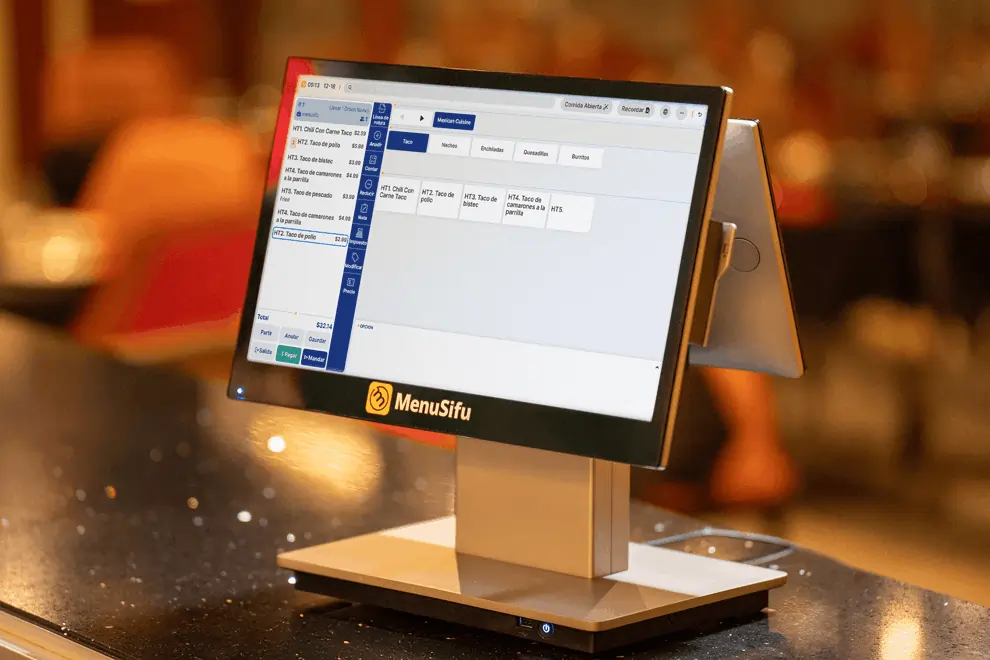
MenuSifu offers restaurant POS solutions designed to connect ordering, payment, kitchen, and pickup workflows in one system. One of our popular fast-food setups combines the MenuSifu POS with a customer-facing display, self-service kiosks, and online ordering. You can also add a KDS to organize kitchen stations, QR-based pickup to streamline order handoff, and offline capabilities that help maintain service during internet disruptions.

MenuSifu offers bundled packages for frequently used setups, along with integrated payment processing, so you can select the tools that fit your operation and budget.

If you are comparing POS options and want to see how these features work with your restaurant’s actual workflow, Book a Free Demo with MenuSifu today.

Frequently Asked Questions About the Best POS System for Fast Food Restaurants

Here are quick answers to several questions that often come up when comparing fast-food POS systems.

What Is the Best POS System for Fast Food Restaurants?

The best POS system for fast food restaurants is one that can handle high order volumes, process payments reliably, connect ordering channels, and keep kitchen operations organized. MenuSifu is designed around these needs, with fast order processing, integrated payments, kitchen display integration, and connected ordering across counters, kiosks, online channels, and pickup. It also supports menu management, reporting, offline operations, and multi-location management to help restaurants manage daily service efficiently. 

What Features Should a Fast-Food POS System Have?

A fast-food POS system should support quick order entry, menu modifiers, multiple payment methods, kitchen display integration, online and delivery orders, inventory tracking, employee management, reporting, and offline operation. It should also handle high transaction volumes reliably and keep orders synchronized across service channels. 

How Much Does a Fast-Food Restaurant POS System Cost?

Fast-food restaurant POS software can start at $0 per month, while higher-tier restaurant POS plans can cost $300 or more per month. Actual costs depend on the provider, features, number of terminals or locations, and selected add-ons. Hardware, payment processing, integrations, and optional software features can also increase the total cost. 

MenuSifu offers a Pay-As-You-Grow plan starting at $0 per month for new restaurants, with bundled options available based on restaurant needs. The $0 plan uses integrated payment processing and includes essential POS software and hardware under the program's terms.

Can One POS Manage Counter, Kiosk, Online, and Delivery Orders?

Yes. A unified POS can manage counter, kiosk, online, and delivery orders within one system. It can route orders to the correct kitchen station, sync menu availability across channels, and give staff a single view of incoming orders. This setup can reduce manual entry and help keep service organized during busy periods. 

For more restaurant technology insights, operational guidance, and product updates, visit the MenuSifu blog.

想把餐厅越开越好?
免费订阅,持续获取行业报告、经营洞察与实用工具。