September 18, 2026
See how KDS improves kitchen workflow by replacing paper tickets, routing items by station, improving order accuracy, and keeping every busy shift on track.
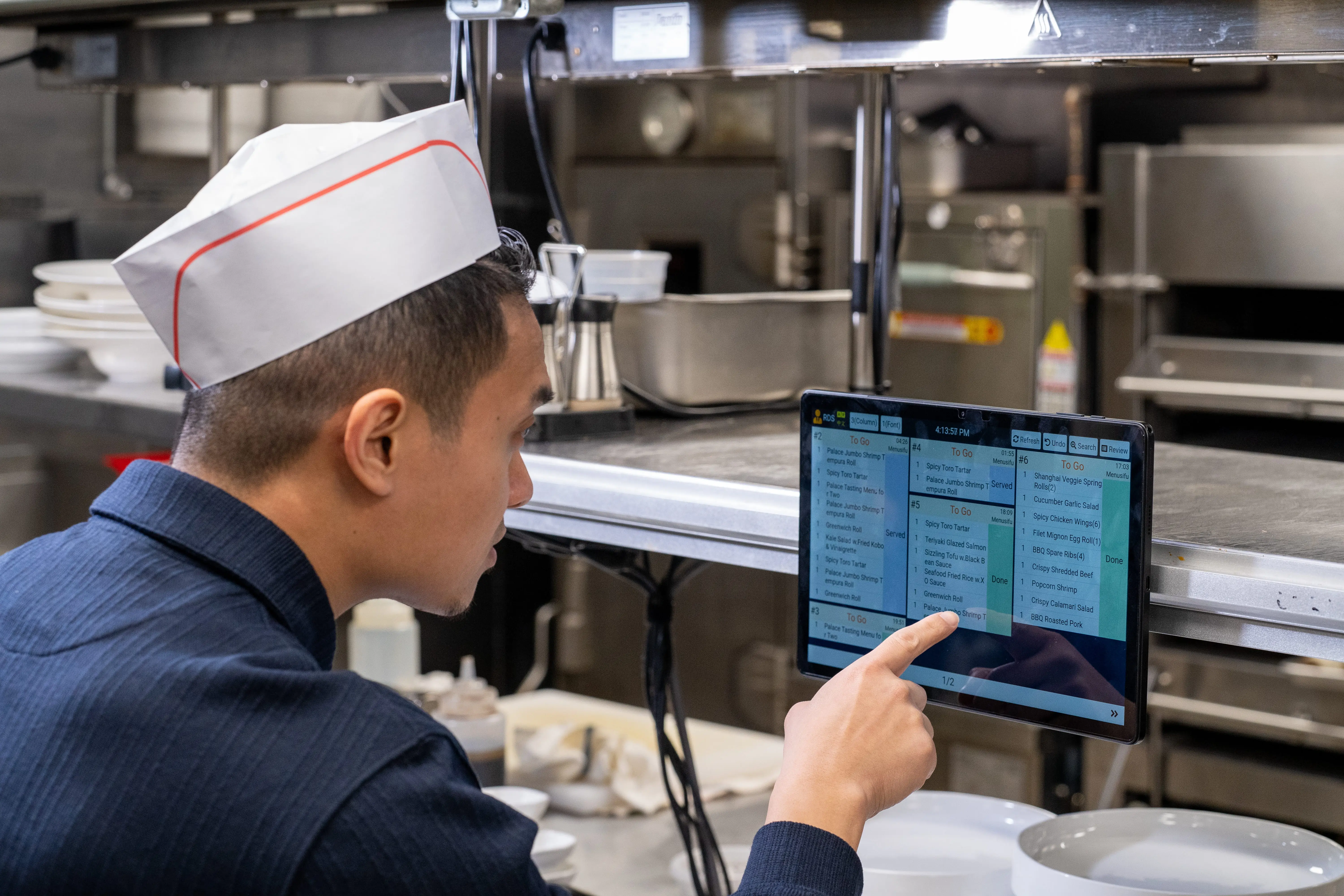
Slow prep, missed tickets, and unclear order updates can turn a busy shift into longer waits and avoidable mistakes.
If your kitchen still depends on paper tickets or printer slips, small delays can build up quickly, especially when orders change, stations get backed up, or staff need constant updates.
A KDS can help your team send orders faster, keep stations aligned, and track every item from POS to pickup. This guide explains how KDS improves kitchen workflow so you can reduce errors, improve communication, and serve guests with more control.
What would change if every order stayed clear, visible, and easy to track?

A KDS turns order handling into a clearer, more organized process from the moment an order reaches the kitchen. Here’s how it helps your team move faster, reduce errors, and keep each station aligned during service.
A KDS connects your restaurant POS system to your kitchen screens, so orders appear as soon as staff enter them. Your team no longer needs to wait for printed slips, carry tickets across the restaurant, or repeat order details during a busy shift.
This direct connection helps the kitchen start prep sooner. Once a server, cashier, or online ordering channel sends an order through the POS, the KDS displays it in the right place for the right team.
This also helps prevent lost or delayed tickets. Paper slips can fall, tear, get wet, or sit unnoticed near the printer. A digital ticket stays visible on screen until staff mark it as complete, which gives your kitchen a clearer process from order entry to pickup.
A KDS can route items to the correct prep areas, such as grill, fry, salad, dessert, or beverage stations. Each station sees the items assigned to them, so staff can focus on their own tasks instead of sorting through full tickets.
This setup helps reduce confusion during busy periods. A line cook does not need to scan every order to find their items. The system sends the right work to the right screen, which keeps each station more organized.
Station-based routing also supports better timing across the kitchen. For example, a grill item and a salad item may need different prep times, but both need to reach the pass together. A KDS helps each station track what needs to happen next, so the kitchen can move with better coordination.
A KDS keeps front-of-house and back-of-house teams aligned by showing order status in real time. Servers, cashiers, expediters, and kitchen staff can see when an item is new, in progress, ready for pickup, or delayed.
This visibility helps reduce repeated check-ins between teams. Instead of walking to the kitchen to ask for updates, staff can track progress through the system and give guests more accurate timing.
It also helps teams respond quickly to order changes. If a guest cancels an item, adds a modifier, or requests a rush order, the update can appear on the kitchen screen. This gives everyone the same information and helps the team act faster.
A KDS displays order details clearly, which helps your kitchen prepare food more accurately. Digital tickets are easier to read than handwritten notes or damaged paper slips, especially during high-volume service.
The screen can show modifiers, special requests, allergy notes, item counts, table numbers, order types, and timing details. When staff can see the full order clearly, they can follow instructions with fewer mistakes.
A KDS also helps reduce missed items. Since each order stays on screen until the team marks it complete, staff can track what still needs prep. This helps prevent skipped sides, forgotten add-ons, or incorrect handoffs.
During peak hours, every minute affects the guest experience. A KDS helps your kitchen prioritize orders, monitor waiting times, and keep tickets moving through each stage of prep.
Many KDS setups use timing indicators or color changes to show which orders need attention first. This helps chefs spot delayed items quickly and focus on urgent work instead of sorting through stacks of paper tickets.
A KDS also helps when your restaurant handles several order channels at once. Dine-in, takeaway, delivery, and online orders can flow into the kitchen in a more organized way. Your team can see what needs to be prepared, where it should go, and when it needs to leave the kitchen.
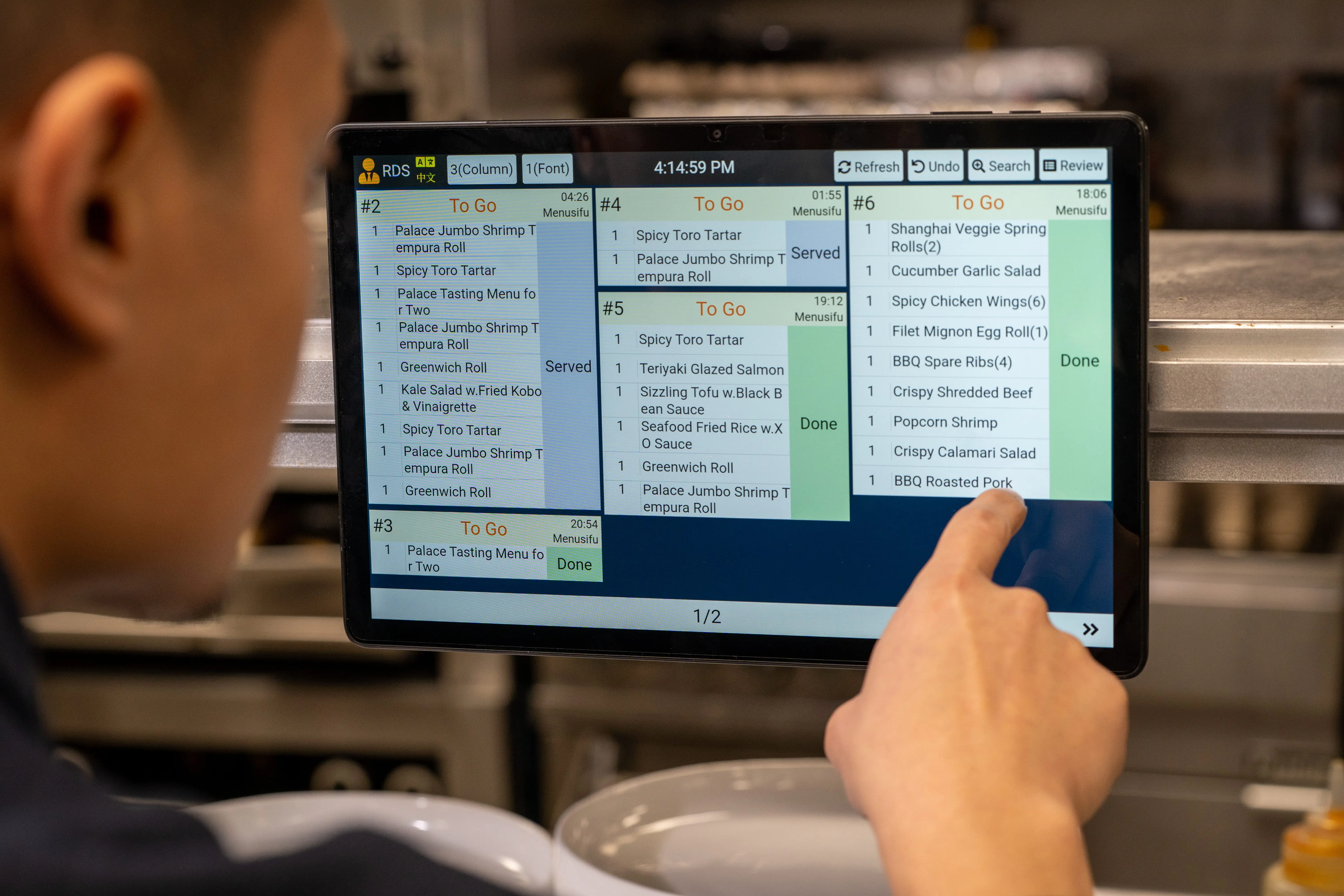
A KDS gives managers a clearer view of how the kitchen performs during service. You can monitor ticket times, order progress, station workload, and delays as they happen.
This information helps you spot slowdowns more easily. You may see that one station gets overloaded during lunch, or that certain menu items take longer than expected. With better visibility, you can adjust staffing, prep plans, or station assignments with more clarity.
Over time, these insights can support stronger daily operations. You can train teams based on real service patterns, improve prep timing, and create a smoother workflow across shifts.
Paper tickets can pile up quickly in a busy kitchen. They can also get stained, lost, torn, or placed in the wrong order. A KDS replaces stacks of printed slips with clean, organized digital screens.
This helps your kitchen stay easier to manage. Active orders remain visible, completed orders leave the screen, and staff can focus on current tasks instead of sorting through old tickets.
Reducing paper also supports cleaner workstations and less waste. Instead of relying on printer rolls and physical slips, your team can track orders digitally from start to finish.
A smoother kitchen workflow leads to more consistent service. When orders reach the kitchen faster, move to the right stations, and stay visible until completion, your team can serve guests with better speed and accuracy.
Guests may never see the KDS, but they feel the results. They receive food with fewer mistakes, better timing, and more reliable service across dine-in, takeout, and delivery.
For restaurants with multiple shifts or locations, a KDS also helps standardize the way teams handle orders. Clear digital workflows make training easier and help every team follow the same process during service.
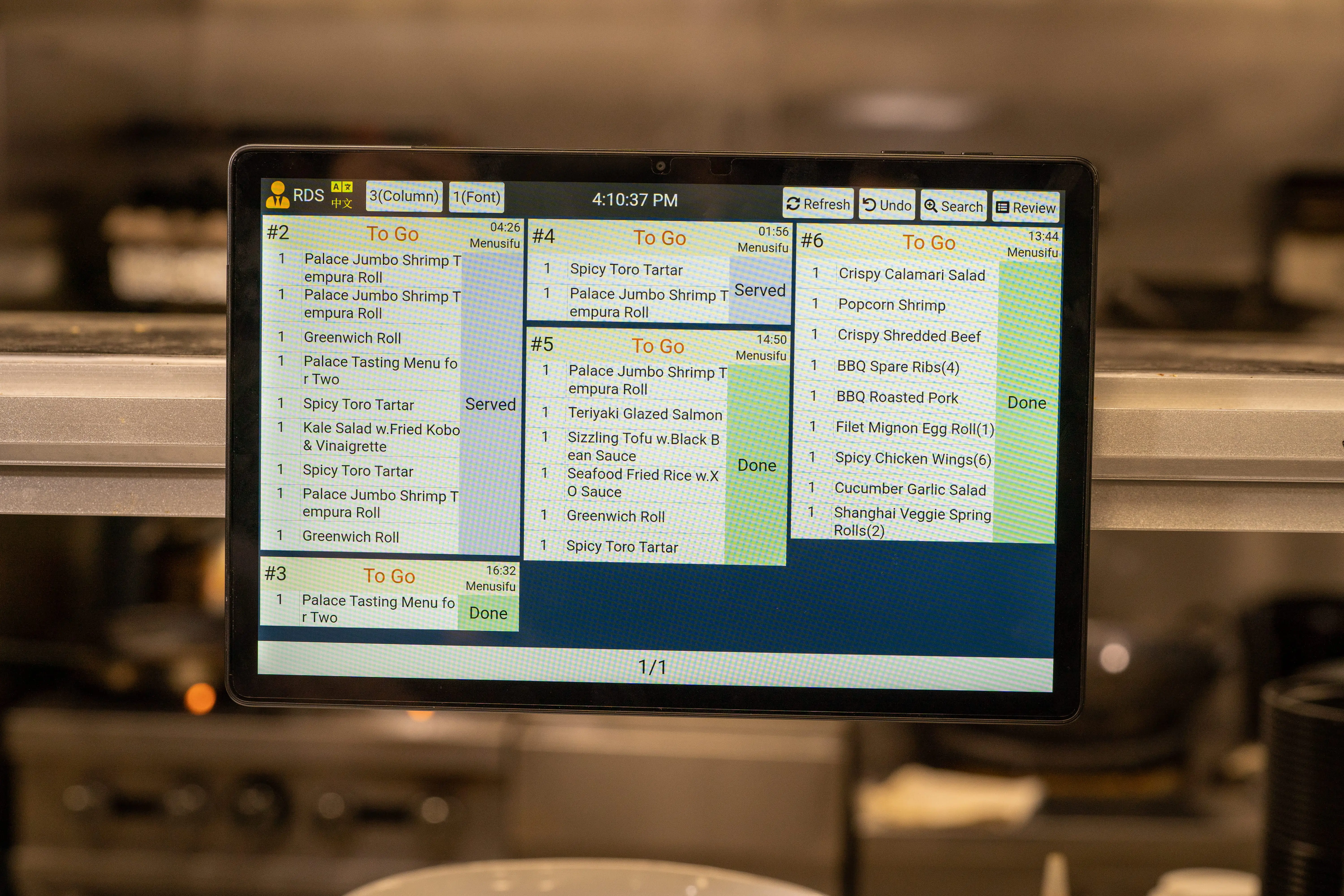
A KDS helps your team move orders from POS to kitchen to pickup with better speed, accuracy, and visibility. With clear digital tickets, station-based routing, order timing alerts, and real-time updates between front and back of house, your kitchen can reduce delays, limit errors, and keep service more consistent across every shift.
MenuSifu’s Kitchen Display System is built to support that workflow. It connects with your POS, sends orders to the right prep stations, helps staff group similar dishes, tracks order progress, and uses color changes to show which items need attention first. It also supports multilingual teams and keeps orders moving even when connection issues happen.
Book a Free Demo with MenuSifu today to see how a POS-connected KDS can help your kitchen reduce ticket clutter, improve communication, and serve guests faster.
These quick FAQs clarify how a KDS works and how it can support a faster, more organized kitchen. Use them to see how digital order management can fit into your daily operations.
KDS stands for Kitchen Display System in restaurants. It is a digital screen system that shows orders from the POS directly in the kitchen, helping staff prepare, track, and complete orders more efficiently.
A KDS sends orders from your POS directly to kitchen screens, routes items to the right prep stations, and helps staff track each order from preparation to pickup. It improves kitchen workflow by reducing paper ticket issues, keeping teams aligned, and helping your kitchen serve orders faster and more accurately.
A KDS displays orders on digital kitchen screens, while kitchen printers produce paper tickets. With a KDS, your team can track order status, view changes in real time, route items by station, and monitor prep times from one system. Kitchen printers only print the order, which can lead to lost tickets, clutter, and slower updates during busy service.
Yes. A KDS is easy for kitchen staff to use when it has clear screens, simple order statuses, and station-based views that match each prep area. Staff can see new orders, track prep progress, mark items as complete, and spot urgent tickets with minimal training.
Yes. A KDS helps your kitchen manage takeout and delivery orders by sending them directly from the POS or online ordering channel to the right prep stations. Staff can track order status, prioritize pickup times, and keep dine-in, takeout, and delivery tickets organized on screen.
For more restaurant technology tips, POS insights, and kitchen workflow ideas, check out our blog section for the latest updates.
Related Articles: