October 29, 2026
Looking for a restaurant POS with a Customer Display System? Explore must-have features, practical benefits, and key buying considerations before you choose.
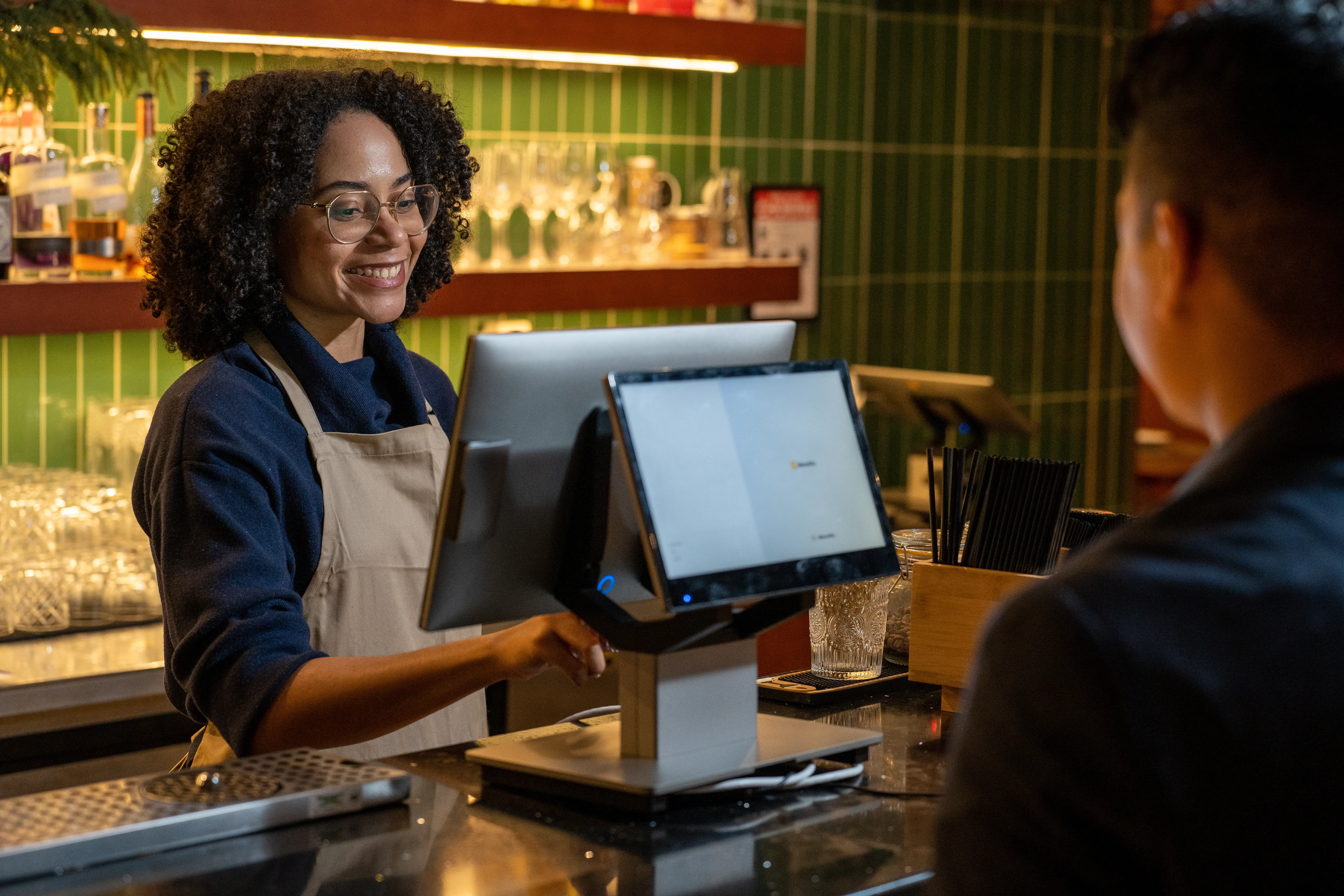
A missing order modification, an unexpected charge, or a customer asking to double-check their total can slow down checkout and create extra work for your staff. A Customer Display System helps address these issues by showing customers their order details and charges as employees enter them into the POS.
If you're considering a restaurant POS system with a customer-facing display, here's what you need to know about its key features, operational benefits, and factors to consider before choosing a solution.
A customer-facing display system is a screen connected to a restaurant's point-of-sale (POS) system that lets customers review their order details at checkout. It displays items, quantities, prices, discounts, taxes, and the total amount due.
As your staff enters or modifies orders in the POS, the display updates to show the changes. This allows customers to check their selections and review charges before paying. Depending on the system, the screen may also support payment prompts, tipping options, and loyalty offers.
Unlike a kitchen display system (KDS), which helps kitchen staff manage food preparation, or a digital menu board, which shows menu items and prices, a customer-facing display focuses on individual customer transactions. It gives customers a clear view of their purchases while your staff handles the checkout process.
Customer-facing displays offer different capabilities depending on the POS provider, software, and hardware configuration. As you compare options, focus on features that make order information easy to review and support a clear checkout process.
Here are five key customer-facing display system features to look for.
A customer-facing display should update automatically as employees enter orders into the POS system. Customers can see their selected items, quantities, and modifications before completing payment.
For example, if a customer orders a burger without onions and adds extra cheese, the screen should reflect those changes as the cashier enters them. This allows the customer to verify that the POS has recorded the order correctly.
Look for a system that also updates the display when employees change quantities, remove items, or correct an order. The information customers see should match the current transaction in the POS.
A customer-facing display should provide an itemized breakdown of each transaction so customers can review the charges before paying.
Look for a system that clearly presents:
For example, if a customer orders a lunch combo with an additional side and applies a discount, the display should show the adjusted charges and total. The screen should present this information in a format that customers can easily follow.
Some customer-facing displays support interactive checkout features, allowing customers to respond to payment prompts, select tip amounts, and confirm transaction details.
In a café, for example, a customer may choose a suggested tip percentage or enter a custom amount on the display before completing payment. Depending on the POS configuration, the system may process payment through a connected terminal or compatible interactive screen.
Since these capabilities vary by provider, check which payment methods, tipping settings, and customer interactions the POS system supports. A basic display that shows transaction totals may require additional hardware to enable interactive payment features.
Customer-facing displays with compatible loyalty and marketing integrations can present offers and rewards as part of the checkout process.
For example, the screen may show an available loyalty reward, highlight a limited-time promotion, or invite customers to enroll in a rewards program. Some systems also support promotional images or messages when the screen is idle.
If your restaurant offers loyalty incentives or regular promotions, check how the POS connects these programs to the customer-facing display. Review the types of messages you can show and the available options customers have to interact with them.
A customer-facing display should present transaction information in a clean, organized layout that customers can read easily from the checkout counter.
Pay attention to these usability details:
Consider your counter space and where customers typically stand when placing orders. A well-positioned display with clear on-screen information makes it easier for customers to review their transactions, especially during peak hours.
A customer-facing display can also improve how your restaurant handles daily transactions. Here are four potential operational benefits:
When evaluating a POS system with a customer display, consider how it connects with your existing technology, supports your checkout process, and aligns with your budget.
Here are four key factors to evaluate before making a purchase.
Start by checking how the customer-facing display connects to the POS system. Some providers include a display in their POS packages, while others offer it as a separate purchase or require specific hardware.
If your restaurant has an existing POS, confirm that it supports the display you want to install. Check software compatibility, payment terminal connections, and any required upgrades.
You should also verify that order updates, discounts, and transaction details sync accurately between the POS terminal and customer screen. Ask the provider to demonstrate these functions before committing to a system.
Your restaurant's ordering process should guide your choice of customer-facing display.
For example, a quick-service restaurant handling frequent transactions may prioritize real-time order updates and clear pricing. A café may benefit from interactive tipping and loyalty features, while a fast-casual restaurant may need detailed displays that accommodate customized orders.
Consider your average transaction volume, available counter space, and how customers complete payments. Choose capabilities that address your actual checkout needs instead of paying for features your restaurant rarely uses.
Look beyond the display's purchase price and evaluate the full cost of installation and operation.
Compare the following expenses and requirements:
Request an itemized quote from each provider to see what's included in the package. Comparing the total cost helps you assess the investment against your restaurant's budget and operational requirements.
A customer-facing display should work smoothly with your POS so employees can manage transactions through their usual checkout workflow.
During a product demo, test how the system handles order changes, discounts, canceled items, and payment confirmations. Check that staff can complete these tasks easily and that the customer screen displays accurate information.
Also, evaluate the provider's employee training, software updates, troubleshooting resources, and technical support availability. Reliable assistance can help you resolve technical issues promptly and minimize disruptions to checkout operations.
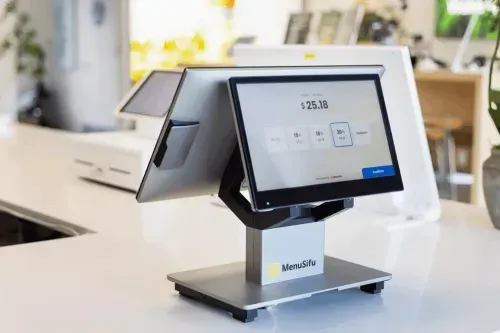
A customer-facing display can help create a more accurate, transparent, and efficient checkout experience. As you compare restaurant POS systems, prioritize features that support your ordering process, make transaction details easy to review, and help staff manage payments smoothly.
If you're looking for a restaurant POS system with customer-facing display capabilities, seeing how these features work together can help you make a more informed decision. Book a Free Demo with MenuSifu to explore the available options and see how they can support your restaurant's checkout operations.
As part of MenuSifu's Year-End Promotion (October 1 to December 31, 2026), eligible customers can get MenuSifu's core software, including the Customer Display System (CDS), with no monthly software subscription fee. Required hardware must be purchased separately, with installment payment options available.
Here are answers to common questions about customer-facing display payment features, costs, and suitability for different restaurant operations.
No. Some customer-facing display systems only show order details and transaction totals, while others support payment prompts, digital tipping, and transaction confirmation. These features depend on the POS software, display hardware, and payment integrations. Check the supported features before choosing a system.
A customer-facing display can cost a few hundred dollars when purchased separately, while a complete POS system with a customer-facing screen may cost more. Pricing depends on the hardware, included features, and POS provider. Additional expenses may include software subscriptions, payment processing fees, installation, and compatible equipment. Request an itemized quote to compare upfront and ongoing costs.
A customer-facing display can be a worthwhile investment if your restaurant handles frequent counter orders or customized items. It gives customers an opportunity to verify their orders and charges before payment, which may help reduce errors and improve checkout efficiency. Consider your transaction volume, operational needs, and budget before deciding.
For more restaurant technology insights, operational tips, and industry updates, explore the MenuSifu blog.