October 9, 2026
Choosing a handheld POS? Compare Square Terminal, Clover Flex, Toast Go 3, and MenuSifu POS GO 2 for ordering, payments, software, pricing, and durability.
Choosing a handheld POS gets harder once your restaurant needs more than basic checkout. Your team may need to take orders at the table, send updates to the kitchen, split checks, collect tips, accept payments, and keep key workflows moving from a single device.
Square Terminal and Square Handheld, Clover Flex, Toast Go 3, and MenuSifu POS GO 2 each approach those needs differently. Some emphasize compact payments and portability, while others extend a broader restaurant POS system into your staff’s hands.
The right choice depends on how much work you want employees to complete away from a stationary terminal, along with factors such as ease of use, connectivity, integrations, hardware durability, software costs, payment processing, and multi-location support.
The comparison below breaks down the key differences so you can see which option aligns most closely with your restaurant’s daily operations.
Square, Clover, Toast, and MenuSifu take different approaches to handheld restaurant POS hardware. This quick comparison highlights the main differences in ordering, payments, mobility, kitchen connectivity, and restaurant software.
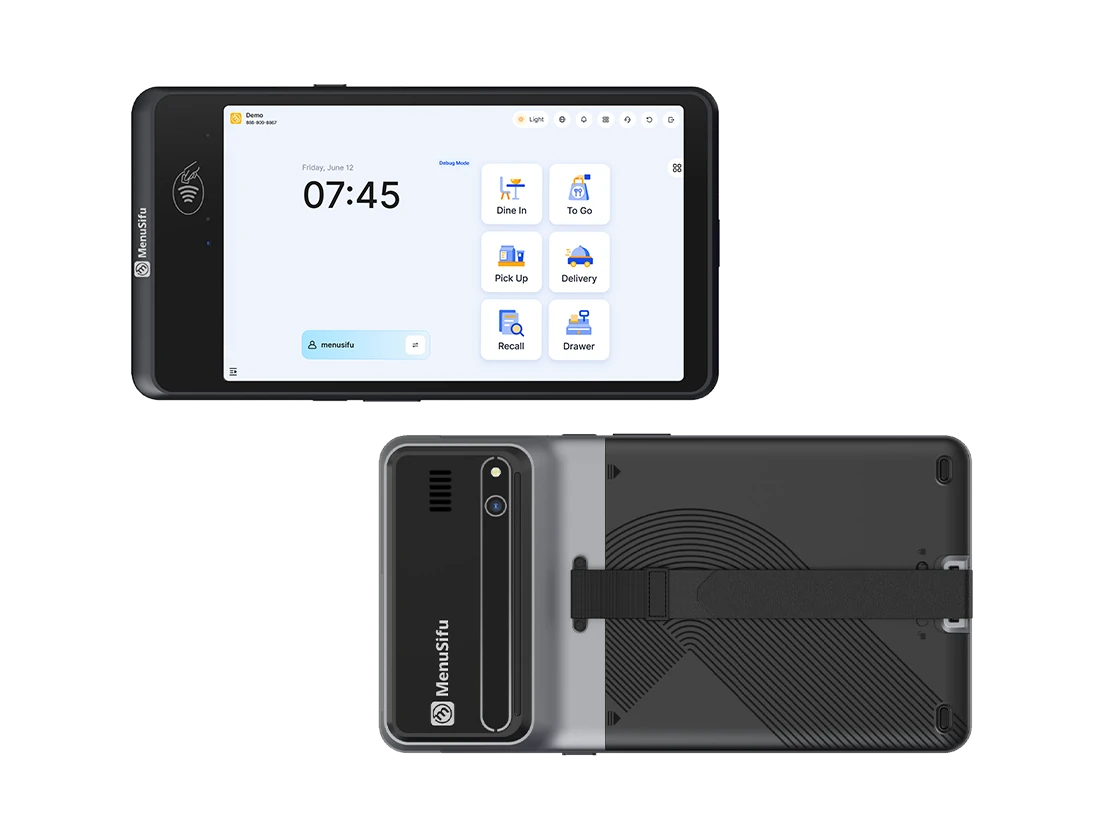
MenuSifu also offers POS Pay Pad 2, an 8.68-inch handheld option for restaurants that prefer additional screen space for larger menus, extensive modifiers, or eMenu workflows.
Square gives you two hardware choices. Square Terminal works as a compact terminal with a built-in printer, while Square Handheld places greater emphasis on mobility for tableside ordering and payment.
Clover Flex combines POS functions, payment acceptance, a printer, scanner, and connectivity in one portable device.
Toast Go 3 focuses on restaurant use with integrated ordering and payments, durable hardware, long battery life, and optional cellular connectivity.
MenuSifu POS GO 2 combines tableside ordering, payment, check management, kitchen communication, and other restaurant workflows in a compact handheld.
The differences become clearer when you compare how each platform handles order management, payments, staff usability, hardware design, kitchen coordination, and connectivity.
The devices in this comparison approach mobile POS from different starting points. Some combine payments with portable order entry, while others extend a larger restaurant software platform onto handheld hardware. Before comparing workflows in detail, it helps to establish what each device provides and how it connects with its broader POS system.
Square Terminal and Square Handheld are separate devices with different form factors. Square Terminal is a compact POS and payment terminal designed primarily for countertop use, though its cordless design allows staff to carry it around the restaurant. It accepts tap, chip, and swipe payments and includes a built-in receipt printer, giving restaurants a single device for checkout and printed receipts.
Square Handheld places greater emphasis on mobility. At 0.7 pounds, it provides a pocketable POS for taking orders and accepting payments away from a fixed station. It has integrated chip and contactless payment acceptance, plus a built-in camera and barcode scanner. Staff can also send restaurant orders from the handheld toward the kitchen through Square's restaurant software.
Both devices connect with Square's wider platform, which includes restaurant POS software, kitchen display tools, menu management, online ordering, inventory, reporting, and other business functions.
Clover Flex combines portable POS functions and payment acceptance in one handheld device. Its nearly 6-inch touchscreen gives staff access to order entry, payments, inventory features, and other Clover applications from a mobile interface. The device accepts chip, swipe, tap, and contactless payments, including supported digital wallets.
Clover also builds several hardware functions directly into Flex. The device includes a thermal receipt printer, camera, and 1D/2D barcode scanner. Wi-Fi and LTE connectivity allow staff to carry the device between the counter, dining area, and other service points.
For restaurants, Clover Flex supports tableside order entry and payment through Clover's restaurant software. It can operate as a standalone POS or connect with other Clover hardware. The wider Clover platform adds tools for menu and inventory management, employee management, reporting, loyalty, kitchen systems, and applications available through the Clover ecosystem.
Toast Go 3 is Toast's current handheld POS built around restaurant ordering and payment. It uses a 6.52-inch display, weighs 0.94 pounds, and combines mobile order entry with integrated payment acceptance. The device supports swipe, chip, tap, NFC mobile payments, and PIN on Glass.
Toast designed the hardware for restaurant environments. Toast Go 3 carries an IP65 rating for protection from dust and liquids, a 5-foot drop rating, and a stated battery life of more than 24 hours. Wi-Fi 6 provides its standard network connection, while applicable models add 4G cellular connectivity for areas with weak Wi-Fi coverage.
The handheld operates within Toast's broader restaurant platform. Orders, payments, guest information, and related POS functions connect with Toast's restaurant software and supporting products, giving the device a defined role within the larger Toast system.
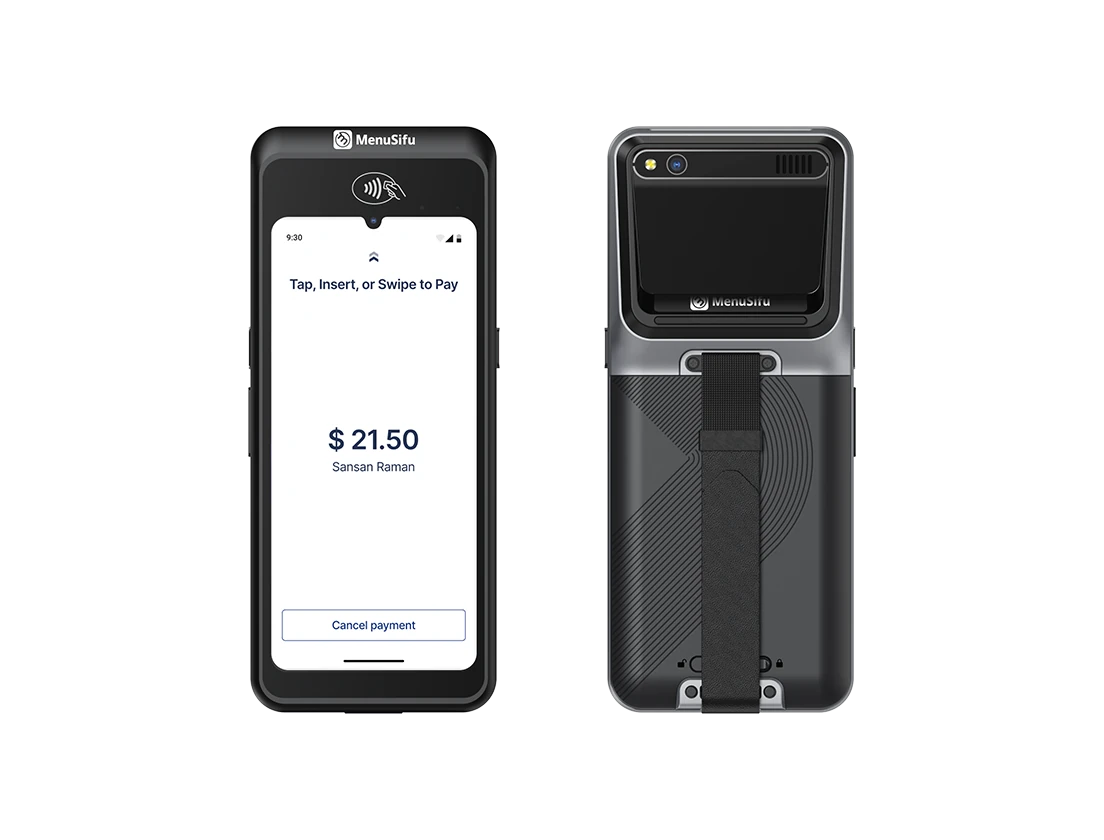
MenuSifu POS GO 2 brings core MenuSifu restaurant POS functions onto portable hardware. Its 6.75-inch display and 486g body prioritize mobility, while the pocket-sized design gives servers a device they can carry throughout a shift. MenuSifu equips POS GO 2 with a built-in card reader and a battery designed around extended restaurant use.
The hardware uses drop-, splash-, and grease-resistant construction designed for restaurant environments. From the handheld, staff can access restaurant POS functions such as order entry, item changes, payment, check management, and other front-of-house tasks. MenuSifu also connects its handhelds with the wider POS and kitchen system, keeping menu information and item availability synchronized across devices.
MenuSifu offers two handheld formats:
Both devices extend restaurant POS functions away from the main terminal. POS GO 2 emphasizes portability, while POS Pay Pad 2 provides more screen space for menu-heavy workflows.
The value of a handheld POS depends on how much restaurant work staff can complete away from a fixed terminal. Square Handheld, Clover Flex, Toast Go 3, and MenuSifu POS GO 2 all support mobile tasks, but they differ in ordering depth, payment tools, kitchen coordination, usability, hardware design, and connectivity.
Tableside ordering goes beyond entering a few menu items. Staff may need to add modifiers, record allergy notes, edit items, check availability, and send orders directly to the kitchen.
Square Handheld works with Square restaurant software to support mobile order entry, modifiers, table and seat management, real-time item updates, and kitchen routing. Clover Flex also supports tableside ordering and order firing through Clover restaurant software.
Toast Go 3 connects mobile order entry with Toast’s restaurant platform, allowing staff to send orders from the handheld while keeping check and guest information linked to the broader POS system.
MenuSifu POS GO 2 supports item customization, allergy notes, order edits, item additions, menu availability updates, and kitchen reminders from the handheld. This gives staff access to core order-management functions directly at the table.
When comparing options, focus on how much of the order workflow staff can complete before returning to a stationary terminal.
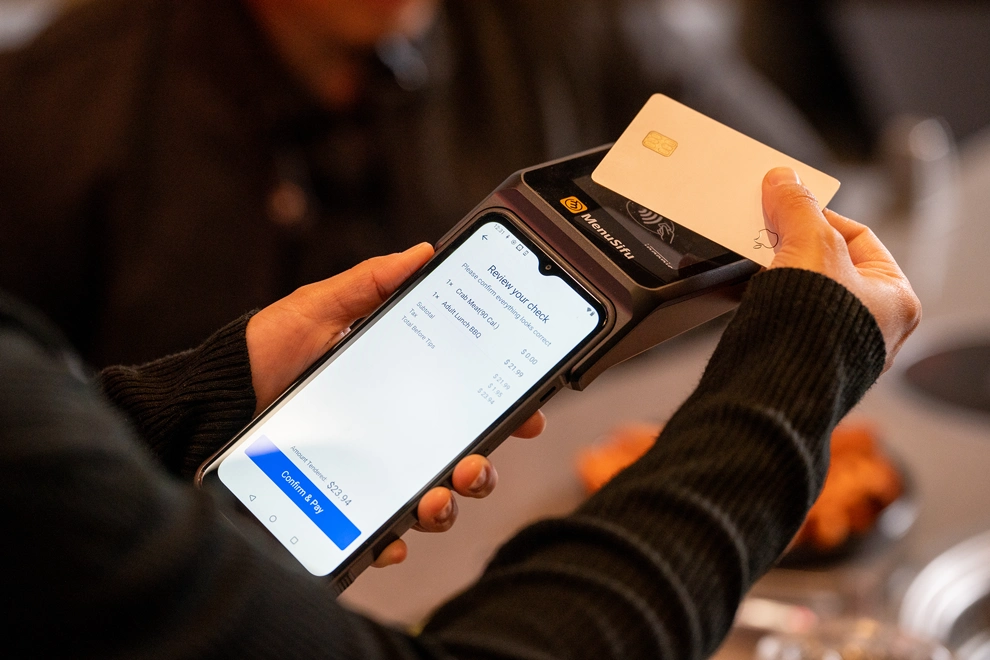
A strong handheld payment workflow should cover more than card acceptance. Compare check splitting, tips, digital wallets, receipts, and the steps required to close a table.
Square Handheld includes integrated chip and contactless payment acceptance. Square restaurant software also supports check splitting on eligible plans. Square Terminal offers a different checkout setup because it adds swipe acceptance and a built-in receipt printer.
Clover Flex accepts chip, swipe, tap, Apple Pay, Google Pay, and Samsung Pay. Its built-in thermal printer supports paper receipts at the table, while Clover restaurant tools support bill splitting and tipping.
Toast Go 3 accepts swipe, dip, tap, NFC mobile payments, and PIN on Glass through Toast’s restaurant payment system.
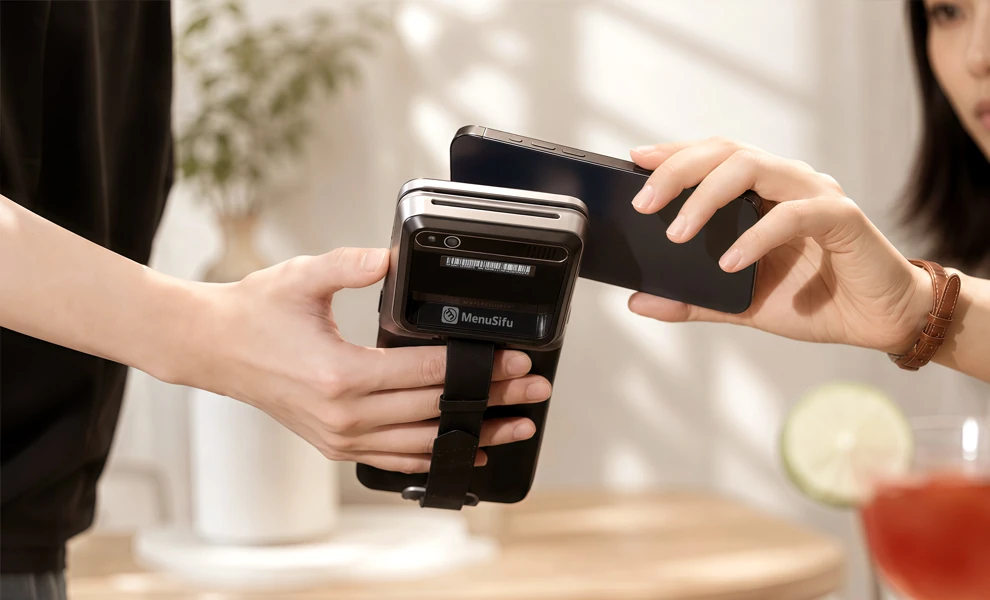
MenuSifu POS GO 2 keeps ordering and checkout on the same handheld. Staff can split checks, show price breakdowns, present suggested tips, record tips digitally, and accept credit cards, debit cards, Apple Pay, gift cards, and house accounts.
Handheld ordering becomes more useful when order information reaches the kitchen quickly and updates return to staff in the dining area.
Square can route handheld orders to Square KDS, organize tickets by prep station, manage modifiers, and update sold-out items across sales channels.
Clover Flex supports tableside order firing and can work with Clover KDS and other Clover hardware inside the same restaurant setup.
Toast Go 3 connects handheld ordering with Toast’s restaurant platform and supports cloud printing, helping restaurants route orders and receipts across different areas.
MenuSifu synchronizes menu changes and item availability between handheld devices and the kitchen. Staff can also add notes, edit orders, and send kitchen reminders directly from POS GO 2.
The key comparison here is coordination. A handheld should keep the server, POS, and kitchen working from the same order data.
The best hardware can still create problems if staff need too many steps to perform routine tasks.
Square Handheld uses Square’s POS environment, giving restaurants a consistent account and software structure across Square hardware. Clover Flex also works inside Clover’s broader platform, which can reduce adjustment when staff move between Clover devices.
Toast Go 3 keeps mobile ordering and payment inside Toast’s restaurant software.
MenuSifu applies the same core POS workflow across its handheld and main terminal experience. Staff can handle ordering, modifications, check management, payments, availability updates, and loyalty access from the handheld.
When reviewing usability, compare menu navigation, modifier entry, login flow, payment steps, and the time required to train a new employee. A familiar interface can shorten onboarding and help staff switch between stationary and mobile devices more easily.
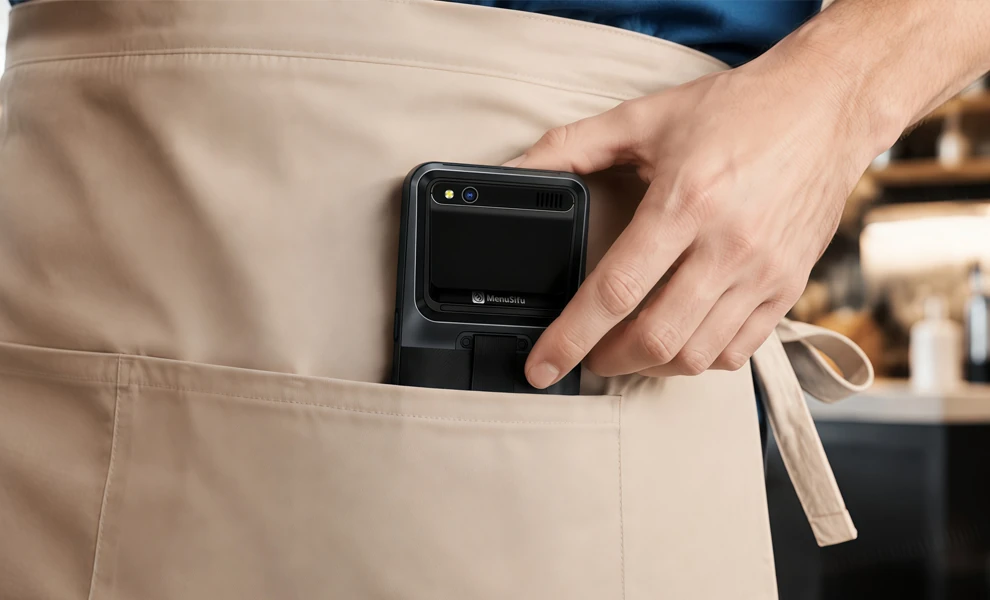
A handheld may stay in a server’s hand or pocket for hours, so size, weight, battery, and durability affect daily use.
Square Handheld weighs 0.7 pounds and carries an IP54 rating for dust and water-splash protection. Square also states that the battery is designed to last through a shift.
Clover Flex uses a nearly 6-inch display and combines a payment reader, scanner, camera, and printer in one unit. Clover lists at least eight hours of battery use for typical small and midsize businesses.
Toast Go 3 has a 6.52-inch display, weighs 0.94 pounds, carries an IP65 rating, and has a 5-foot drop rating. Toast lists more than 24 hours of battery life.
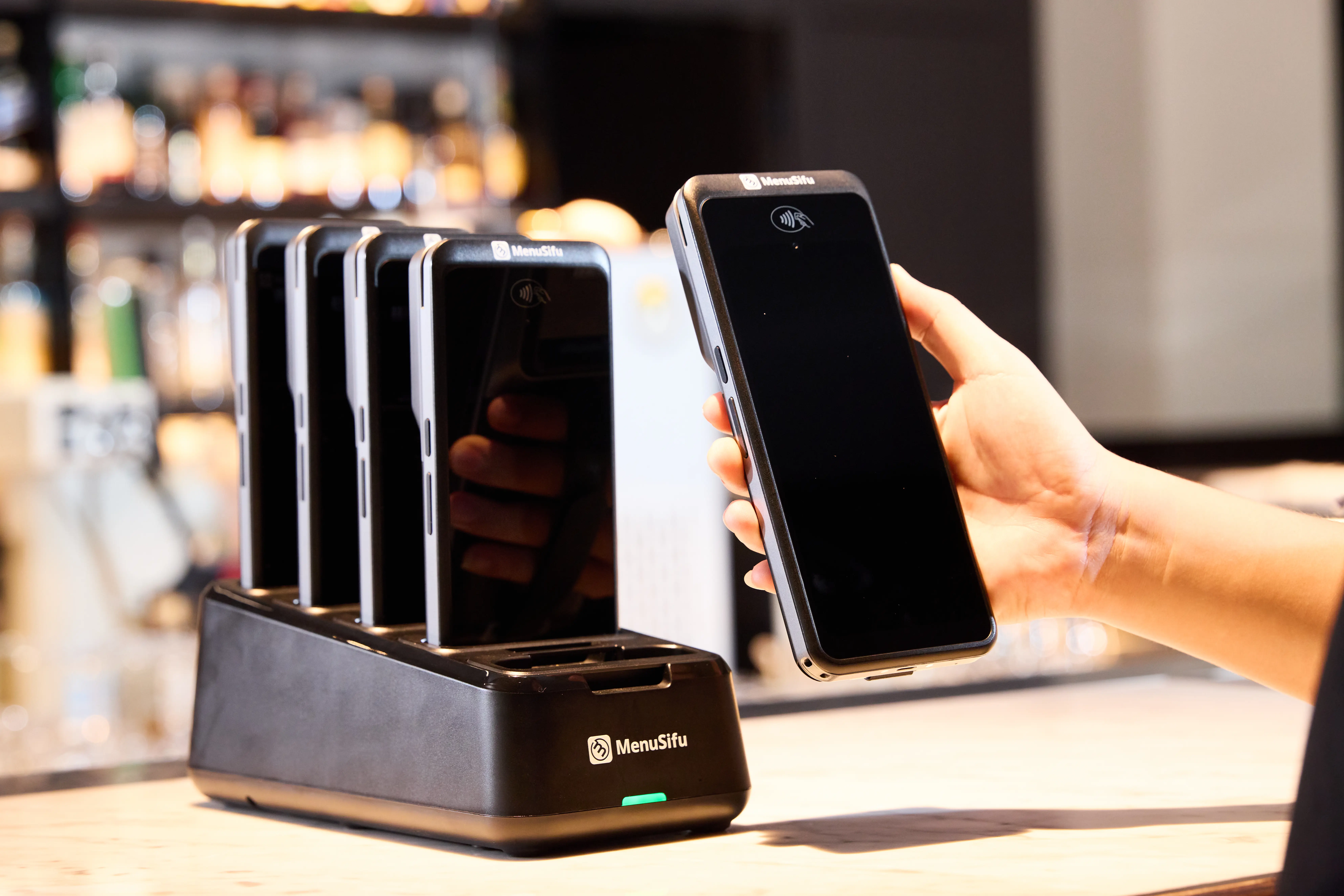
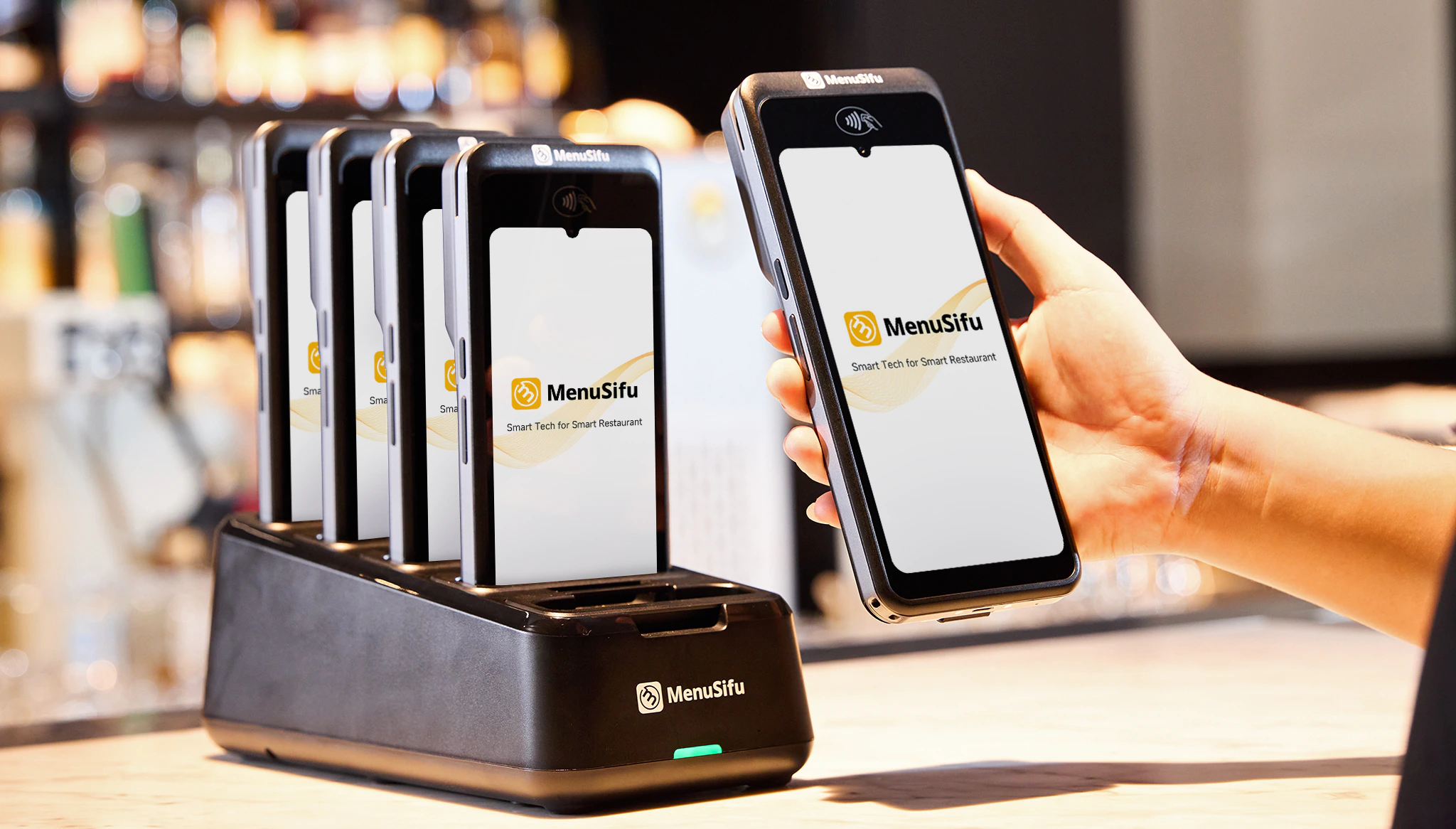
MenuSifu POS GO 2 uses a 6.75-inch display and weighs 486g. Its pocket-sized body resists drops, splashes, grease, moisture, and everyday restaurant wear. A five-slot charging dock gives restaurants one place to store and charge several units between shifts.
Compare these specifications based on how staff will carry, charge, and handle the devices throughout a workday.
Connectivity can affect ordering, kitchen communication, and payment, so review each system’s network requirements carefully.
Square Handheld connects through Wi-Fi 6E and supports eligible offline card payments. Square recommends reconnecting promptly to upload transactions, and merchants remain responsible for expired, declined, or disputed offline payments.
Clover Flex supports Wi-Fi and LTE, giving restaurants more than one connection path. Exact offline capabilities can depend on the account and restaurant configuration.
Toast Go 3 supports Wi-Fi 6 and offers 4G cellular connectivity on applicable models. Cellular access can help in patios, rooftops, curbside areas, and other spaces with weaker Wi-Fi coverage.
MenuSifu connects handheld devices through the restaurant’s local network and supports offline operation for core restaurant processes, including ordering, kitchen sending, and supported payment workflows.
Separate offline POS operation from offline payment authorization when comparing systems. Confirm which functions remain available, how orders reach the kitchen, how transactions are stored, and how data syncs after connectivity returns.
A handheld POS depends heavily on the software platform behind it. That platform determines how you manage menus, online orders, loyalty programs, customer data, employees, reporting, integrations, and multiple locations from day to day.
Square connects its restaurant POS with online ordering, loyalty, customer profiles, staff tools, reporting, and multi-location controls. Its dashboard lets you manage menus across locations and assign items or menus to selected stores.
Clover combines POS software with online ordering, loyalty, reporting, customer engagement tools, and third-party apps. Its multi-location tools support centralized visibility along with store-level menu and offer controls. Clover also supports integrations that extend the platform beyond its built-in features.
Toast offers a broad restaurant software suite that includes online ordering, loyalty, reporting, payroll, scheduling, accounting, inventory, and third-party integrations. Multi-location tools let restaurant groups publish menus, adjust location-specific pricing, compare performance, and manage operational settings from a central dashboard.
MenuSifu connects POS with menu management, online ordering, loyalty, customer engagement, employee tools, reporting, delivery integrations, and multi-store features. Its reporting platform can compare performance by store, channel, payment type, menu item, and staff member, while higher-tier plans add features such as delivery integration and multi-store gift cards.
When comparing platforms, focus on a few operational criteria:
If you plan to replace an existing POS, give the software ecosystem the same scrutiny as the handheld hardware. Migrating menus, customer records, loyalty programs, reporting processes, staff permissions, and integrations can require more planning than replacing the devices themselves. A platform that supports your current operation and additional locations can reduce the need for another system change later.
A handheld’s purchase price tells you only part of the cost. Your budget may also include countertop terminals, charging equipment, printers, software subscriptions, add-ons, implementation, payment processing, and future device additions.
For a fair comparison, calculate two figures: first-year cost and ongoing annual cost. Use the same number of locations, handhelds, terminals, features, and estimated card volume for each vendor.
Start with the equipment your restaurant needs to operate each shift. One handheld may look affordable on its own, but a complete deployment can require several devices plus supporting hardware.
Include:
Square currently lists Square Handheld at $399 and Square Terminal at $299. Clover directs restaurant buyers to sales for its current full-service packages, which can bundle Flex with other restaurant hardware. Toast prices hardware according to the selected package and implementation setup.
MenuSifu POS GO 2 and POS Pay Pad 2 typically cost about $700 to $900 per device as a one-time hardware purchase.
The device count also affects your budget. A restaurant that needs six handhelds, two fixed terminals, kitchen screens, and charging stations will have a very different hardware cost from a location deploying two handhelds.
Next, compare what each platform charges beyond the hardware itself.
Restaurant POS subscriptions may charge separately for:
Square offers multiple restaurant software tiers, including a free option. Toast currently lists an eligible Starter Kit from $0 per month and its Point of Sale plan from $69 per month, with added products and devices increasing the total. Clover restaurant packages use restaurant software plans that vary by package and merchant agreement.
MenuSifu does not charge a recurring software fee for POS GO 2 or POS Pay Pad 2 themselves. Broader platform features and optional services may depend on the selected MenuSifu plan.
Compare the included features before comparing monthly totals. A lower upfront hardware price can still lead to a higher long-term cost if the platform adds recurring software, device, location, or feature fees.
Processing fees can have a larger long-term effect than the price of the handheld itself because they apply to card sales continuously.
Review:
Square currently lists a 2.6% plus 15¢ card-present rate for Square Handheld, with custom rates available for qualifying businesses. Clover’s processing terms depend on the selected restaurant package and merchant agreement. Toast provides integrated payment services as a payment facilitator and structures pricing according to the selected plan and agreement. MenuSifu’s payment subsidiary, USEZPAY, uses an Interchange Plus model and provides custom processing quotes.
Compare each quote using the same monthly card volume and average ticket. Even a small difference in effective processing rate can add up across thousands of annual transactions.
The lowest-priced handheld can still produce a higher total cost once you include hardware, software, payment processing, integrations, and additional locations. Compare the complete annual expense before choosing a POS platform.
Before comparing devices, define how much of your restaurant workflow needs to happen away from a stationary terminal. Handheld POS needs generally fall into three levels: portable payment, mobile ordering and payment, and full mobile restaurant workflow.
Portable payment works well when your main goal is bringing checkout directly to the guest. Staff can present the check, accept payment, collect tips, and complete transactions at the table while order entry stays on the main POS.
Key features to compare include:
This level combines tableside order entry with checkout. Servers can enter orders, send them to the kitchen, manage the check, and accept payment from a handheld.
Focus on menu navigation, modifiers, kitchen routing, check management, payment options, and portability. This setup can reduce repeated trips between tables and a shared POS station.
Some restaurants need broader POS access from a handheld. Staff may need to:
At this level, compare the handheld as part of the full POS platform, including menu synchronization, integrations, offline capabilities, and centralized management.
The deciding factor is how much of your restaurant workflow employees need to complete from the handheld. Define that scope first, then compare devices against those requirements.
Consider Square if your restaurant already uses Square payments or Square restaurant software and you want to add mobile capabilities within the same ecosystem. Square Terminal provides a compact device with a built-in printer, while Square Handheld focuses more on portable order entry and tableside payment. Square’s broader platform may also appeal to cafés, bakeries, food retailers, and businesses that combine restaurant and retail operations.
Consider Clover Flex if you want several hardware functions in one portable device. It combines payment acceptance, a built-in printer, scanner, camera, Wi-Fi, and LTE. Clover’s restaurant software adds tableside ordering, order firing, bill splitting, tipping, and table-management tools. The built-in printer may be useful if your restaurant still provides paper receipts at the table.
Consider Toast Go 3 if durability, battery life, and connectivity are high priorities. Its IP65 rating, 5-foot drop rating, stated 24+ hour battery life, and optional 4G connectivity support mobile use across dining rooms, patios, rooftops, curbside areas, and spaces where Wi-Fi coverage varies.
Consider MenuSifu POS GO 2 if you want more of the restaurant workflow to stay on the handheld. Staff can take and modify orders, add allergy notes, communicate with the kitchen, view item availability, manage checks, collect tips, and complete payment from the same device. MenuSifu also supports local-network connectivity and offline operation for core POS workflows, helping staff maintain key restaurant functions when internet connectivity is disrupted.

Square Terminal and Square Handheld, Clover Flex, Toast Go 3, and MenuSifu POS GO 2 each support mobile restaurant operations in different ways. Your decision should come down to the tasks staff need to complete away from a fixed terminal, along with payment options, kitchen coordination, connectivity, software capabilities, integrations, and total operating cost.
Start by identifying the level of mobility your restaurant needs. A payment-focused device may be enough if checkout is the main priority. If staff also need to take and modify orders, communicate with the kitchen, manage checks, collect tips, and access other POS functions from the dining area, a fuller handheld restaurant POS may offer more value.
If MenuSifu POS GO 2 matches the workflow you want to bring onto a handheld, you can book a free demo with MenuSifu to explore its ordering, payment, kitchen communication, check management, and restaurant POS capabilities in more detail before making a decision.
For more POS comparisons, restaurant technology guides, operating ideas, and product updates, visit the MenuSifu blog.
DISCLAIMER: Pricing, features, hardware specifications, and availability may change. Competitor information is based on publicly available information as of October 2026. MenuSifu publishes this comparison and offers POS GO 2 and POS Pay Pad 2. Confirm current pricing and terms with each provider before making a purchase decision.
Related Articles: