October 28, 2026
How do I use SMS marketing for my restaurant? Follow six practical steps to collect opt-ins, create your first promotion, and track customer responses easily.

Getting customers to visit your restaurant is one thing. Encouraging them to come back is another. SMS marketing can help you stay connected, but knowing where to start can be difficult. From collecting customer phone numbers with their consent to creating promotions that encourage repeat visits, there are a few steps to get right.
So, how to use SMS marketing for my restaurant? This guide walks you through setting up your first campaign, sending promotional texts to customers who have opted in, and tracking the results.
SMS marketing lets you send promotional text messages directly to customers' phones. You can use it to share restaurant specials, announce new menu items, promote events, and encourage repeat visits.
Follow these six steps to plan, launch, and evaluate your first restaurant SMS marketing campaign.
Before sending any messages, decide what you want your first SMS campaign to achieve. A clear objective helps you create a relevant offer and gives you a specific result to measure afterward.
You can use restaurant SMS marketing to:
Choose one objective for your first campaign rather than promoting several offers in a single message.
For example, if Tuesdays tend to have fewer lunch customers, you could offer a free iced tea with any lunch entrée purchased that day between 11 a.m. and 2 p.m.
This gives your campaign a specific purpose and an offer you can communicate in one text message.
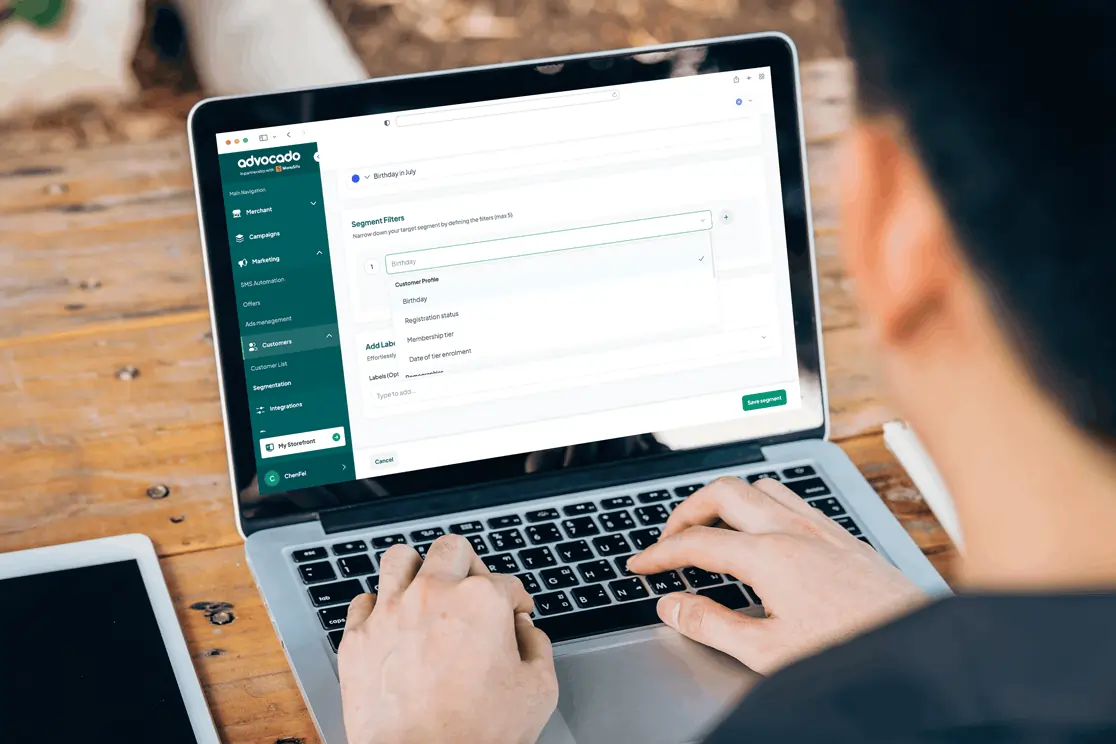
Once you've chosen your campaign objective, you'll need an SMS marketing platform to create promotional messages, manage subscribers, and track campaign results.
Look for a beginner-friendly tool with essential features such as contact management, message scheduling, unsubscribe handling, and basic reporting. Compare subscription fees, per-message charges, and any additional setup costs to determine how much your first campaign may cost.
If you're sending promotional texts in the United States using a local 10-digit number, ask your provider about A2P 10DLC registration, which is required for this type of business messaging.
After selecting a platform, start building a list of customers who want to receive your promotional texts.
You can invite customers to subscribe through:
Clearly explain what customers are signing up to receive, including the types of promotional messages, expected messaging frequency, and applicable terms.
Obtain the required marketing consent before sending promotional texts and keep records of that consent. A phone number collected through an order or reservation does not automatically authorize marketing messages.
You should also provide an accessible unsubscribe method, such as replying STOP when supported by your messaging service, and promptly honor opt-out requests. In the United States, follow applicable Telephone Consumer Protection Act (TCPA) requirements and CTIA Messaging Principles and Best Practices.
With your SMS platform and permission-based subscriber list ready, you can prepare your first promotional message.
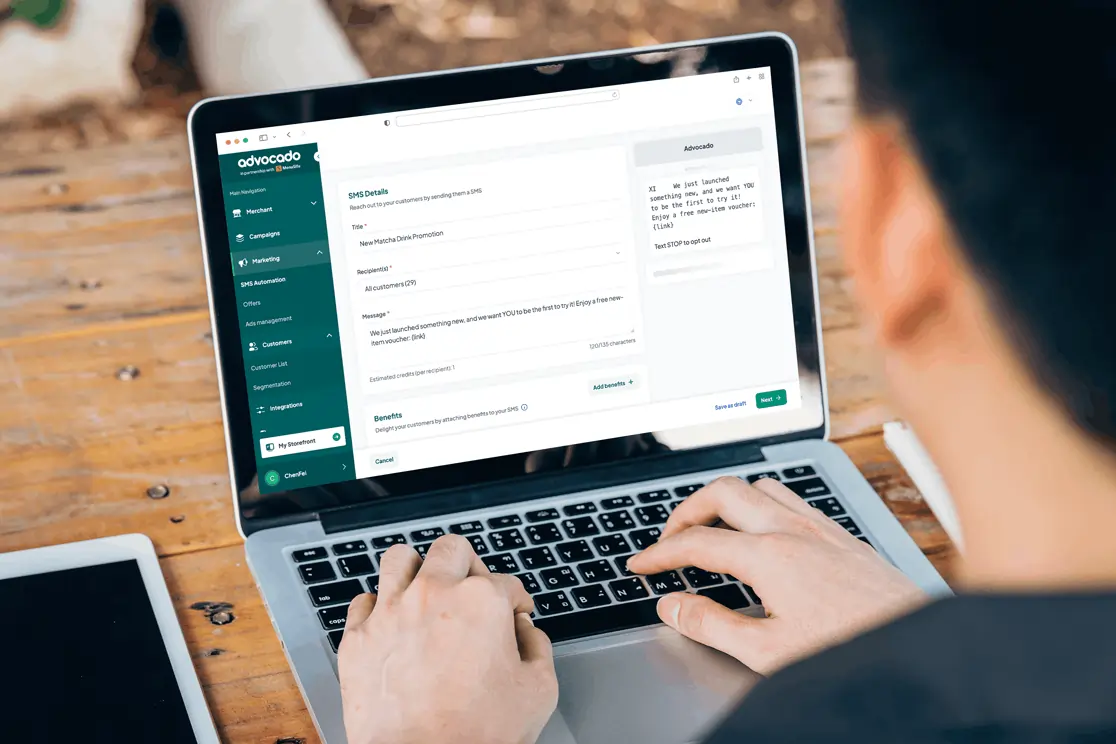
Your promotional text should quickly tell customers what you're offering and what they need to do next. Keep the wording concise and focus on one promotion so recipients can easily identify the offer.
An effective restaurant SMS message should include four essential elements:
For example, you could promote the Tuesday lunch special from Step 1 with this message:
Sample Restaurant SMS:
Maple Table: Get a FREE iced tea with any lunch entrée this Tuesday, 11 AM to 2 PM! Show this text to redeem. Reply STOP to opt out.
This message identifies the restaurant, explains the offer, specifies when customers can redeem it, and provides a clear next step.
Before finalizing your message, confirm that the promotion's date, availability, and redemption terms are accurate.
If you're including an ordering or reservation link, direct customers to the relevant page rather than your general homepage.
Before sending your promotional text, decide how customers can respond to your offer. Make the next step convenient by connecting your SMS message to the appropriate ordering, booking, or redemption process.
For example, you can:
For the Tuesday lunch promotion, you could ask customers to show the text before paying. You could also assign a unique promotional code, such as TUESDAYTEA, to identify qualifying purchases associated with the campaign.
Before the promotion begins, inform your staff about the offer, its expiration time, and any redemption restrictions. Make sure your checkout process can apply the promotion and record eligible redemptions correctly.
This preparation helps customers claim the advertised offer while giving you a reliable way to record responses.
Open your SMS marketing platform and create a new campaign. Enter your promotional message, select customers who have agreed to receive marketing texts, and choose when to send it.
Schedule your text when customers have enough time to act on the offer.
For example, you could send a Tuesday lunch promotion earlier that morning, giving customers time to consider visiting or placing an order. Check applicable messaging-hour restrictions and account for recipients' local time zones before scheduling.
Before launching your campaign, send a test message to your own phone.
Review the following:
Once you've verified these details, send your campaign to your selected subscribers.
After your promotion ends, review the results to see how effectively your SMS campaign encouraged customer activity.
Your SMS marketing platform may provide delivery and engagement data, while your ordering or point-of-sale (POS) system can help you review purchases and coupon redemptions.
Focus on these key metrics:
For example, if you send your Tuesday lunch promotion to 200 customers and 10 redeem the offer, your campaign achieves a 5% redemption rate based on messages sent.
You can also compare the revenue associated with those redemptions against the messaging costs and the cost of providing the promotion. Keep in mind that purchases associated with a campaign may include customers who would have visited anyway.
Use these findings to guide your next campaign.
If customers respond positively to your lunch special, consider testing a similar promotion on another weekday. If redemptions are low, review the offer, message wording, or delivery time.
Change one element at a time so you can identify which adjustments encourage more customers to respond.

You can start restaurant SMS marketing with a single promotion and a list of customers who have agreed to receive your messages. Focus on sending a relevant offer, making it easy to redeem, and reviewing the results before planning your next campaign.
As you become more comfortable using SMS marketing, you can explore additional features such as customer segmentation and scheduled promotions. You can also read our guide on how to automate SMS marketing for restaurants to learn how automated campaigns work.
If you're exploring restaurant marketing tools, MenuSifu's SMS marketing solution supports targeted promotional campaigns and coupon-based offers. It also provides options for connecting marketing activities with customer engagement.
Book a Free Demo with MenuSifu to explore its SMS marketing capabilities and see how they could support your restaurant's promotional efforts.
If you're new to restaurant SMS marketing, you may have questions about getting started, managing costs, and sending promotional texts. Here are answers to some frequently asked questions to help you plan your first campaign.
No. You can start with a small group of customers who have agreed to receive promotional texts. Focus on building a permission-based subscriber list and reviewing customer responses before expanding your campaigns.
You could start with one or two promotional text messages per month, depending on the messaging frequency customers agreed to when subscribing. Focus on relevant offers, such as limited-time discounts, new menu items, or special events. Monitor customer engagement and opt-out rates to determine if adjustments are needed.
Restaurant SMS marketing costs depend on the provider, subscription plan, and message volume. Entry-level plans may start around $25 to $40 per month, while some restaurant POS providers, such as MenuSifu, offer SMS marketing alongside their restaurant systems.
As part of its 2026 year-end promotion, MenuSifu offers eligible customers core software, including POS, with no monthly software subscription fee, plus a one-time credit of 10,000 complimentary marketing text messages for eligible contracts signed between October 1 and December 31, 2026. Required hardware is sold separately, and additional SMS messages are subject to standard pricing. Check eligibility and applicable fees before signing up.
Yes. You can use SMS marketing without automation by creating and sending one-time promotional text messages. Simply choose an offer, write your message, and send it to customers who have opted in to receive marketing texts. You can start with manual campaigns and explore automation as your marketing needs grow.
For more restaurant marketing tips, practical business guides, and technology insights, visit the MenuSifu Blog for more articles and updates.